Inspiring
January 20, 2017
Answered

How can I change a clip's length numerically?

  • January 20, 2017
  • 2 replies
  • 620 views

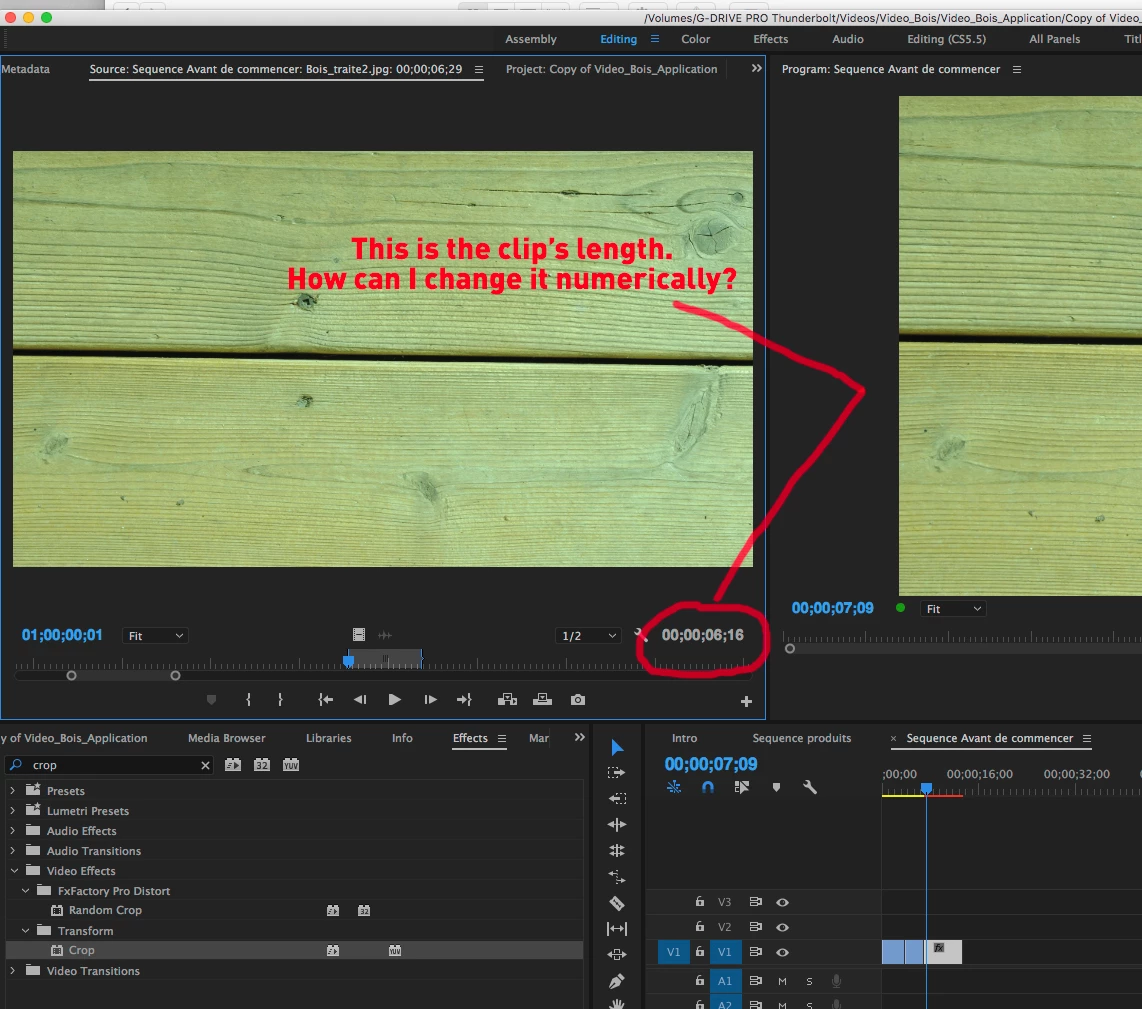
When I click on a clip in the timeline, it opens up in the viewer window. I know I can than change the its length my moving around the handles at the bottom, but what if I want to adjust the length numerically?
    This topic has been closed for replies.
    Correct answer Meg The Dog

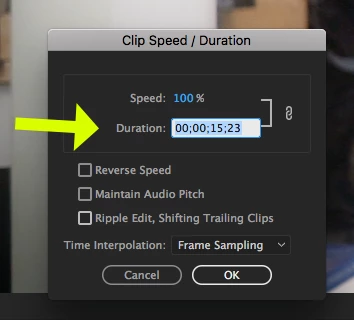
    Or right click on the clip in the timeline, and from the drop down menu choose Speed?Duration.

    When the Clip Speed/Duration window opens, set the duration  to what you want and click OK.

    MtD

    2 replies

    Meg The DogCorrect answer
    Inspiring
    January 20, 2017

    Or right click on the clip in the timeline, and from the drop down menu choose Speed?Duration.

    When the Clip Speed/Duration window opens, set the duration  to what you want and click OK.

    MtD

    DynopeteAuthor
    Inspiring
    January 20, 2017

    Thanks Meg, this is exactly what I was looking for.

    Legend
    January 20, 2017

    Click the blue numbers, type a new timecode and hit the O key (to create a new Out point).