
Inspiring
December 24, 2024
Answered

How can I take the "Mic" out?

  • December 24, 2024
  • 3 replies
  • 332 views

Hola
I have a Mac, PremierPro 25.1 and
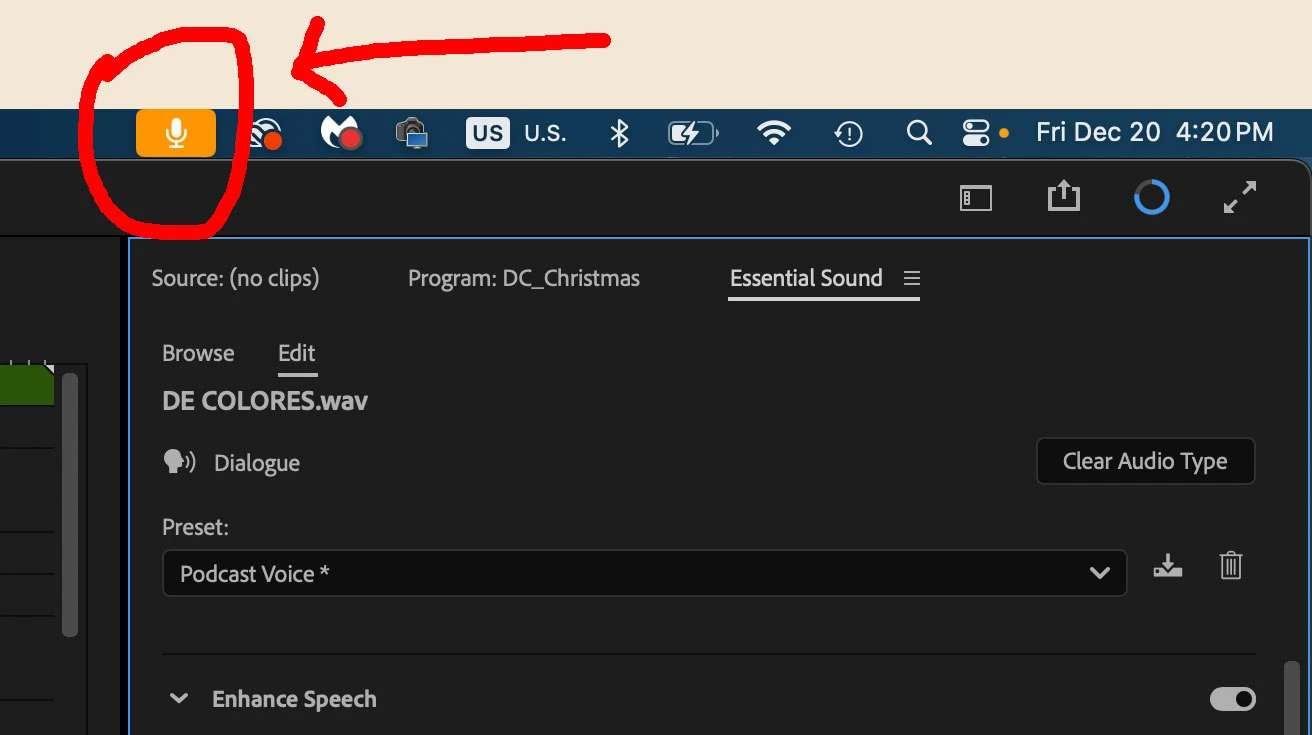
I have an icon of a Mic on top ONLY when PremierPro is on, so
how can I take it out?
and whats is that?
I'm still "figthing" with PremierPro ... Love the program do ...
Thanks
This topic has been closed for replies.
Correct answer Ann Bens

Make sure Default Input in the Audio Hardware in the Preferences is set to No Input.

3 replies

MyerPj
Community Expert
Community Expert
December 24, 2024

It is. Windows users get a mic in the Task Tray indicating the same thing.


Ann Bens
Community Expert
Ann BensCommunity ExpertCorrect answer
Community Expert
December 24, 2024

Make sure Default Input in the Audio Hardware in the Preferences is set to No Input.

Inspiring
December 27, 2024

Thank You !!!

R Neil Haugen
Legend
December 24, 2024

Not a Mac user ... but Premiere has a voice-record function for the Timeline panel, so you can "arm" an audio track, and then record voice-overs. I wonder if that mic is there because of that capability in Premiere?

Everyone's mileage always varies ...