Doncaedit
Participant
July 21, 2026
Question

How can I transcribe only a selected clip instead of the entire video in Premiere Pro?

  • July 21, 2026
  • 3 replies
  • 27 views

Hi everyone,

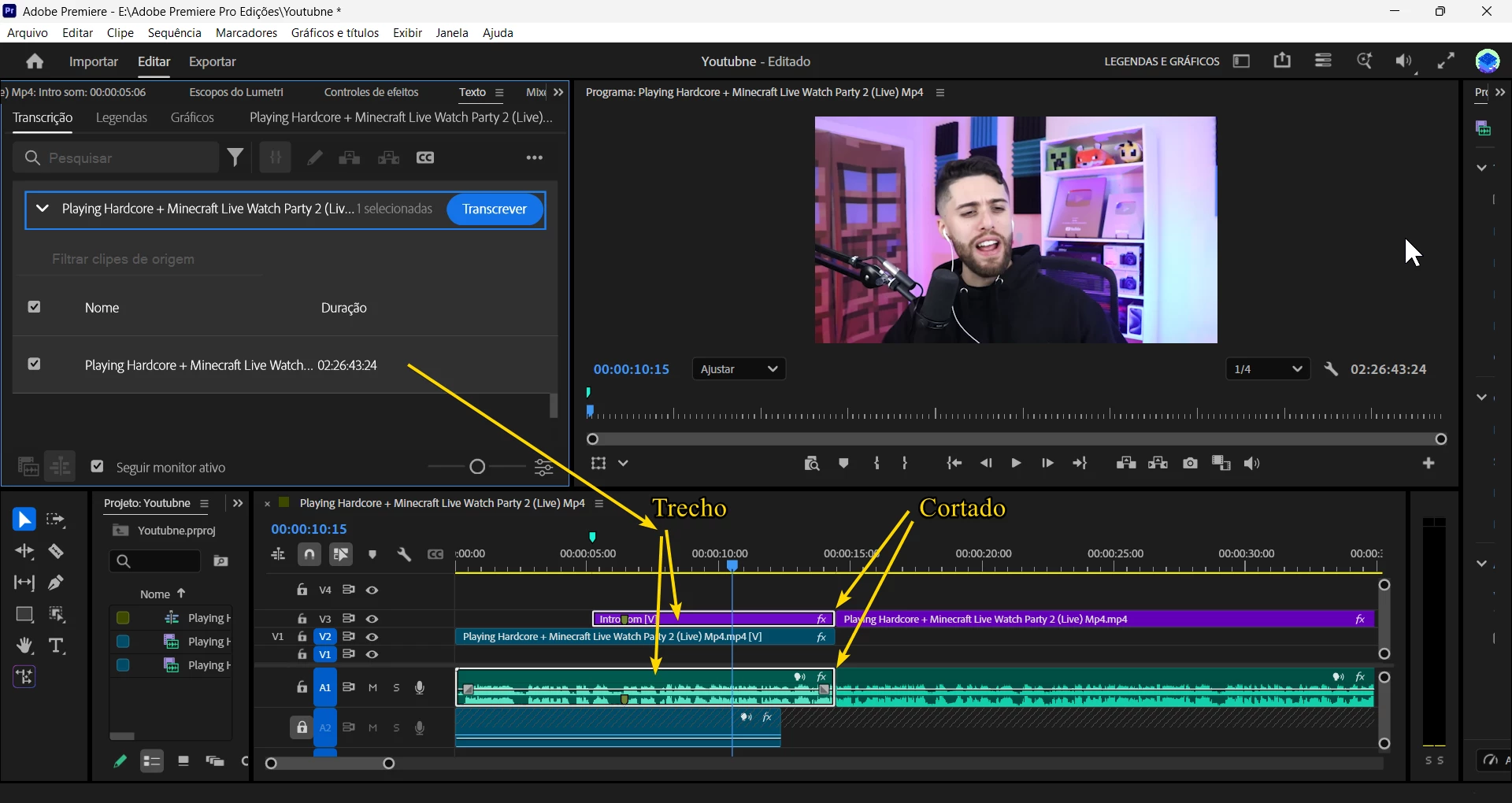
I'm editing a 2-hour video in Premiere Pro, but I only need the transcript for a few short sections that I've already cut on the timeline.

When I click Transcribe, Premiere analyzes the entire original source video (2 hours) instead of just the edited clips in my sequence.

Is there a way to transcribe only the selected clip or only the edited portion of the timeline without creating a new sequence or exporting the clip first?

Any help would be appreciated. Thanks!
 

    3 replies

    caroline_edits
    Community Manager
    Community Manager
    July 22, 2026

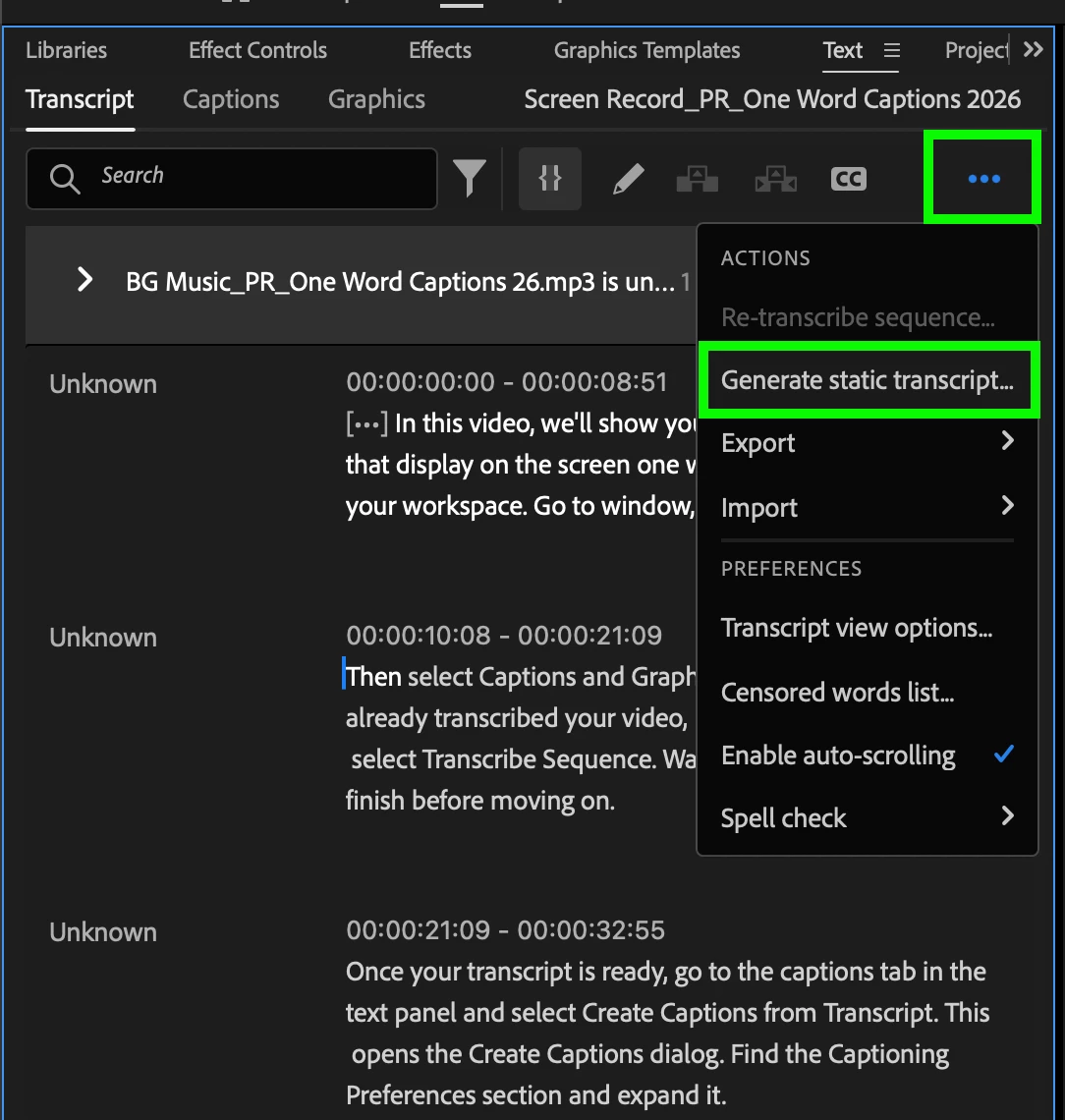
    I think Paul is right! You may be looking to generate a static transcript. To do that, select the “...” in the corner of the Text panel and select Generate Static Transcript.


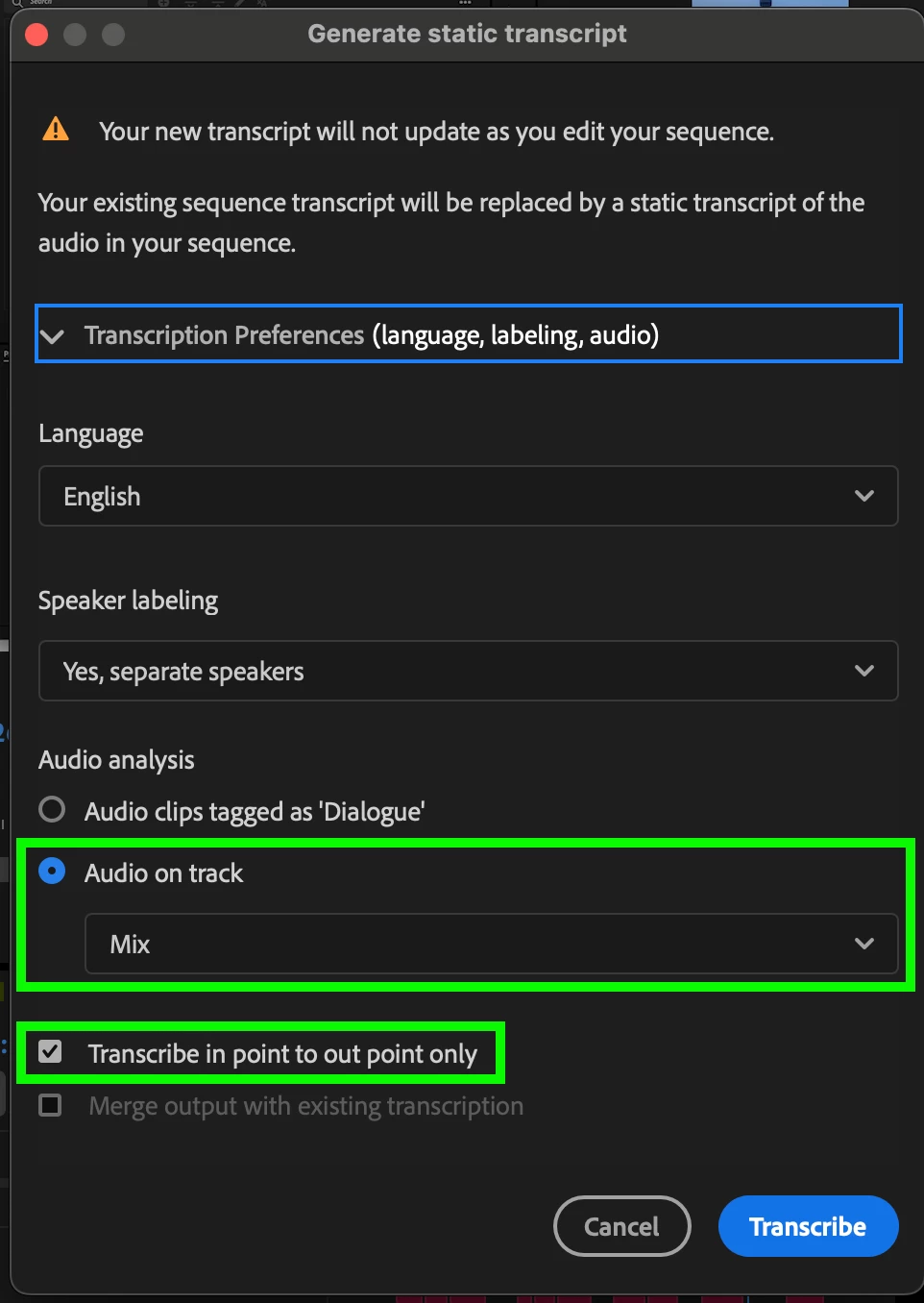
    It will open the settings for Generate Static Transcripts. Make sure you check your Audio Analysis and select “Audio on Track: Mix.” The “mix” is everything in your timeline. You can use that dropdown menu to focus on transcribing a specific track in your timeline.

    If you have in and out points set on your timeline, you can also specify that you want to only transcribe the speech within those points. That’s another way to narrow down the amount of speech that Premiere has to transcribe.


    We hope this helps, let us know.
    Caroline

    Doncaedit
    DoncaeditAuthor
    Participant
    July 22, 2026

    Hi, thanks for the reply, but it's still the same; Premiere can't find the video track I cut. It still shows 2 hours of video, meaning the entire video.

    I locked the other videos with a padlock too.

    I've already renamed the track, but it doesn't appear in the options.


    Community Expert
    July 21, 2026

    If you don't need the transcript to update as you make changes to your timeline, you can generate a static transcript from just those clips.

    1. Move the clips you want transcribed to their own track.
    2. Solo that track.
    3. Open the Text panel and select the Transcript tab.
    4. Click the three dots in the top right and choose Generate static transcript.
    Doncaedit
    DoncaeditAuthor
    Participant
    July 22, 2026

    Hi, thanks for the reply, but it's still the same; Premiere can't find the video track I cut. It still shows 2 hours of video, meaning the entire video.

    I locked the other videos with a padlock too.

    I've already renamed the track, but it doesn't appear in the options.