

Bed30321077z973
Inspiring
November 10, 2025
Answered

How comes this basic "Paint" option does not exist in PPRO?

  • November 10, 2025
  • 2 replies
  • 126 views

Hello, 

Maybe Is it possible to give the "text" feature (one popping up when you press T and click on the video preview) to get the option "Opaque" from the base Paint in windows?

Like this:
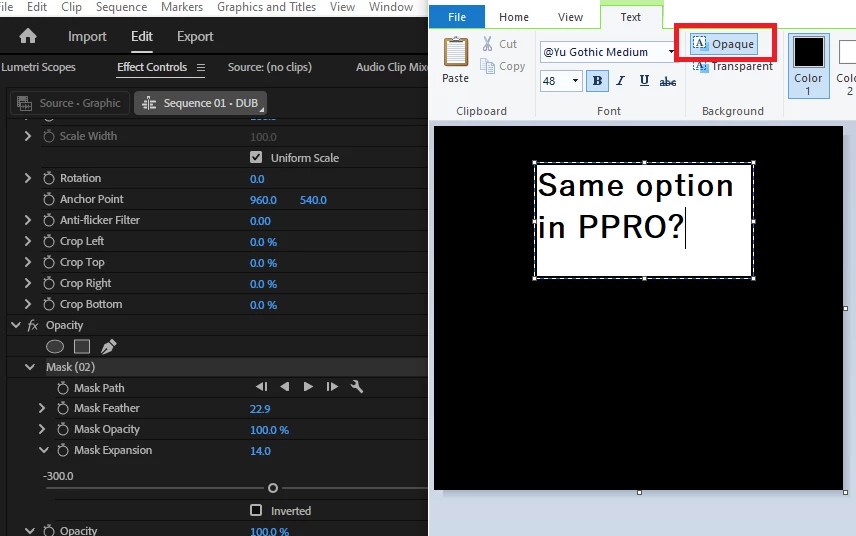


Goal is to have the text have a (background) that erases everything behind that text, in a rectangle style.

In this case in paint in the right we obtained a white rectangle that replaces what was behind it (black color)

In PPRO, the background rectangle would replace everything happening on the video preview.
 

Correct answer PaulMurphy

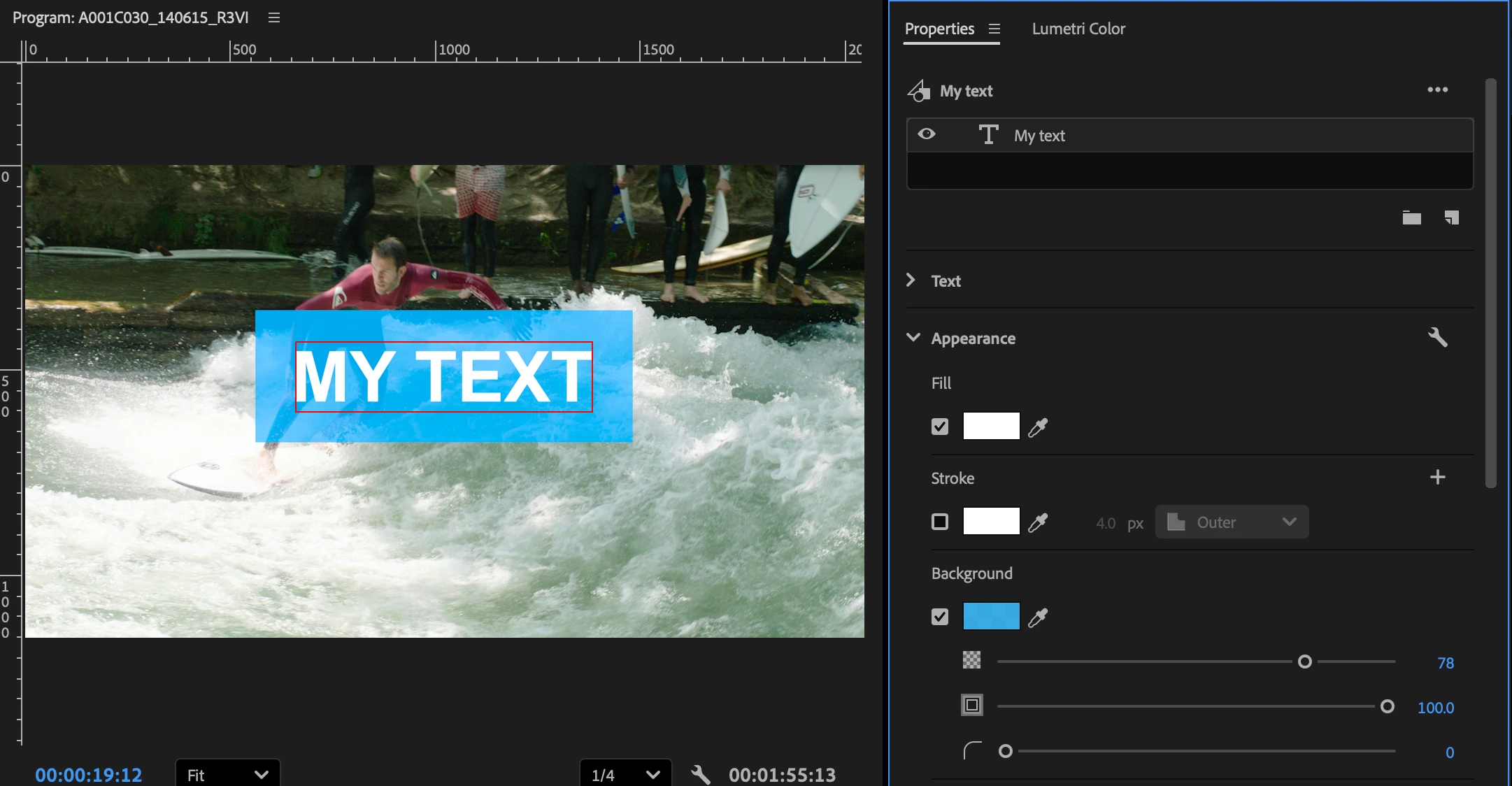
You can also achieve this by enabling the Background option for your text layer in the Properties panel. This allows you to add a solid rectangle behind the text, effectively blocking out the video beneath it—similar to the “Opaque” background option in Paint.


2 replies

PaulMurphyCommunity ExpertCorrect answer
Community Expert
November 11, 2025

You can also achieve this by enabling the Background option for your text layer in the Properties panel. This allows you to add a solid rectangle behind the text, effectively blocking out the video beneath it—similar to the “Opaque” background option in Paint.


Inspiring
November 10, 2025

you can easily add a shape to your text which even grows and shrinks with it if you want it to do so.

or did i misunderstand you question?