Known Participant
January 24, 2024
Question

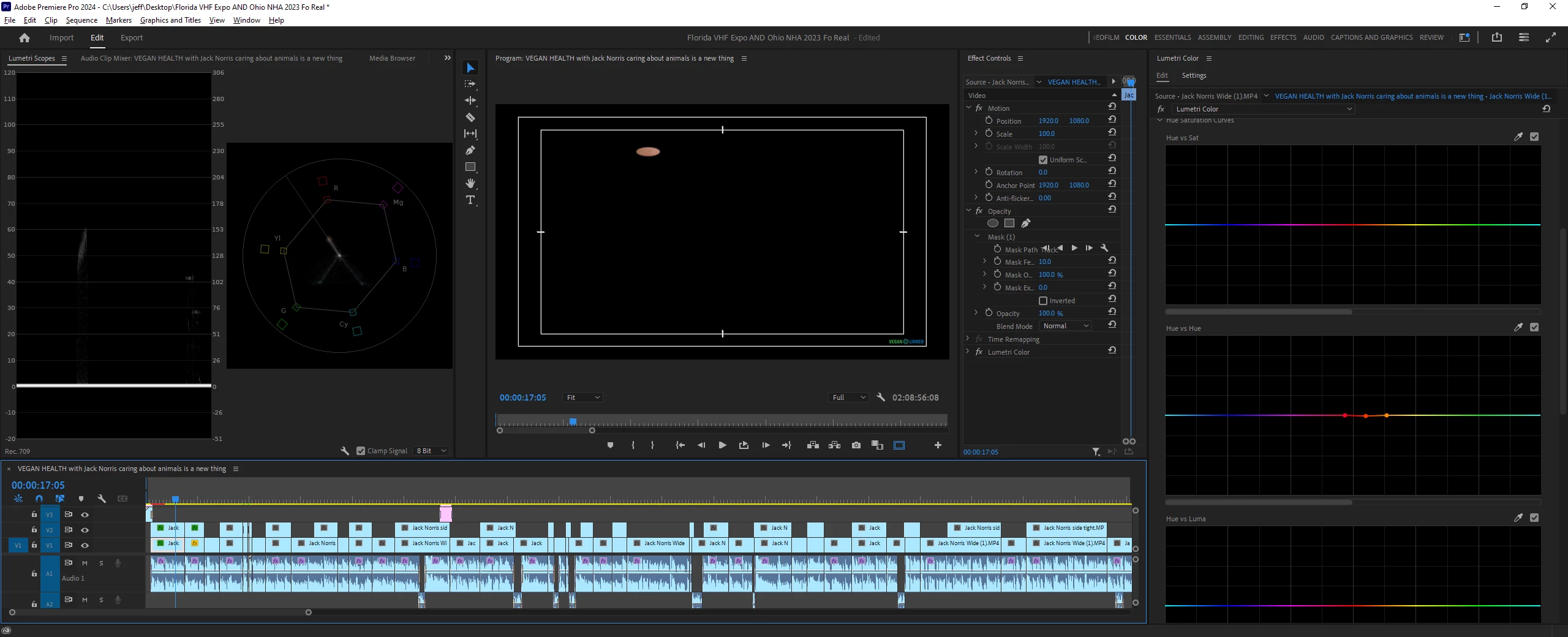
How do I adjust these colors Vectorscope YUV?

  • January 24, 2024
  • 2 replies
  • 629 views

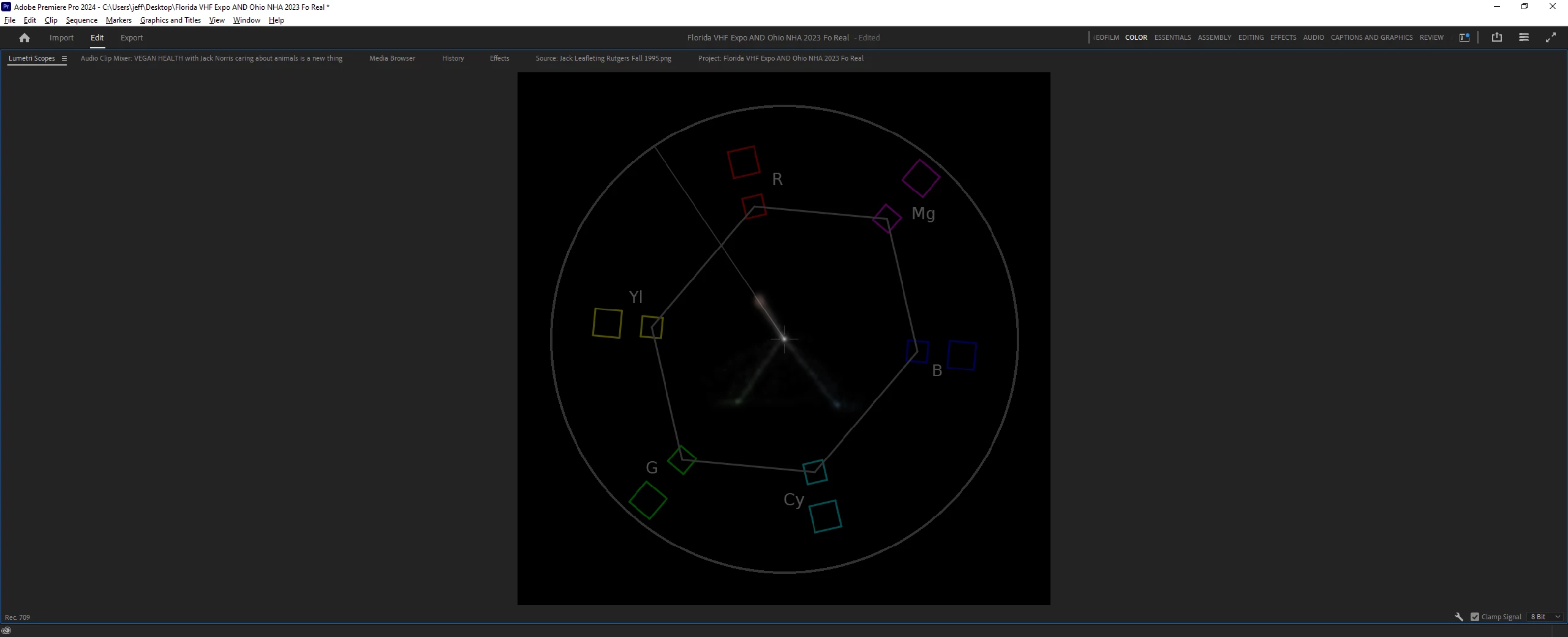
I have a mask around the skin and in the vectorscope you can see a line going toward green and another going toward in between cyan and blue. What tool do I use to bring those toward the skin tone line? 


This topic has been closed for replies.

2 replies

R Neil Haugen
Legend
January 24, 2024

This looks like a pretty solid color though I'm suspecting you may have video noise in the sample. Which would account for the tiny amounts of cyan/blue. 


Have you moved the mask a little to see what results you get?


To make a selection like that is called a secondary selection. A primary selection affects the whole image, a secondary selection is "qualified" to adjust only a selected part of an image.


So ... in Premiere, that's the HSL Secondary tab. And set the key to those specific hues, maybe a hue-only selection with luma and sat turned off ... you'd have to test of course. But I don't think it's worth the time.


And I work for/with/teach pro colorists, work heavily in both Resolve and Premiere. The only times I've seen that sort of trace have included video noise.

Everyone's mileage always varies ...
Known Participant
January 25, 2024

Thanks, yeah, I moved the mask around, and I am also getting the same results when I do the same thing with the other camera angle/shot. This doesn't always happens with these cameras/interviews, but when it does I'm always wondering how to shift those. But, like you said, it's probably not worth the time. I didn't try HSL Secondary. I don't do a lot there. I've toyed around there but not enough to know how to really do what your'e suggesting. 

Known Participant
January 24, 2024

I have a thin line darting toward green and another thin line going toward in between cyan and blue. How do I get those two thin lines to join the rest of the colors that are near the skin tone line?