Participant
July 9, 2025
Answered

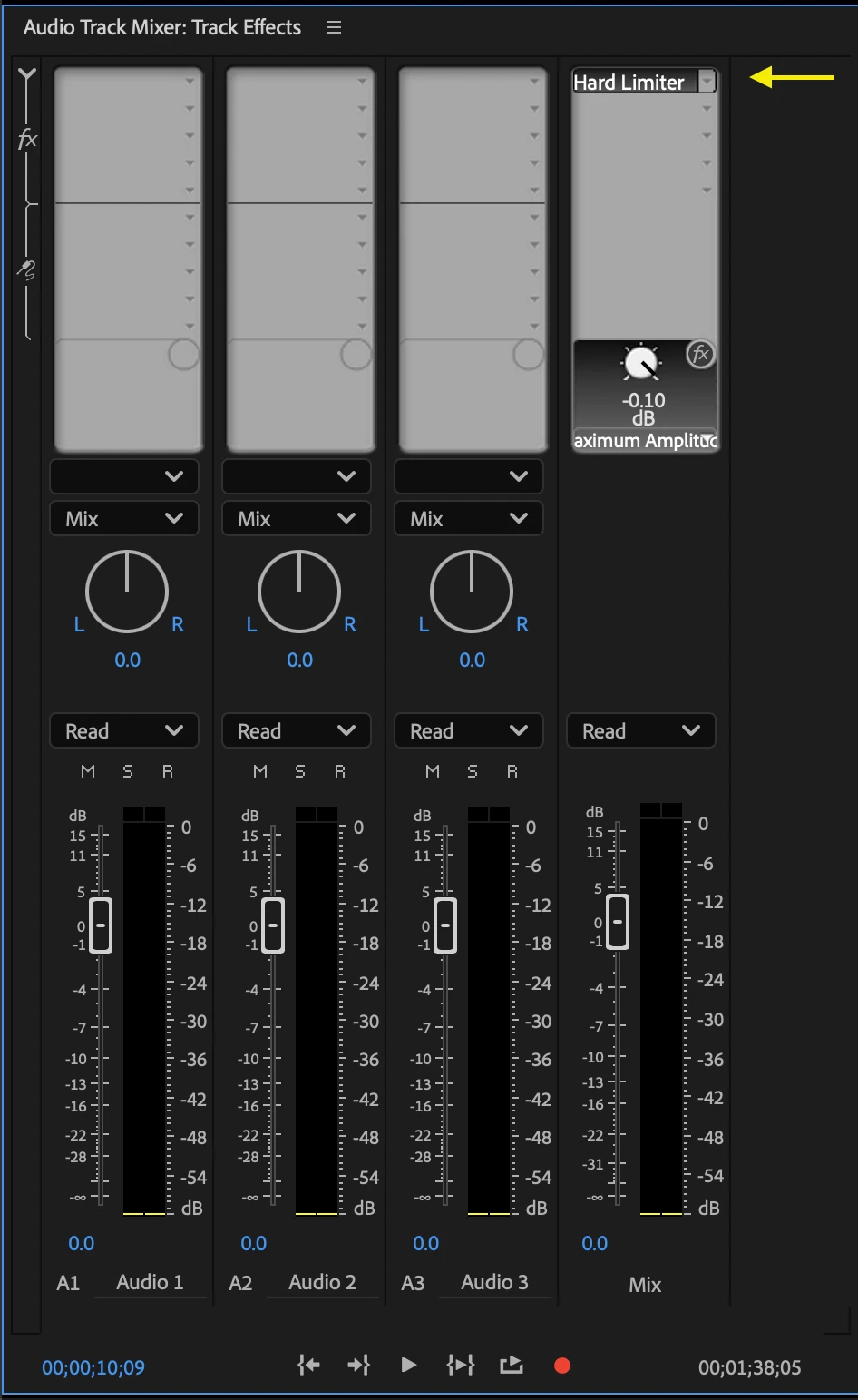
How do I apply Hard Limiter to the master track?

  • July 9, 2025
  • 1 reply
  • 1538 views

I mix music for a living, this is a stupid simple task in the audio world. 


I'm trying to apply a hard limiter to the master track. How do I do this? I've been trying to drag and drop the Hard Limiter effect from the Effects panel --> Audio Track Mixer master track. It won't let me do that. 


How do I add FXs to the master audio track?

Correct answer jamieclarke

Hi @lindy_4185 - To add the “Hard Limiter” effect to the Master track:
Open the Audio Track Mixer, then click the white triangle in the upper left corner to expand the effects panel. Scroll to the Master track, click in one of the effect slots, and choose Hard Limiter from the Amplitude and Compression dropdown menu.

1 reply

jamieclarke
Community Manager
jamieclarkeCommunity ManagerCorrect answer
Community Manager
July 9, 2025

Hi @lindy_4185 - To add the “Hard Limiter” effect to the Master track:
Open the Audio Track Mixer, then click the white triangle in the upper left corner to expand the effects panel. Scroll to the Master track, click in one of the effect slots, and choose Hard Limiter from the Amplitude and Compression dropdown menu.

Participant
July 9, 2025

My Audio Track Mixer doesn't have a little white triangle. Where can I find that?

jamieclarke
Community Manager
Community Manager
July 9, 2025

Hi @lindy_4185 - Click the Arrow directly below the "S" where it says source in your screenshot.