
drferry
Known Participant
February 16, 2018
Question

How do I darken a gray sky with an exposure gradient in Premiere?

  • February 16, 2018
  • 2 replies
  • 6962 views

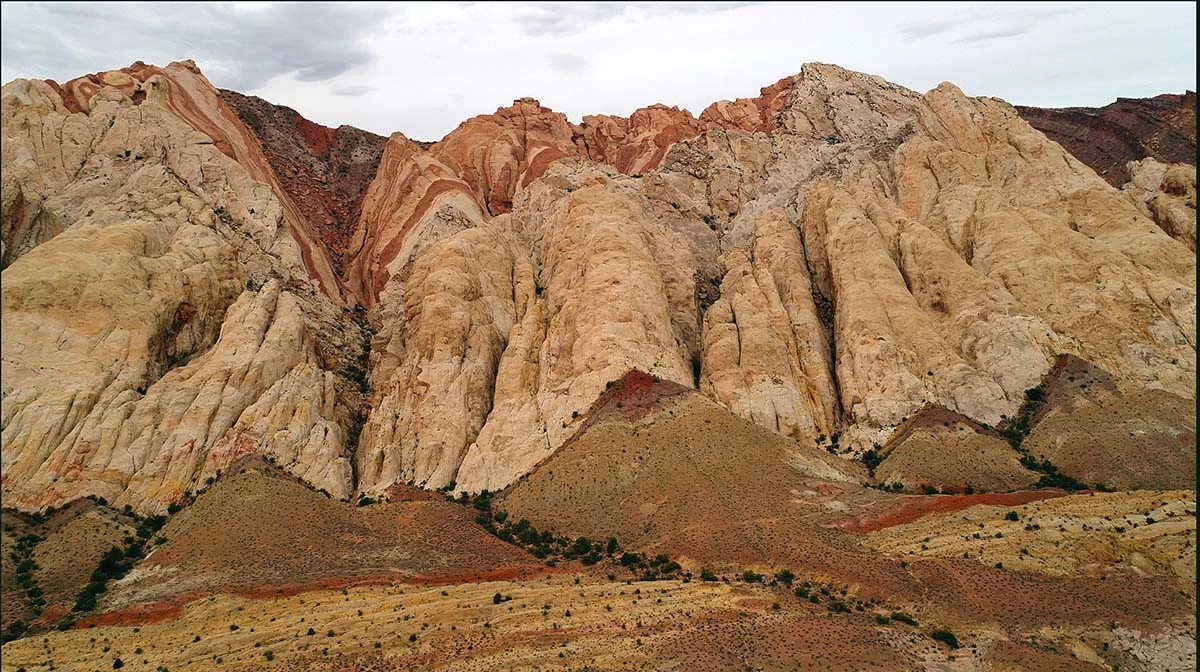
I have a clip taken with my Phantom 4 of the San Rafael Swell in Utah that is exposed for the sandstone formation of the swell but leaves the gray sky underexposed.  I would like to add a neutral density exposure gradient to the top of the scene, but the newest answers I can find in the forum are from 2010. I am an amateur when it comes to using Premiere Pro CC.
Thanks so much!

DRF

This topic has been closed for replies.

2 replies

Inspiring
February 16, 2018

With the clip selected in the timeline, switch to the Color workspace. Use Lumetri to paint up the sky as you wish. Don't worry about it changing the color of the rest of the picture - that will be fixed  next:

When you have the color of the sky as you wish, in the Effect Controls Panel, create/draw a soft edge mask in the Lumetri effect to contain the Lumetri effect to just the area of the image you want:

Done - depending on the horsepower of your computer, you will likely have to render the effect to see smooth playback on the timeline, you'll need to adjust to taste:

MtD

drferry
drferryAuthor
Known Participant
February 17, 2018

Meg,

Thank you!  I did not include the fact that the clip pans from right to left along the ridge as the drone flies that direction, so the shape of the crest varies.  I opted to use a rectangular mask and have only the lower feathered portion extend down over the sky to create a gradient effect that was darker at the top and faded to clear at the bottom, corresponding with the average top of the crest.  Unless I wanted to change the shape of the mask very frequently, which I did not want to try, this worked fine.

I guess this is the equivalent of the gradient mask in Camera raw in Photoshop?

DRF

R Neil Haugen
Legend
February 17, 2018

You can track a mask in PrPro, making changes as you go along, which with a bit of feather applied would work for this.

Neil

Everyone's mileage always varies ...
chrisw44157881
Inspiring
February 16, 2018

maybe you can cheat it with the effect cineon. it will act like a dehaze filter. or a secondary luma key with lumetri then lower exposure.