



How do I fix my Premiere Pro from randomly crashing when I drag those vertical lines between panels to make sections bigger or smaller?
Hi,
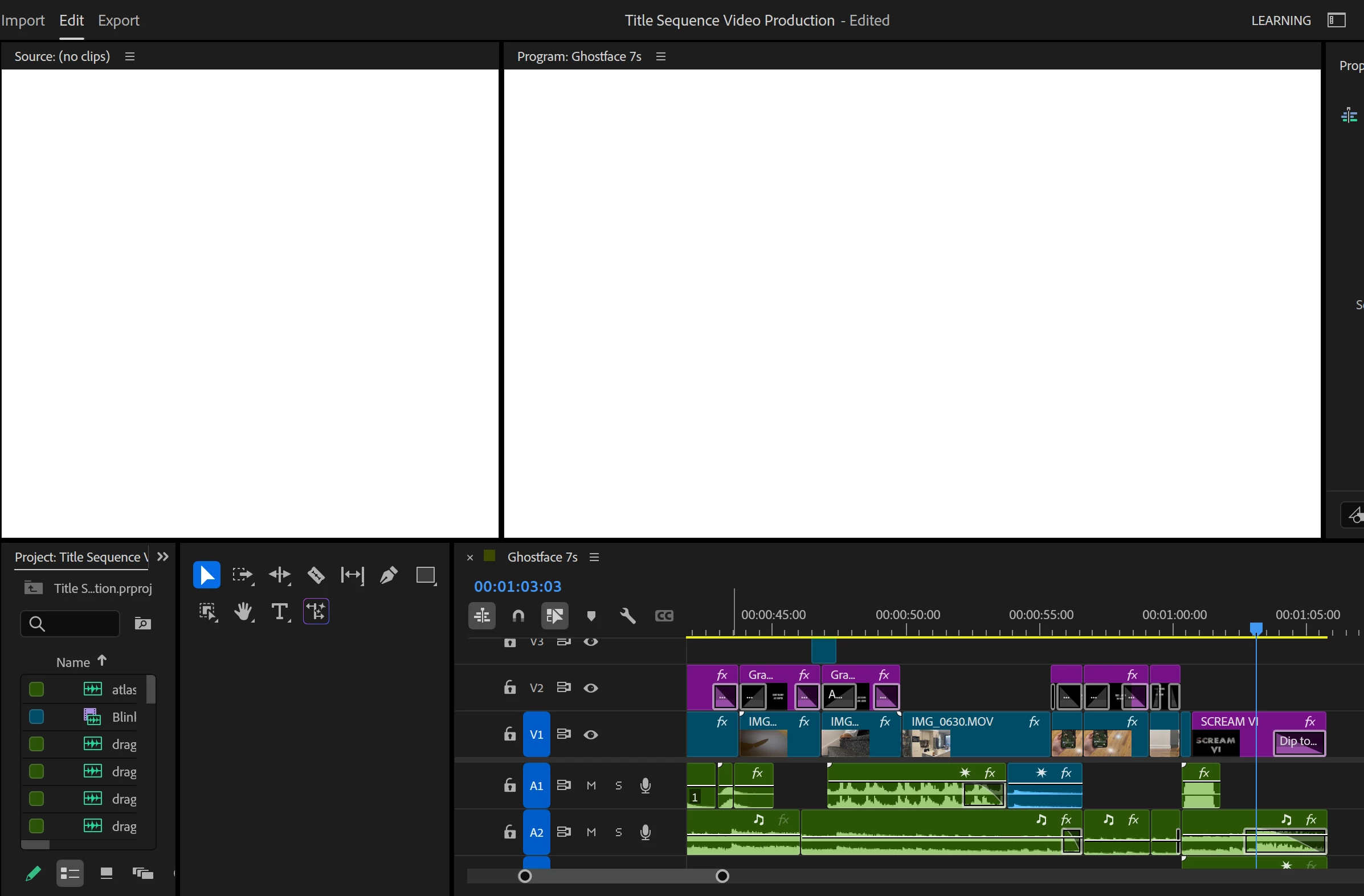
I have been using Premiere Pro for a couple of years, and I recently got a new laptop. When I use Premiere, everything works fine except for one issue. Whenever I drag those vertical lines between panels to make sections bigger or smaller, Premiere freezes, and the screen turns black and then white (example of my project shown below).
I’ve tried resetting the preferences, deleting the cache, and updating the program whenever needed. I don’t think the issue is related to my settings or my laptop, so I’m not sure what’s causing it. I find it strange that it only stops working when I drag the panel dividers to make certain sections bigger or smaller.
If anyone else has experienced this issue with Premiere and found a solution, I would really appreciate a response.
Thank you!!

 AdChoices