
Question
How do I get rid of this shaded area without scrolling?
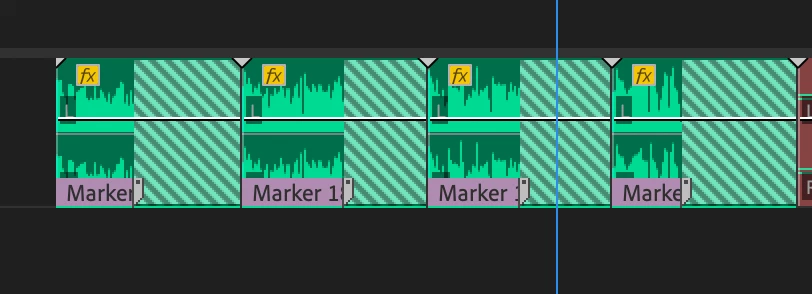
I'm developing a video template and it involves replacing clips with new files, and it results to this - a new waveform that doesn't completely fill the Premiere clip. I know I can just trim the edges manually, but I need a "select-all-click-this" method, otherwise, it would be time consuming and inefficient. Is there a way?
 AdChoices