
Participant
October 31, 2020
Answered

How do I remove everything except for one color?

  • October 31, 2020
  • 2 replies
  • 5810 views

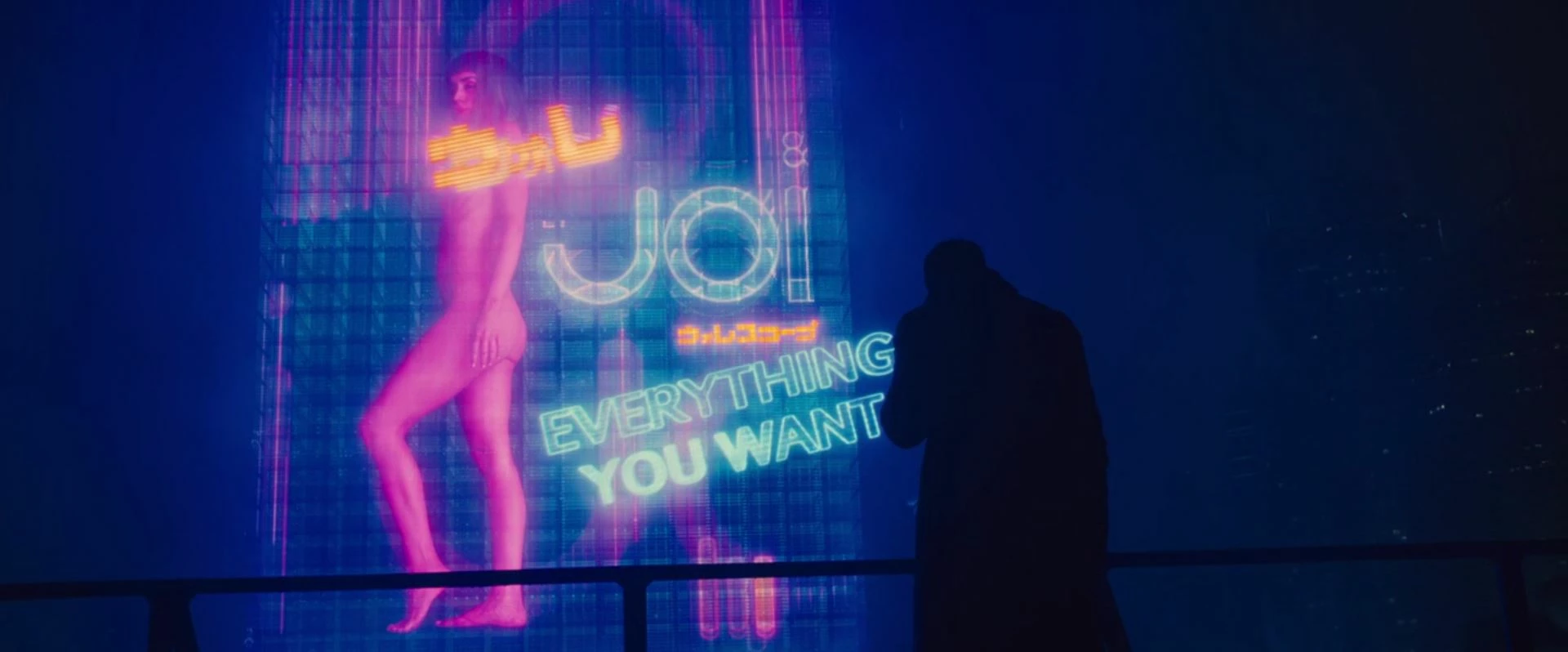
I have a scene from which I'd like to remove everything in the background (the hologram part) and leave the foreground (the black silhouette part) so I have a transparent background. How can I do this? Any help would be appreciated!
This topic has been closed for replies.
Correct answer Richard M Knight

You could try a luma key but you would end up with the rail as well.

2 replies

Richard M KnightCommunity ExpertCorrect answer
Community Expert
October 31, 2020

You could try a luma key but you would end up with the rail as well.

Participant
October 31, 2020

I actually needed the rail as well. Luma Key worked perfectly, thanks a lot!

Ann Bens
Community Expert
Community Expert
October 31, 2020

Rotoscoping in Ae would be the best option, but you could try the mask from opacity.