
Inspiring
January 7, 2025
Answered

How do I return the arrow tool from Premiere?

  • January 7, 2025
  • 1 reply
  • 866 views

How do I return the arrow tool from Premiere?

Correct answer Ann Bens

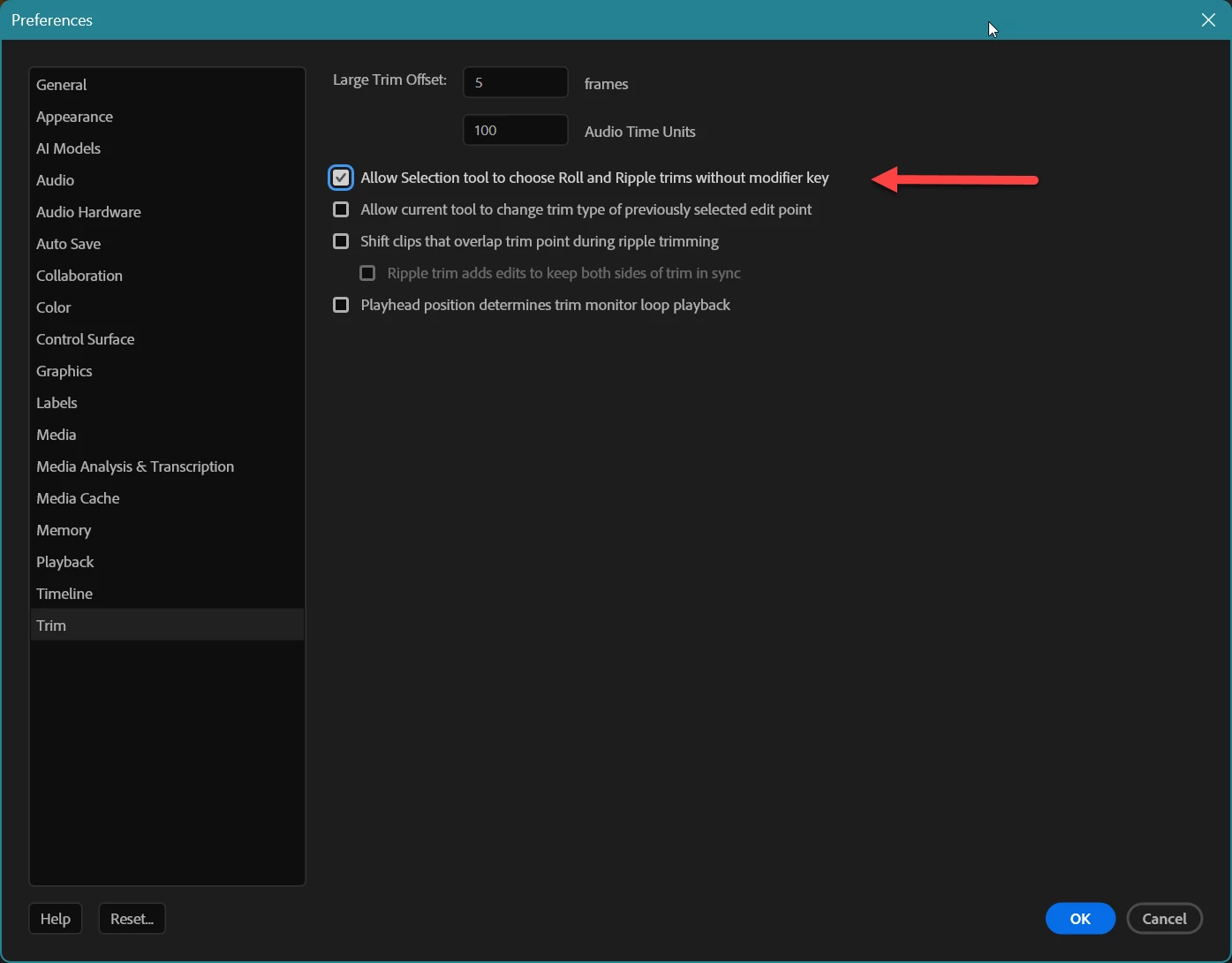
In the Preferences under TRIM there are settings for the trim tools.


Uncheck


1 reply

Community Manager
January 7, 2025

Hi Shiba Aoki,

Welcome to the community. Are you not able to switch to the Selection tool in Premiere Pro? What happens when you select the Selection tool in the Toolbar menu? You may also use the default shortcut 'V' to activate the Selection tool. Let us know if it helps.


Thanks,

Sumeet

Inspiring
January 7, 2025

I can't use the native arrow tool because it changed like the photo I sent, instead of looking like this:

Community Manager
January 7, 2025

Thanks for providing the details. To prevent Roll & Ripple trims from being activated, navigate to Edit > Preferences > Trim & uncheck the option Allow Selection tool to choose Roll and Ripple trims without modifier key. Hope it helps.


-Sumeet