ttkgrey
Participant
August 15, 2018
Answered

How do I revert to the original Premiere
  • August 15, 2018
  • 1 reply
  • 795 views

    This topic has been closed for replies.
    Correct answer excited_Genie16B8

    Got it now.  You're looking to Reset the Workspace.

    Premiere Pro is very complex software meant for trained professionals.  Don't skip reading the manual.

    https://helpx.adobe.com/pdf/premiere_pro_reference.pdf

    1 reply

    Legend
    August 15, 2018

    Your question doesn't make sense.  The 'original' Premiere is well over two decades old, is no longer being sold, and probably wouldn't run on your system anyway.

    ttkgrey
    ttkgreyAuthor
    Participant
    August 15, 2018

    Not what I mean.

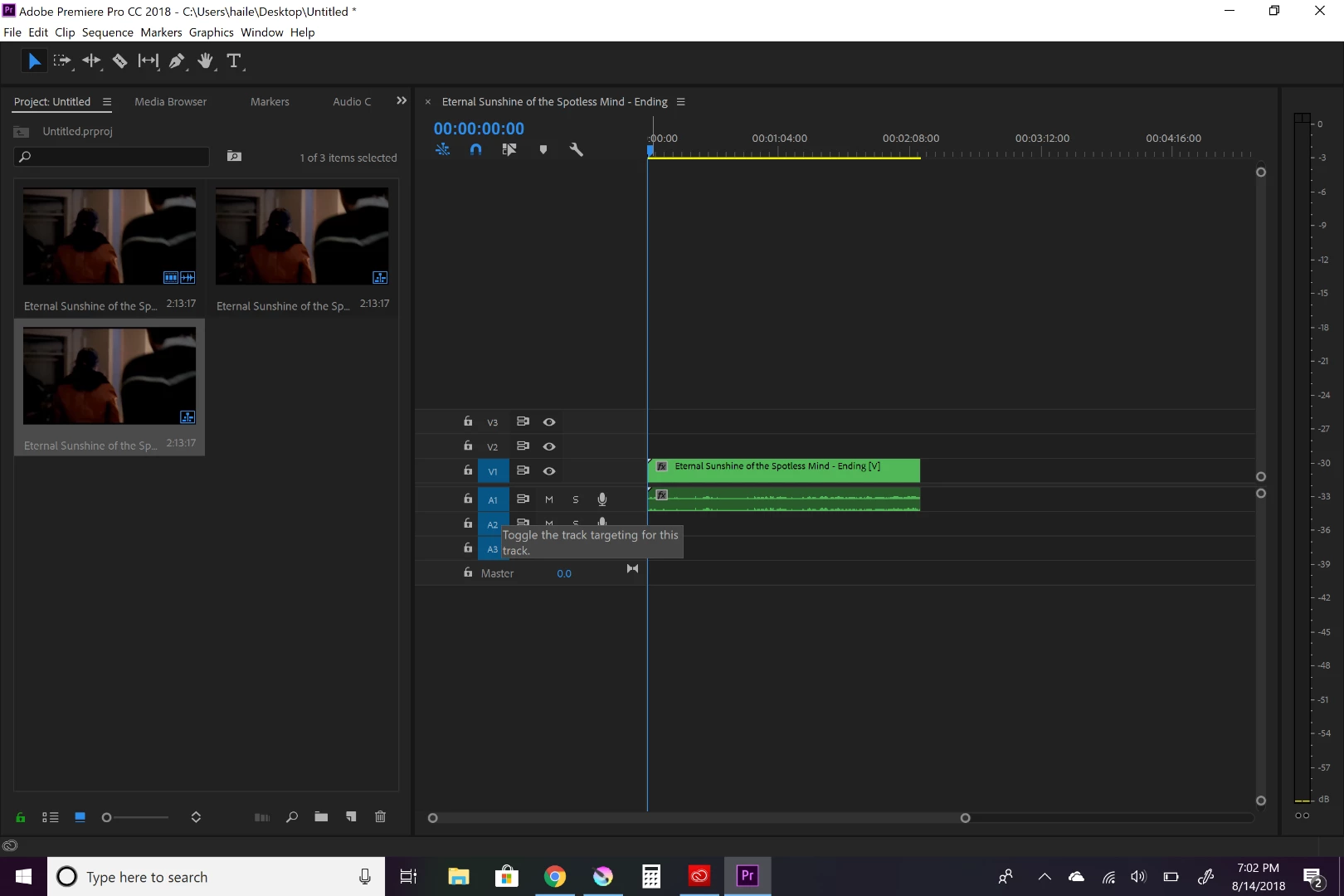
    Like when you first download premiere, I am missing specific windows that I had before.

    Like to view and edit the video in a panel.

    Sorry for not being clear.

    excited_Genie16B8Correct answer
    Legend
    August 15, 2018

    Got it now.  You're looking to Reset the Workspace.

    Premiere Pro is very complex software meant for trained professionals.  Don't skip reading the manual.

    https://helpx.adobe.com/pdf/premiere_pro_reference.pdf
