


How do I stop the source monitor from playing the video when I'm using Lumetri Color?
While I’m editing on Premiere Pro, I noticed that the video plays whenever I change something in my Lumetri Color window, but only if I change those settings on the source clip. I have to stop the video every time I want to adjust the exposure, saturation, etc. The video won’t play if I use Lumetri Color when the video is in a sequence/on the timeline.
Same thing happens when adjusting the In/Out markers on the source window timeline.
I could easily clip the footage and edit in the timeline instead, but editing the source clip makes it so I don’t need to reapply color correction to a clip from the same video every time.
Any suggestions?
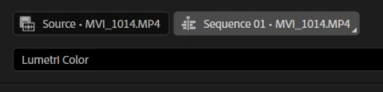
For reference: Editing in source tab = plays video when adjusting any value. Editing in Sequence tab = doesn’t play video.
 AdChoices