
How do I tint a a background video to an exact color without useing obselete plugins?
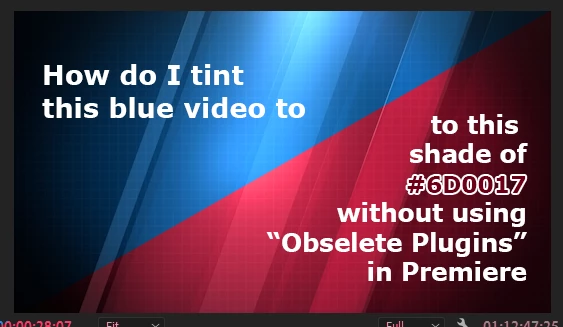
In Premiere pro-CC 2023 I have a blue video that I want to turn to our official color of red (Hex code #6d0017)
In the past, I could use "Change to Color" with the exact results I wanted.
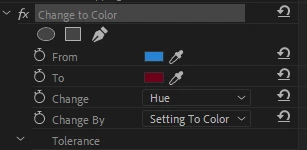
Since this is now in the "Obsolete Plugin" section, I assume it will go away soon. Thus I'm again assuming that Adobe wants me to use "Lumetri Color" to do this, and for the last few days, I haven't come remotely close to the same effect. There seems to be no way to enter an exact color value or hex code for the specific colorI want to use. The Hue vs Hue seems to be guesswork at best, and even when I get the reds "close" there are still hot spots that show a lot of blues.
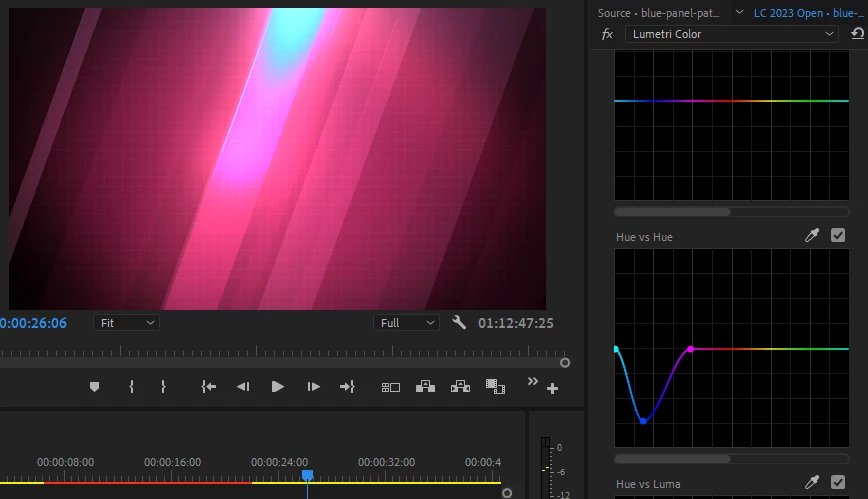
What am I missing? How do I do this? Every search I've tried only shows me outdated information or how to change a single color when this video has multiple shades of the same color, and I want to change the whole thing. I don't want to use an adjustment layer when the "Change to Color" works on the individual clip's effect settings. The new way should as well.
Thanks,
Jeff
 AdChoices