
Participant
November 11, 2022
Answered

How do you turn the pop up info boxes OFF????

  • November 11, 2022
  • 2 replies
  • 1712 views

I know there is a way as I don't remember seeing these until today... now I can't stop being annoyed by them-
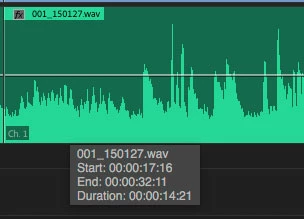
 

There has to be a way to turn these off... my GOD they are distracting. WTF was adobe thinking?????

You're trying to look at video and things are popping up when you move your mouse????? You're trying to look at your audio's waveform; a pop up blocks part of the ****ing waveform!!!!!


Please tell me how to get rid of this

This topic has been closed for replies.
Correct answer Ann Bens

You cannot turn them off.

Been there since the dawn of time (at least CS6)

Premiere Pro: Hot (13069 ideas) – Adobe video & audio apps

2 replies

Participant
June 13, 2024

I agree, it can be really annoying, in my case (on Mac), they even stay on screen after I moved to another software, like After Effects or even a browser for example. They litteraly float over your screen until you go back to Premiere and back to the other software again.
I really wish they would go away when unchecking the Show Tool Tips box in General, as suggested.

Inspiring
July 26, 2024

Samsies on Windows, super annoying.

Ann Bens
Community Expert
Ann BensCommunity ExpertCorrect answer
Community Expert
November 11, 2022

You cannot turn them off.

Been there since the dawn of time (at least CS6)

Premiere Pro: Hot (13069 ideas) – Adobe video & audio apps

Participant
November 11, 2022

That's what I've read online... but HOW did I not notice them until today... I swear I never saw them, now I start setting up a new project and they are ALL I see!

Kevin-Monahan
Community Manager
Community Manager
November 14, 2022

Hi Anthony,

Sorry about that. Can you try turning off tooltips? Preferences > General is where you find them. That may reduce the amount of onscreen feedback. 


Thanks,
Kevin

Kevin Monahan - Sr. Community and Engagement Strategist – Adobe Pro Video and Audio