New Participant
June 16, 2017
Answered

How I make the Right Click Menu display completely?

  • June 16, 2017
  • 15 replies
  • 22819 views

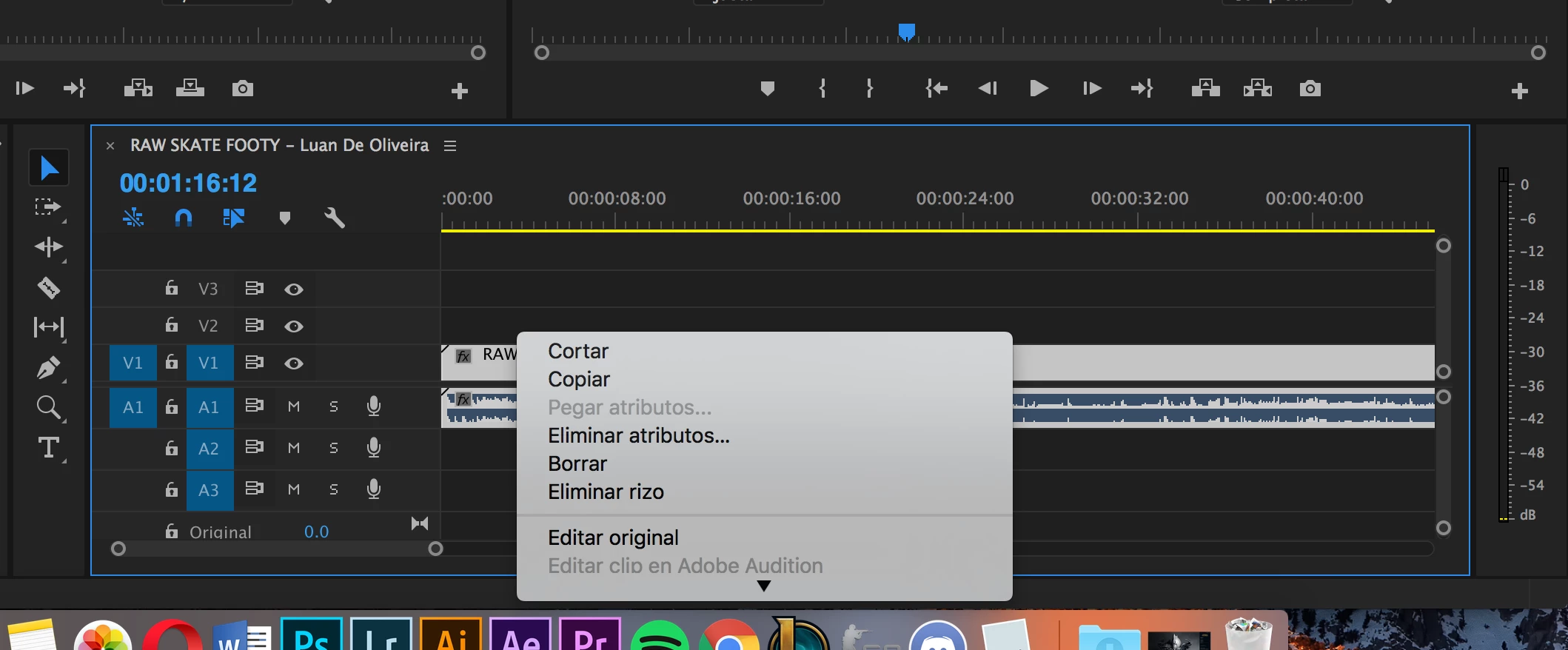
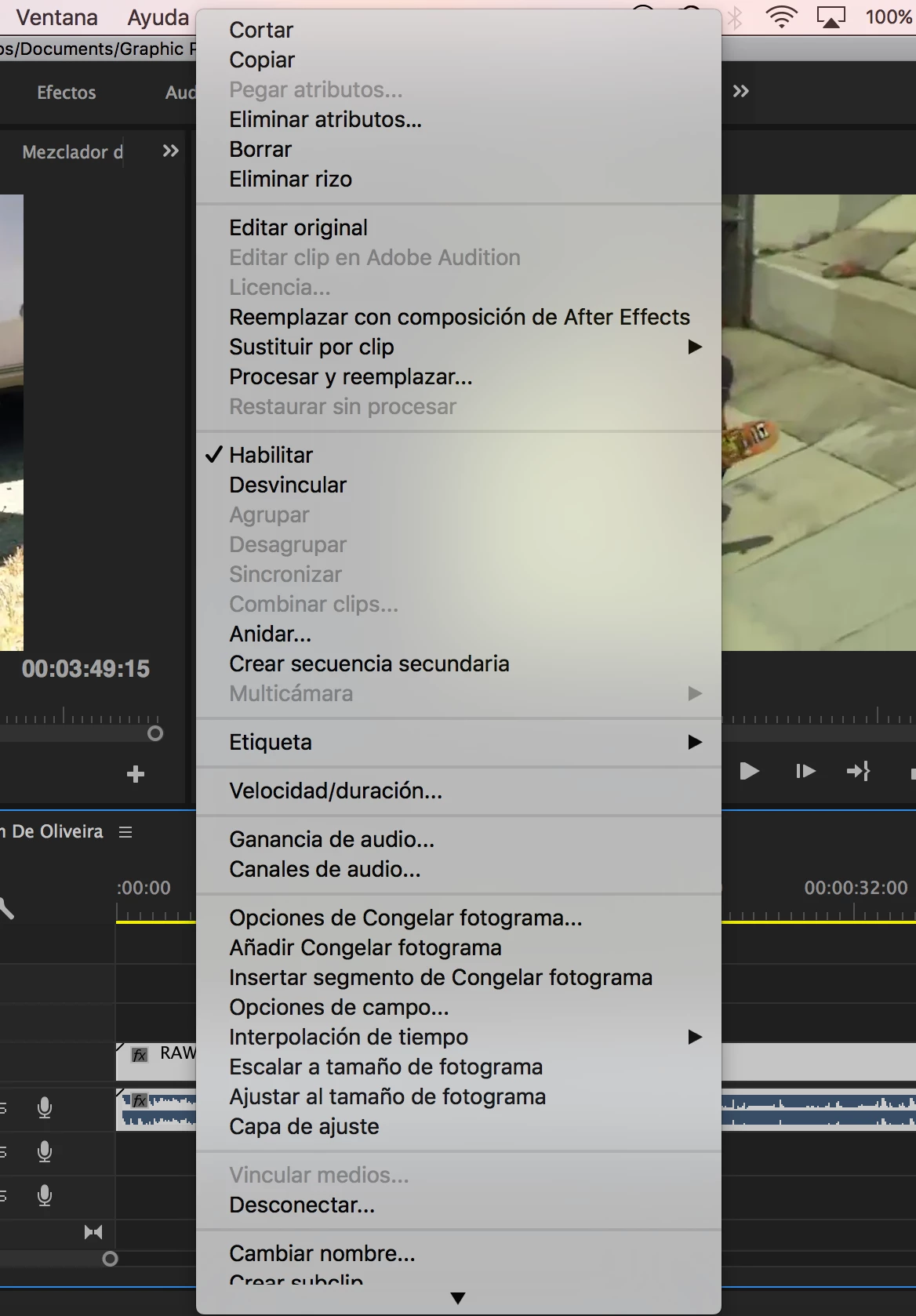
I know it's a silly one but I'm working on Premiere and sometimes I use that menu. It opens downwards from where I click and since I click it only when I'm on the bottom of the screen, the menu only shows some options and an arrow down to display the rest. What I want to do is to make the menu open using all the screen it needs in order to show every option. I know that's possible, I mean every other app does that.

If it wasn't clear enough I leave some photos. (ignore the language).

This is how it opens:
And this is how I want to open directly without me having to scroll down:
Correct answer Vincenzo Gatt28681377kexz

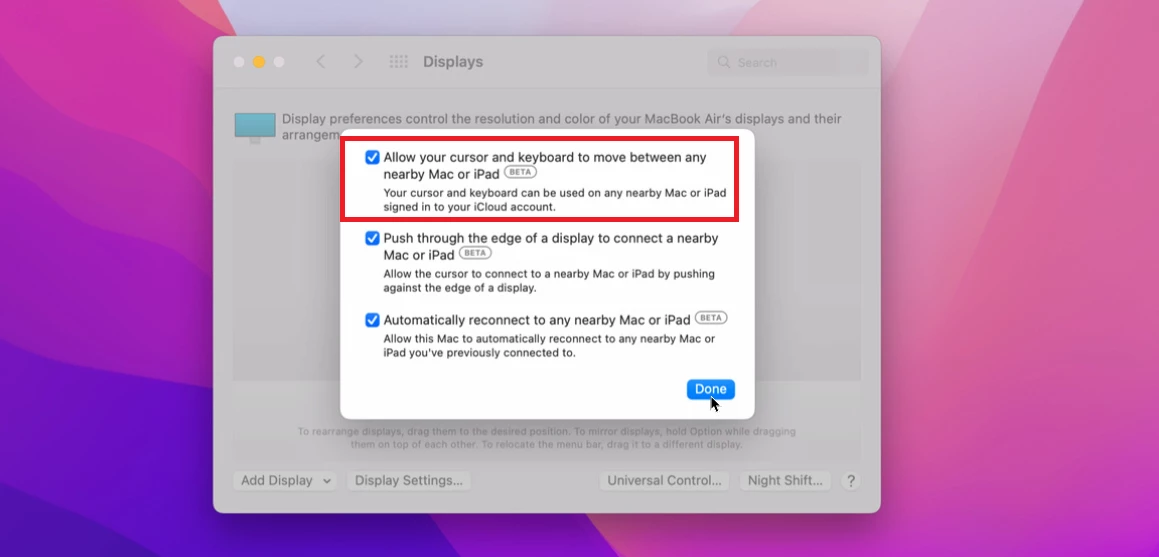
I have solved the problem simply disabling to screen menu the option to move the mouse on a near mac.
When this option are enabled i have a partial right menu' in many application Adobe or other  

15 replies

Inspiring
August 21, 2021

I'm having the same problem, and it's so annoying..Windows 10, PP 15.4 with a 4k display res 3840x2160. There is plenty of screen real estate for the menus to fully display, but -- unless I set Windows font scaling to 100% -- the menus are truncated. 100% is way too tiny to be usable. This is happening to the regular menus as well as the right-click context menus. Many of my most frequently used items (i.e. "reveal in project") are now hidden, and I have to click the black triangle to get them to display. 

Does anybody have a fix? For me this PP has been pretty stable , but it seems like there is ALWAYS some annoying problem that impedes workflow. 15.4.1 just dropped and I'm downloading it now in case it helps (I'm not too hopeful).

New Participant
August 16, 2021

Hi, I had a Windows machine with this problem. What I did was to increase the font size/scale in the display settings and now the entire menu shows up. I am using a second screen for editing that is 4k and my right click menu was doing the same thing yours was doing and not showing the entire menu at the same time. I just figured it out today (after searching extensively for an answer) so I don't know if the menu will stay permanently fully expanded or not, but I do hope it will help on an OSX machine if you can find similar settings.

New Participant
August 17, 2021

Curious to know if your solution worked and, if so, what it was. 


Thanks!

New Participant
March 15, 2021

Such a small but pesky problem. I'm wondering if anyone with similar issues has been able to resovle. I currently have this issuue and it just mucks up your ability to work effectively. It's isn't my screen resolution and I am operating on the most up-to-date version. I have reset my preferences.


I notice it on all CC platforms (Ai, Ps, Id, Pr). I cannot seem to figure out the problem.

Rafashots
New Participant
March 16, 2021

I have the same problem with my Mac Mini M1, I tried to expand my window and resolved it, but sometimes the problem back.

zeitlosmedia
Inspiring
December 23, 2019

I'm having this same issue - even though it didn't occur before a recent OSX update.
I've been editing on this 2017 MacBook Pro (15-inch) since 2017, and I never had this problem until recently.


This week, I will plug in an external 24-inch monitor to my machine and see if the problem still persists.

Then, I'll share an update here.

New Participant
August 18, 2020

Hey, did you have any luck finding out?

Inspiring
June 16, 2017

That is odd, on my Mac system if I control click on an element near the bottom of the Premiere window, the drop down menu drops up:

I have no idea how you can control that but am wondering if by chance you are using a smaller screen laptop to edit?

MtD

New Participant
June 16, 2017

Yeah, I know that's not supposed to happen. In my desktop computer that doesn't happen but still, my laptop it's a 15-inch macbook pro, it's not that small.

Ann Bens
Community Expert
Community Expert
June 16, 2017

Screen resolution has to be a minimum of 1280x800.