

peterkellner1
Inspiring
February 2, 2023
Answered

How to add keyframes (animate) width and height of essential graphic text

  • February 2, 2023
  • 2 replies
  • 3477 views

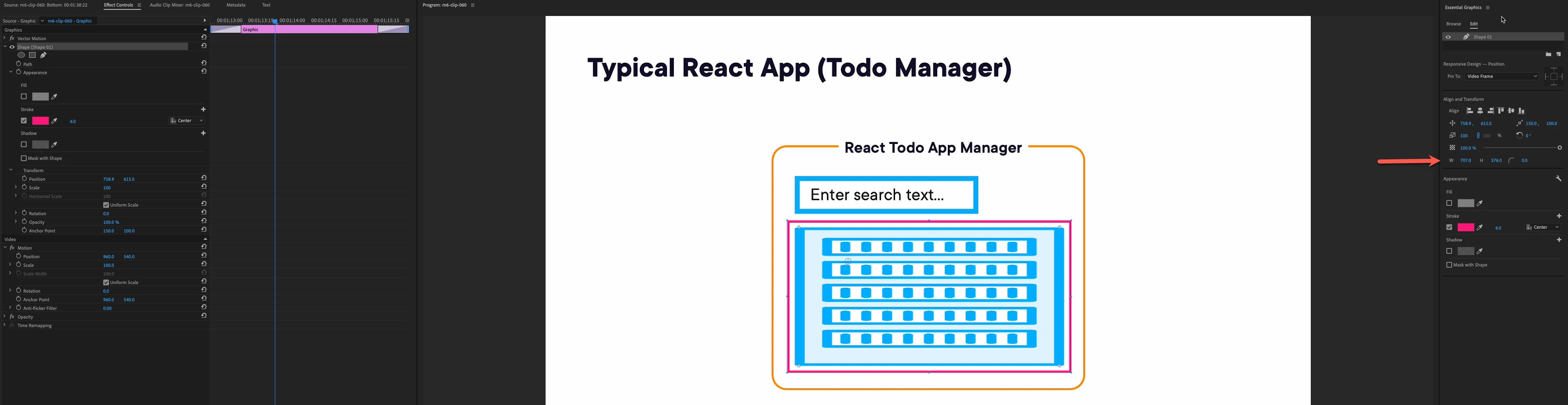
I want to animate the width and height of a text shape that I added to a video clip from the essential graphics panel. I can see the W and H (see arrow) in the shape detail, but I don't see a corresponding property in the "effects control" on the far left of the screen. Please help me find how to animate that value.  

Essentially, I want to move the pink box and at the same time as I move it, I want it to shrink or grow.


This topic has been closed for replies.
Correct answer jstrawn

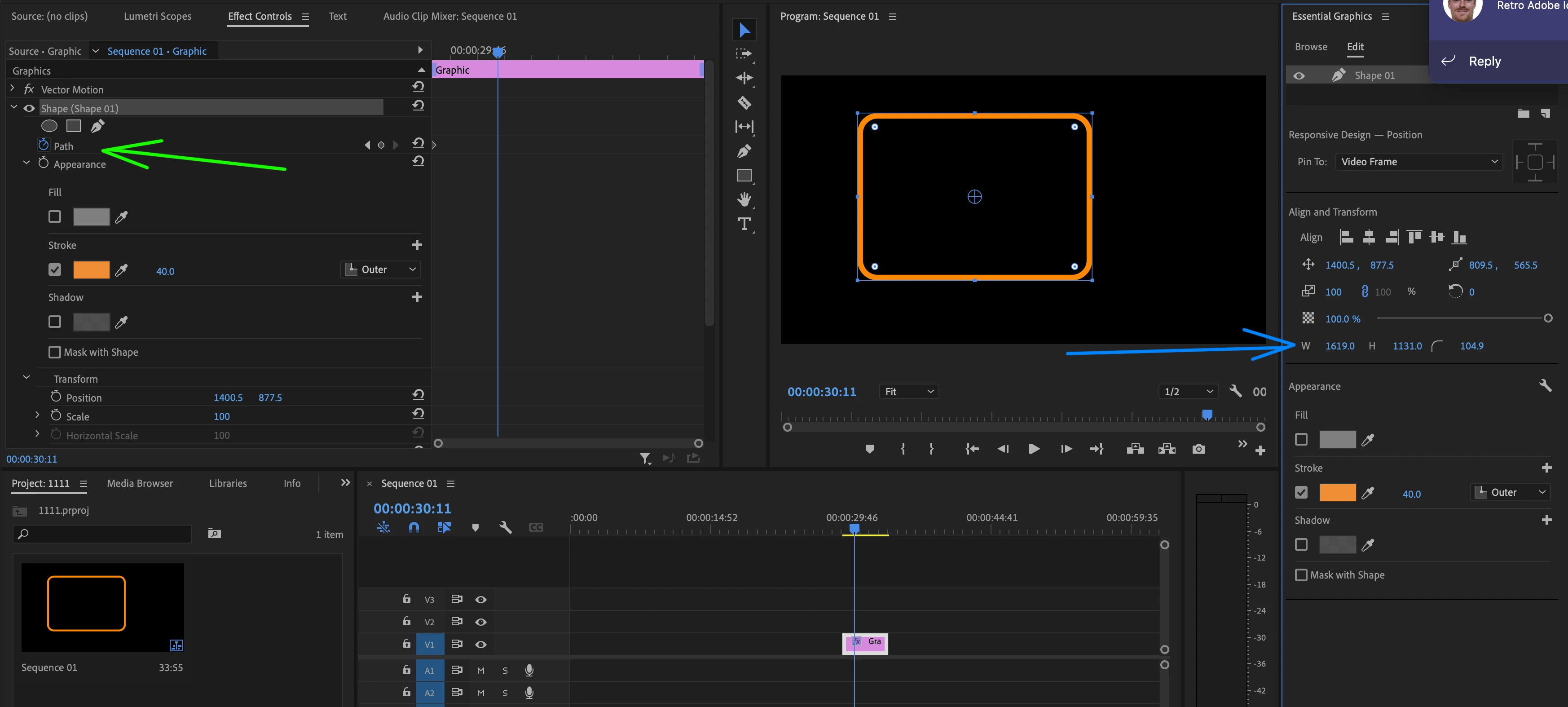
You need to turn on the Path stopwatch for the Shape layer, and then use the Width control inthe EGP to change the shape width over time.

You could use non-uniform scale like Ann said, but then the stroke width will get thicker and thinner on the sides out of proportion with the top and bottom.

2 replies

jstrawn
Community Manager
jstrawnCommunity ManagerCorrect answer
Community Manager
February 2, 2023

You need to turn on the Path stopwatch for the Shape layer, and then use the Width control inthe EGP to change the shape width over time.

You could use non-uniform scale like Ann said, but then the stroke width will get thicker and thinner on the sides out of proportion with the top and bottom.

Ann Bens
Community Expert
Community Expert
February 2, 2023

Try unchecking Uniform scale in the Effect controls and animate from there.