
How to change media file path of individual clips (different than linking media)
Hi,
I have a quite a niche problem and its been driving me a little bit crazy so I hope someone can suggest a solution?
Basically, I work between Photoshop and Premiere. I import PSD files with multiple layers (imported as individual layers) into Premiere, create an elaborately organized Sequence utilizing each of the layers of a PSD file. I have many PSD files with different content but the same layer structure. Ideally - I want to be able to simply duplicate my Premiere Sequence many times over, and then replace which PSD file those new duplicates are pointing to - basically change their file paths - instead of having to build the elaborately organize Sequence every time. If I use the link media option, it changes the source on ALL of the instances of the duplicated Sequences.
So for example, if I have a Sequence 1 that uses layer 1 and layer 2 of file1.psd, I want to be able to duplicate Sequence 1, renaming it to Sequence 2, and then simply changing the clips to point to layer 1 and layer of file2.psd. I'm wondering if there is a simple way to edit the file path of an individual Sequence, without effecting all of the duplicats.
I know its confusing to explain so I did my best to make a little mockup with dummy files:
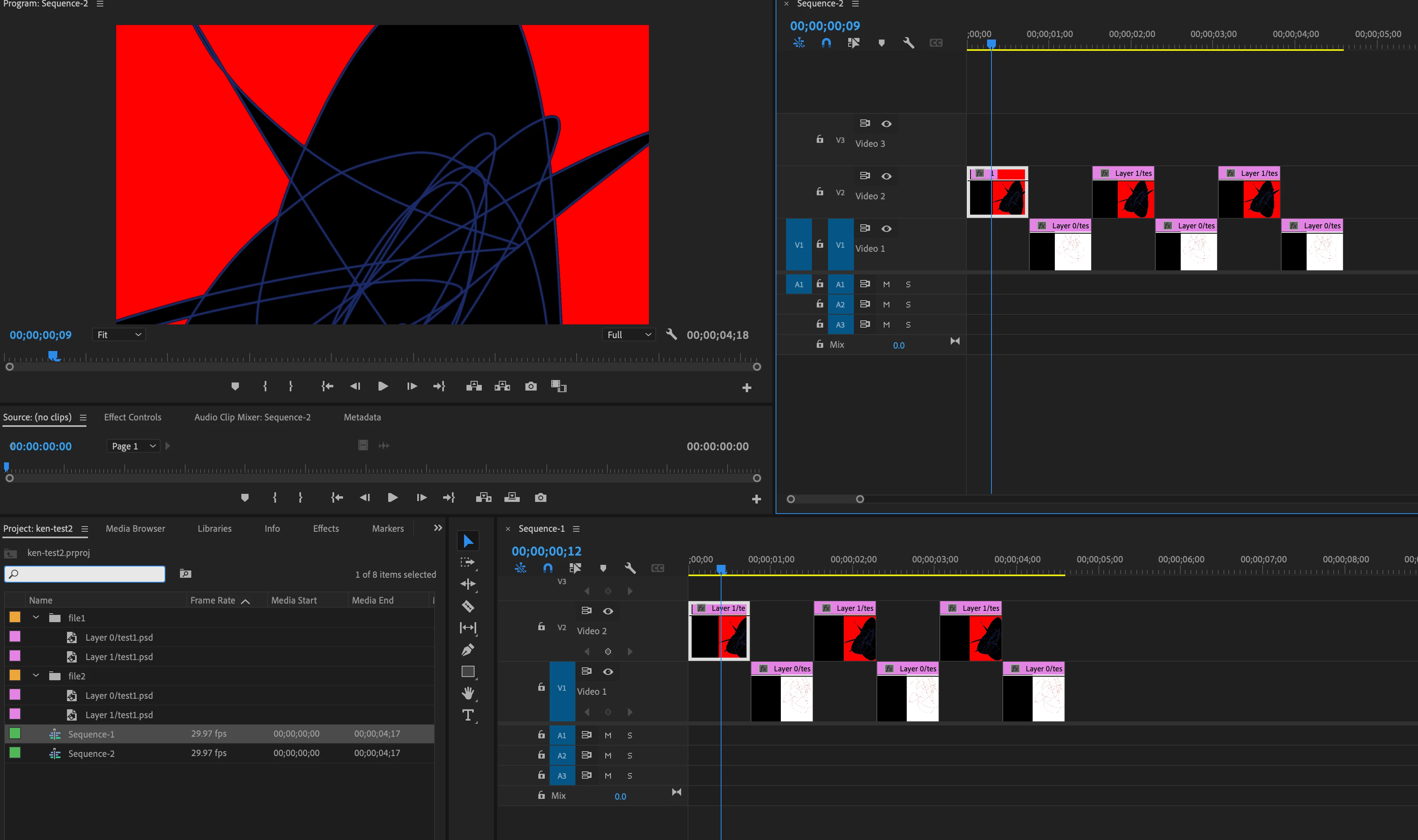
I want the clips in Sequence 2 (upper right) to point to file2.PSD instead of file1.PSD. If I take the clip offline in order to relink it, it takes it offline in both Sequence 1 and Sequence 2, and will then relink it also to file2.PSD in both Sequences. ( see below).
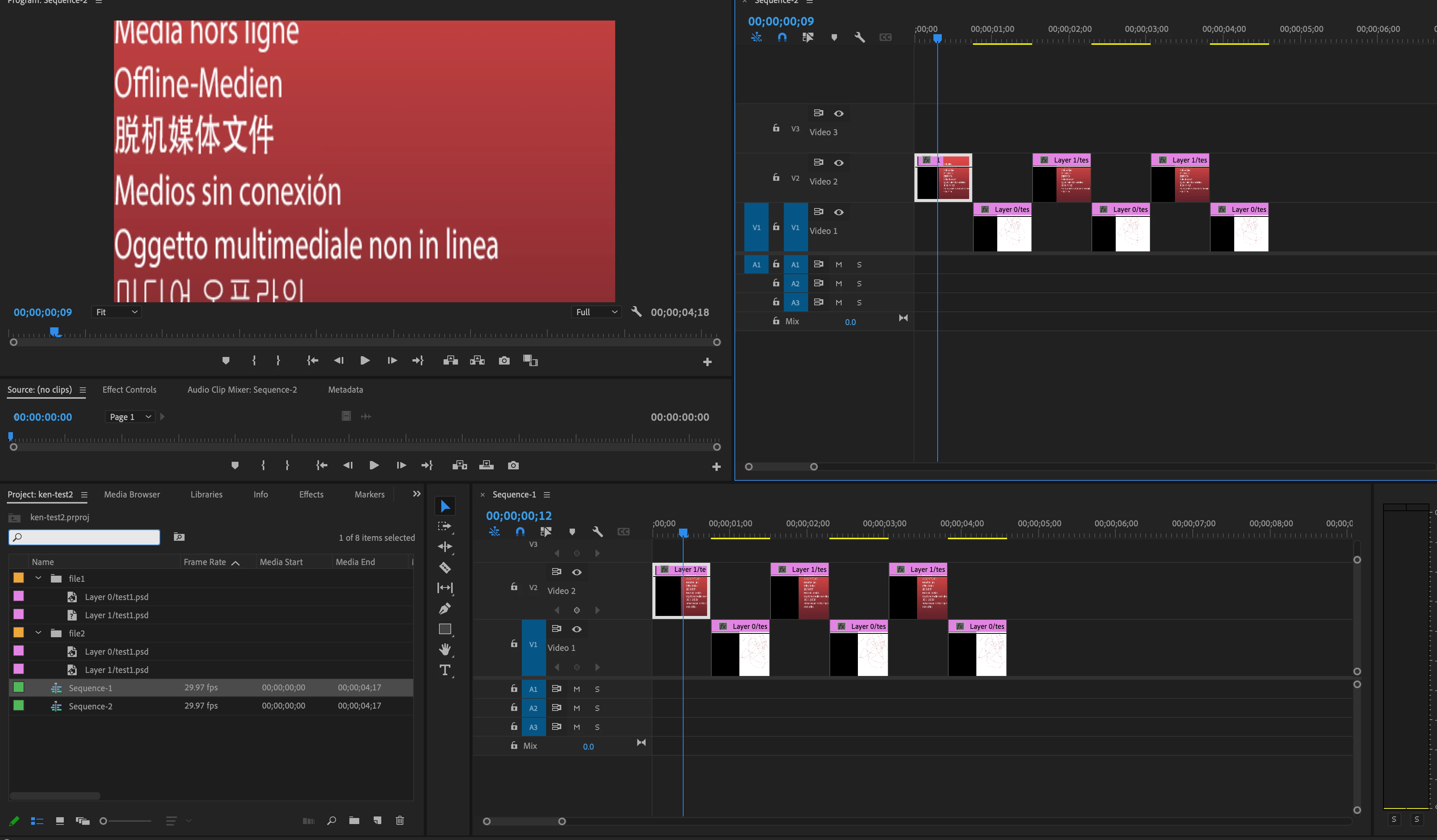
Thank you for your time and I hope it is not a redundant or silly question.
 AdChoices