


Known Participant
January 19, 2026
Question

How to change orientation for specific videos (Premiere Pro 25)

  • January 19, 2026
  • 3 replies
  • 209 views

Hi everyone, I've been consolidating my movies from 2025 and all was going well until I hit our videos from a trip to Vegas. My timeline has a combination of portrait and landscape videos, and the portrait ones show up fine. For the landscape ones, they're showing up in a portrait frame and I can't figure it out. If I fit to frame I see the entire video but it's still in portrait, and if I rotate it using the option to the right it fills the frame but now it's sideways.


I tried asking AI but they're all asking me to go to menu options that don't exist. 😂


Thanks!
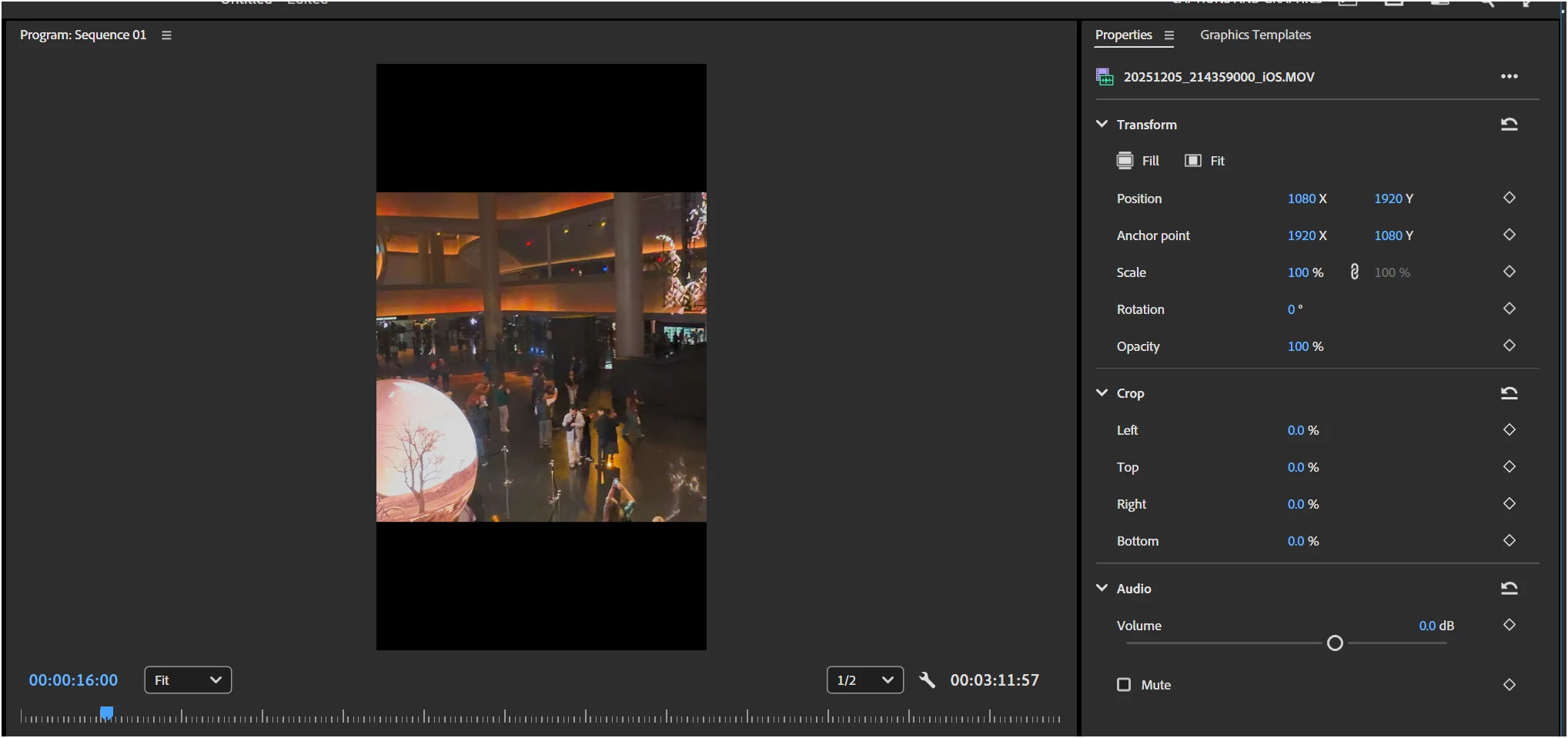


875380i0503985A64ACBF8A.png

3 replies

Mitch MAAuthor
Known Participant
January 19, 2026

I created the video without the portrait videos and it was fine. It must have been the way I was holding the phone (maybe), but I just created a video 10x as long with many landscape and portrait videos and it came out the way it should. Hmm!

Peru Bob
Community Expert
Community Expert
January 19, 2026

An alternative is to set the sequence size to that of the landscape clips, and place a background or matte behind the portrait clips.

How will you be viewing the exported movie?

What are the pixel sizes of the portrait clips, landscape clips, and the sequence?

Community Expert
January 19, 2026

Unfortunately you're probably stuck with scaling your landscape videos to fit your portrait timeline if you want them all together in one video clip.

Mitch MAAuthor
Known Participant
January 19, 2026

Hi Rob, thanks for the reply. Here's the thing though, I'm creating another movie with different clips and both formats are living together in harmony. The landscape are landscape and the portrait are portrait. I don't know why this is happening with these specific videos...?!?!?

Ann Bens
Community Expert
Community Expert
January 19, 2026

It all has to do with the way you operate/hold your phone

Before hitting the record button you need to be sure everything is set to the correct orientation.

Not just the phone itself, but you also need to check the app if it is not rotated 90 degrees or upside down (You can check this by looking a the text.)