Question
how to change the track opacity
hey there! can I change the entire track opacity at once ? is there any thing like the "track volume" but for the video tracks?
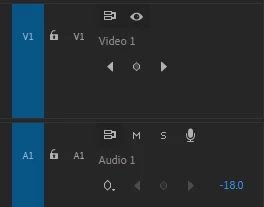

hey there! can I change the entire track opacity at once ? is there any thing like the "track volume" but for the video tracks?
Already have an account? Login
Enter your E-mail address. We'll send you an e-mail with instructions to reset your password.
 AdChoices