
Participating Frequently
February 7, 2024
Answered

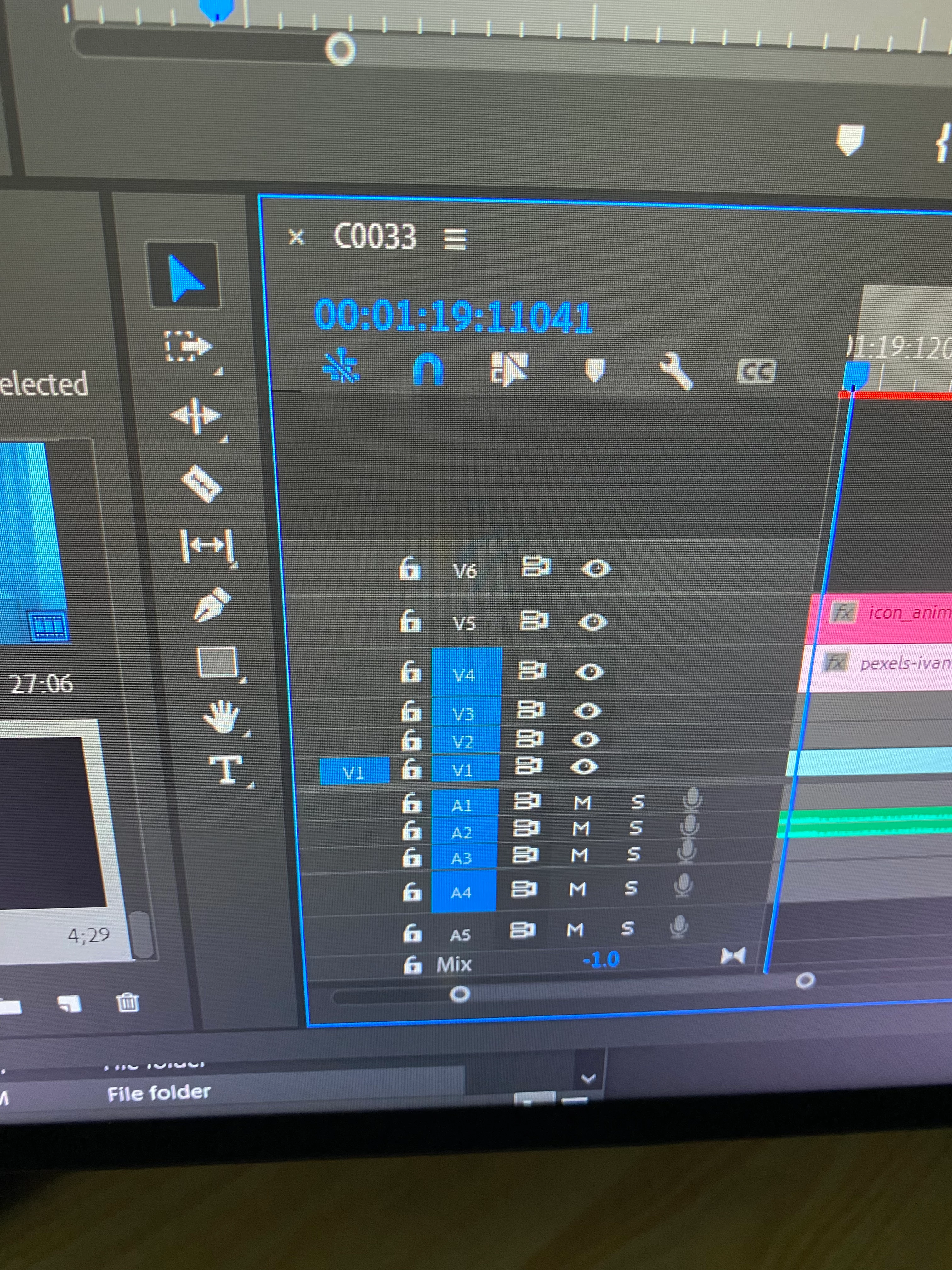
How to change timecode to to hour, minute, second and frames
  • February 7, 2024
  • 1 reply
  • 578 views

Hey, my client send me a premiere pro project and the timecode looks strange I can't even cut adjustment layer lesser than 10 frames and I tried everything but it didn't work. Help pls 

This topic has been closed for replies.
Correct answer Ann Bens

Click on the panel menu and uncheck Show Audio Time Units.

1 reply

R Neil Haugen
Legend
February 7, 2024

That's showing audio units of course. Click on the wrench icon and set that to frames. I'm going from memory here, so that might be in the 3-bar menu for the panel if it's not in the Wrench menu options.

Everyone's mileage always varies ...
Ann Bens
Community Expert
Ann BensCommunity ExpertCorrect answer
Community Expert
February 7, 2024

Click on the panel menu and uncheck Show Audio Time Units.

Ray_ariaAuthor
Participating Frequently
February 8, 2024

This fixed it thank you Ann.