Answered
How to check if the timeline window is active?
I'm working on a Premiere Pro extension,
I want the extension to check if the timeline panel is active, then execute a code.
Is there a way to achieve this?

I'm working on a Premiere Pro extension,
I want the extension to check if the timeline panel is active, then execute a code.
Is there a way to achieve this?
@Tom_edit You're right, I'm looking for a way to determine when the timeline panel is in focus.
@bbb_999 Using the Window Spy tool in AHK, I can see that it can detect Focus within Premiere Pro panels. Different panels have different ClassNN ID, and for my timeline it says Droverlord - Window Class 15.
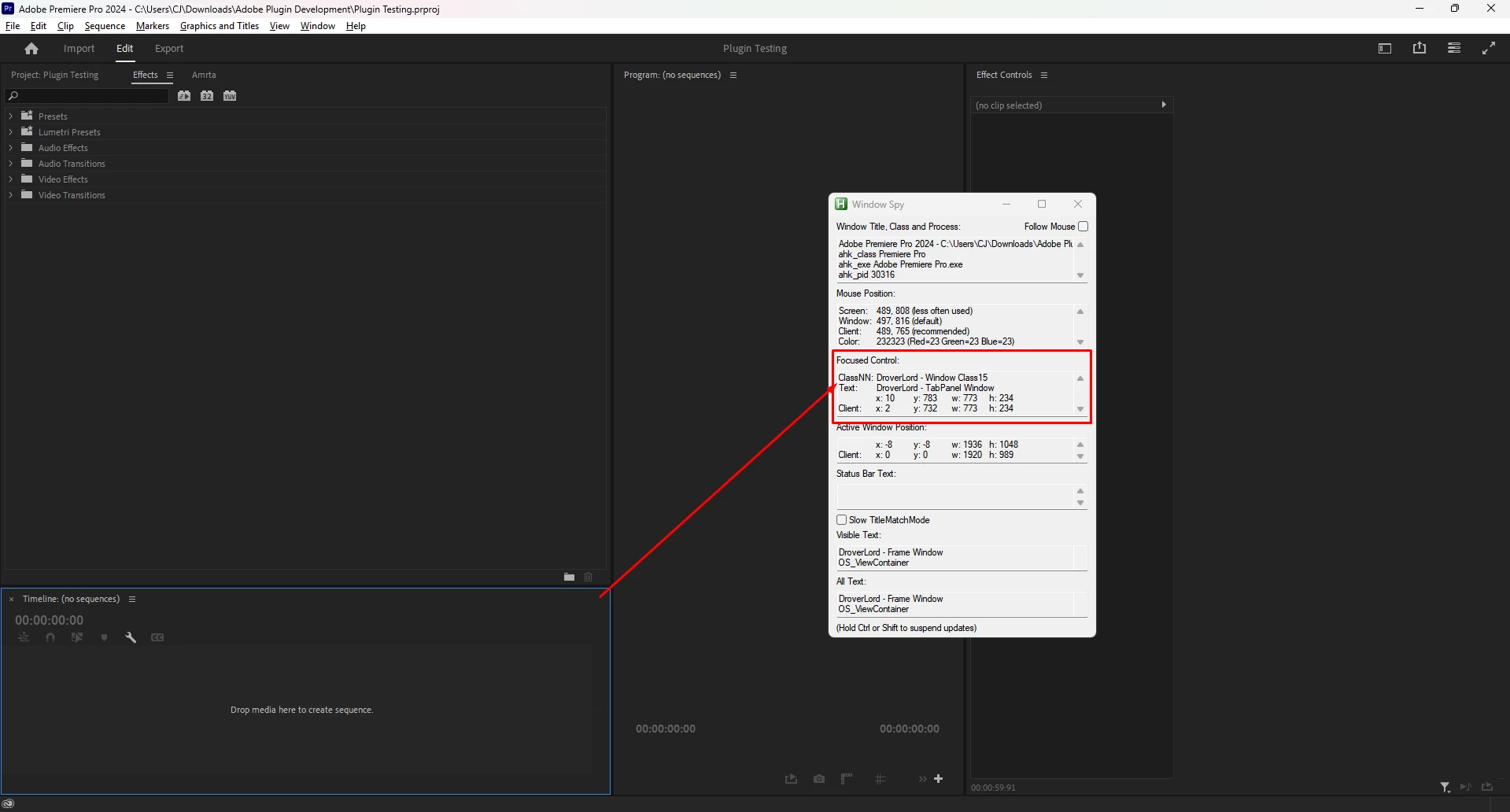
Is there a way to check the ClassNN ID of the current panel?
Are there any other methods in the QE API for achieving what I want?
the classNN value will change constantly; whether that be just randomly one day on reboot, anytime you adjust your layout slightly, etc. It's not really a reliable value when it comes to scripting premiere unfortunately.
I haven't found any simple way to determine timeline focus myself - personally I use the UIA.ahk library to determine the coordinates of the timeline once (as it's more reliable when it comes to determining them than using classNN values for whatever reason) and store that in a class, then check the timeline coordinates for the blue focus outline anytime I need to. It's the only reliable way I've found, but even then it falls victim to needing a reload anytime you adjust your layout (but idk I don't move my timeline all that often anyway personally but I know some might) and also requires you to pre-set your hotkey to focus the window to get the coordinates to start with.
By all means not a clean method but the cleanest I've found so far in the last couple of years
Already have an account? Login
No account yet? Create an account
Enter your E-mail address. We'll send you an e-mail with instructions to reset your password.


 AdChoices