
jaimep79107227
Known Participant
May 8, 2020
Beantwortet

How to correct edited adjustment layers to be applied to a different sequence setting frame size?

  • May 8, 2020
  • 2 Antworten
  • 2728 Ansichten

For this project, I'm doing a horizontal format video for desktop as well as a vertical format video to compensate for frame sizes on mobile. I did a horizontal format sequence first, 3840 x 2160 (16:9), then once the edits were done, I duplicated the sequence to change to a vertical format by going to Seqeuence > Sequence settings > Frame Size, changed it to 2160 x 3840 (9:16) and clicked apply. After that, I changed the rotation of the video in Effect Controls under Motion > Rotation to -90. When I did that, the effect didn't apply to the entire frame size of the video, just an portioned area as if still applied in horizontal format. I also tried right-click on the adjustment layer, and select "Set to Frame Size" and/or "Scale to Frame Size" and those options didnt't work. See secreenshot below.
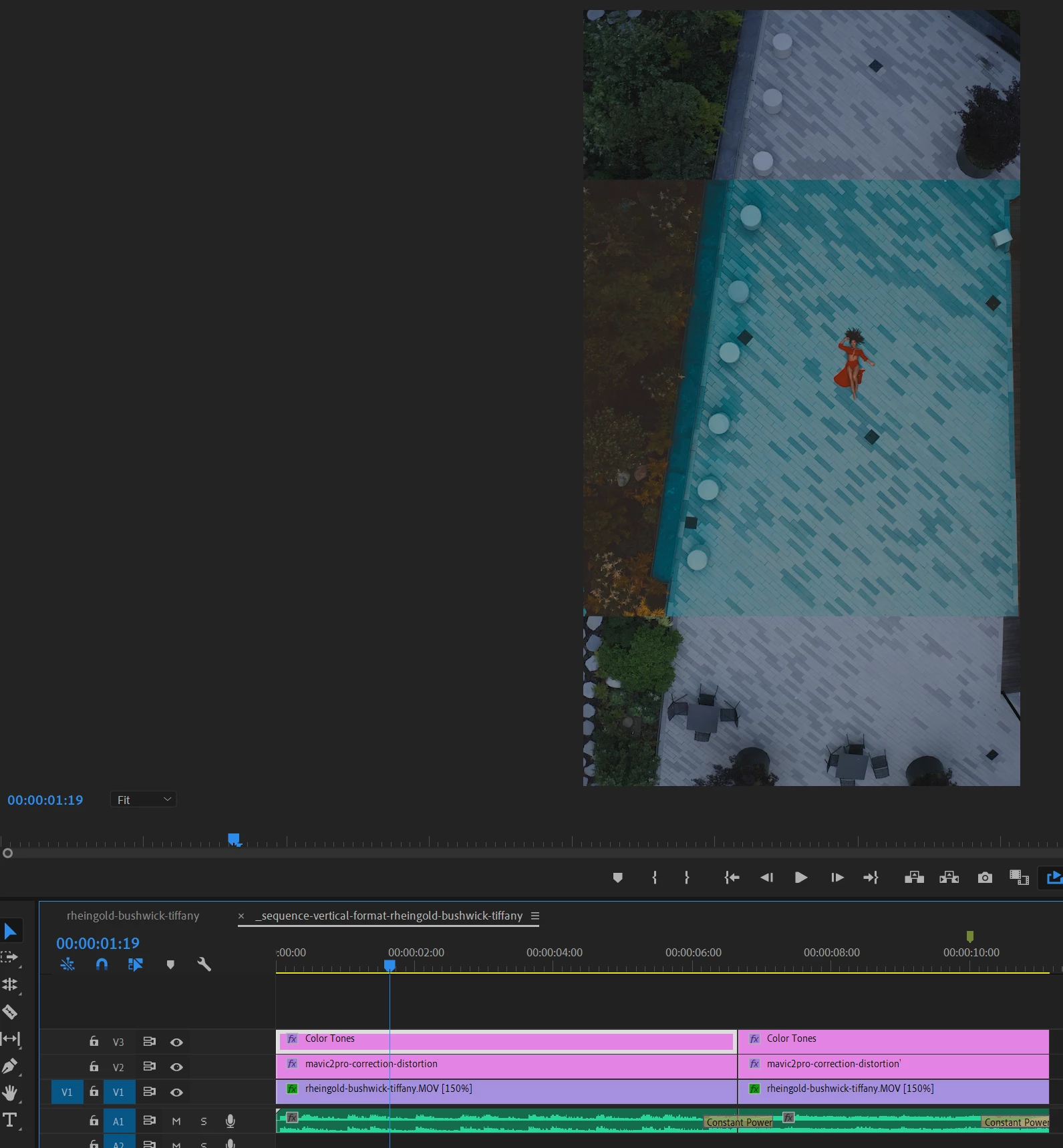
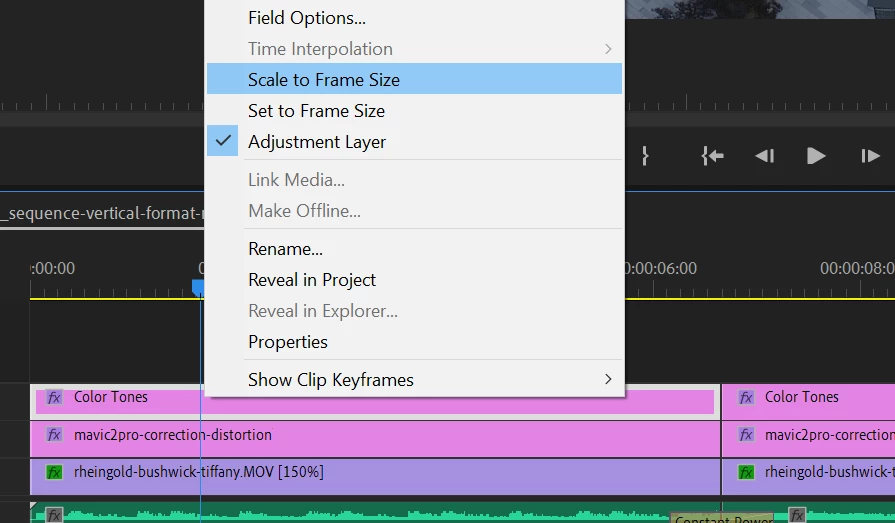


How do I resolve this issue?  Is there a way to make it apply to the entire layout of the video?

Dieses Thema wurde für Antworten geschlossen.
Beste Antwort von Phillip Harvey

It somewhat depends on what the effects are that you have on your adjustment layer, but if it's just a generic effect that effects everything equally, you could try any of these things:

1) Rotate your adjustment layer just like you did your footage (it may help to think of the AL just like a transparent piece of footage)

2) Scale your adjustment layer up so that it covers the rest of the footage

3) Create a new adjustment layer the size of your new sequence, copy the effects from the old AL and paste them to the new.

2 Antworten

Warren Heaton
Community Expert
Community Expert
May 8, 2020

Probably the quickest thing to do is the following: Create a new Adjustment Layer while the new Sequence is open (to match the new Sequence Frame Size): superimpose it over the prior Adjustment Layer and extend/trim to fit time; cut and paste the Effects from the original Adjustment Layer; then delete the original Adjustment Layer.

It's some busy work, but should get you were you want to be.

Community Expert
May 8, 2020

It somewhat depends on what the effects are that you have on your adjustment layer, but if it's just a generic effect that effects everything equally, you could try any of these things:

1) Rotate your adjustment layer just like you did your footage (it may help to think of the AL just like a transparent piece of footage)

2) Scale your adjustment layer up so that it covers the rest of the footage

3) Create a new adjustment layer the size of your new sequence, copy the effects from the old AL and paste them to the new.