alekseit73613869
Participating Frequently
August 29, 2018
解決済み

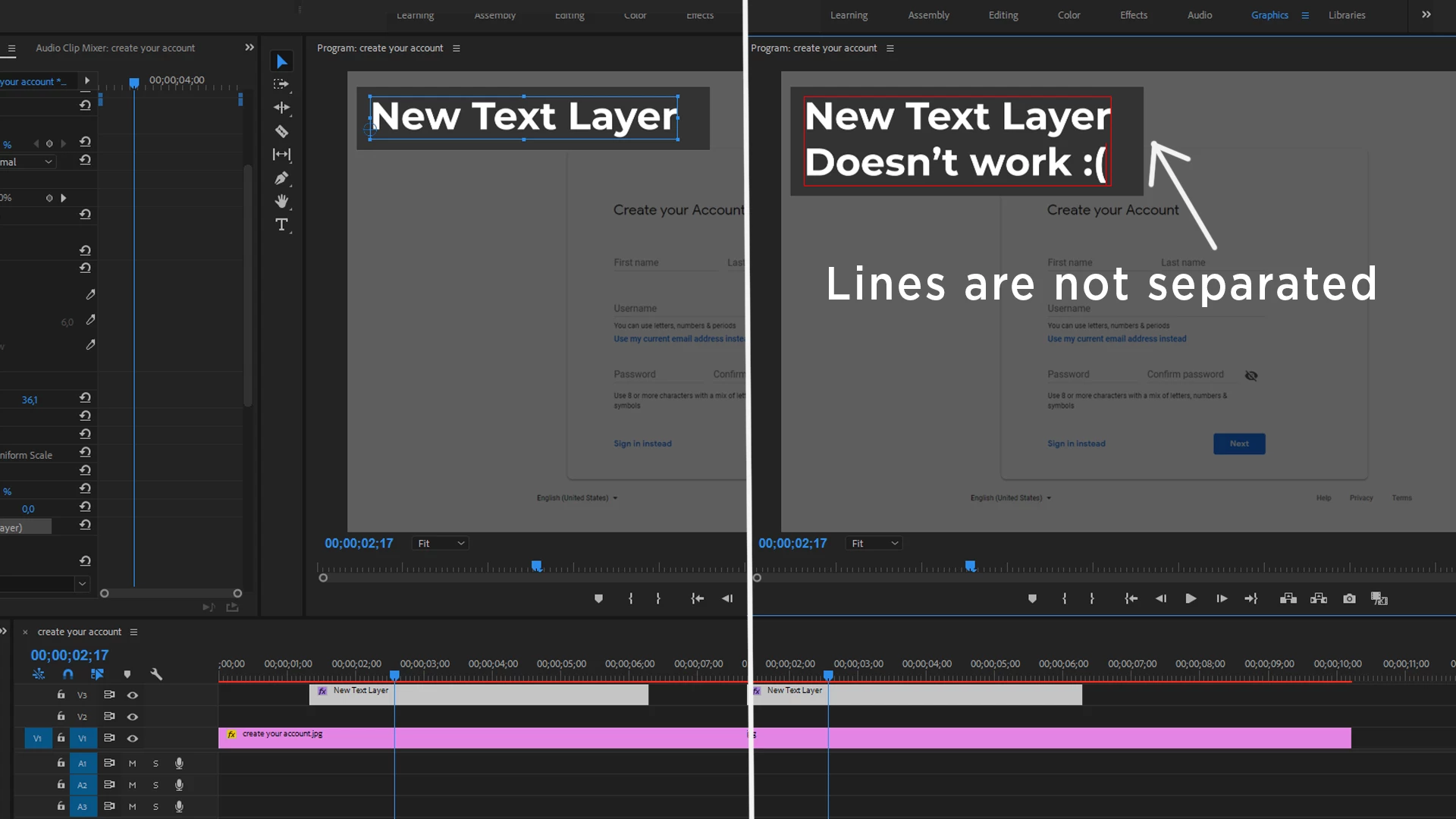
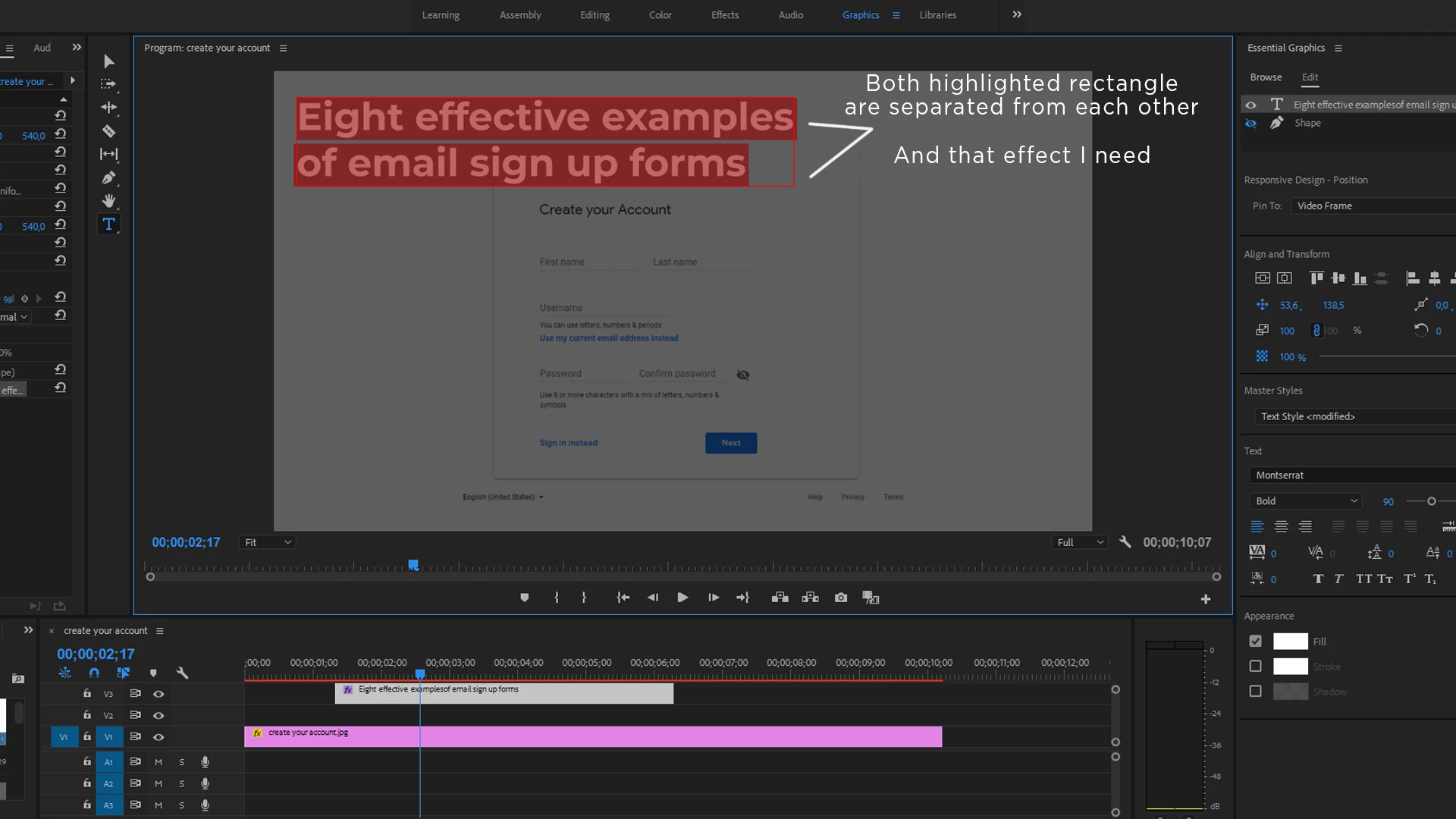
How to create a title box with EACH line sepatated? (photos are inside)

  • August 29, 2018
  • 返信数 2.
  • 3638 ビュー

I tried with Open Captures and Essential Graphics but there's no result, I just need that highlight effect for a project but instead I have that bulky unseparated box background which looks too massive.

Can someone explane how to do what I want? I really need help...

Also, if someone knows, is there any effect in Premiere Pro for text appearence?(Not AE but PP) Like Linear Wipe but for EACH line of the text? Hmm, just like Type-On Text effect.

Thanks a lot for your help in advance!
解決に役立った回答 R Neil Haugen

It could easily be I haven't figured out exactly what the problem is you're seeing.

Do you want separate lines each with a graphic box? Or just lines of text separated?

Creating text and creating graphics shapes are different steps.

With the EGP, once you've created a layout you like, you save as a mogrt ... a motion graphics template. Then refuse the template as often as you wish, changing the text for each use as needed.

Neil

返信数 2

Participating Frequently
January 1, 2023

Easy. In the graphics panel, highlight the text "eye" then next to "Appearance" click on the monkey wrench and when that panel opens select "per-line"

Participating Frequently
January 1, 2023

I mean, highlight the text in the graphics panel, not the "eye"

R Neil Haugen
Legend
August 29, 2018

You create each line by itself. Click in the Program monitor, type one line. With the Text tool still active, click to start the next line.

Or, in the EGP Edit tab, click for a new item (folder icon just to right and below layers section at top). Click in the program monitor for the new line, begin typing.

Neil

Everyone's mileage always varies ...
alekseit73613869
Participating Frequently
August 29, 2018

It sounds really complicated.. I mean I have a lot of text and wanted to create or find template for typing.

But as I understand from your words, I need to formate each sentence for it(put each line separate) and there is no easy way, right?

I hope I'm wrong

R Neil Haugen
R Neil Haugen解決!
Legend
August 29, 2018

It could easily be I haven't figured out exactly what the problem is you're seeing.

Do you want separate lines each with a graphic box? Or just lines of text separated?

Creating text and creating graphics shapes are different steps.

With the EGP, once you've created a layout you like, you save as a mogrt ... a motion graphics template. Then refuse the template as often as you wish, changing the text for each use as needed.

Neil

Everyone's mileage always varies ...