
Participant
March 20, 2021
Answered

How to delete Ingest Proxy preset from Premiere Pro

  • March 20, 2021
  • 1 reply
  • 1245 views

Hi, I have created the Cineform 1280x720 23.976 Quality 1 INGEST preset as you can see in the picture I have attached.
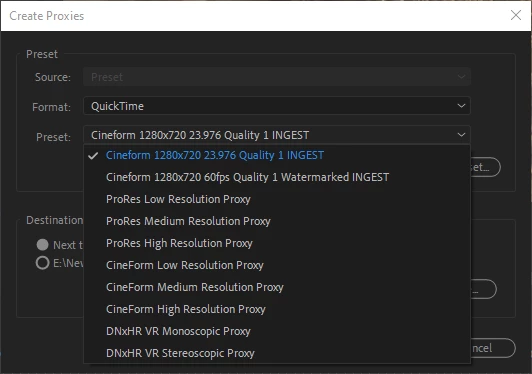
Unfortunately, even after deleting the preset from Adobe Media Encoder, the proxy preset won't disappear from Premiere pro. Is there any way to fully delete the preset?

This topic has been closed for replies.
Correct answer Mike Dziennik

Have a look here and remove the .epr file.

~/Documents/Adobe/Premiere Pro/15.0/Profile-username/Settings/Ingest Presets/your_preset.epr

1 reply

Mike Dziennik
Community Expert
Mike DziennikCommunity ExpertCorrect answer
Community Expert
March 21, 2021

Have a look here and remove the .epr file.

~/Documents/Adobe/Premiere Pro/15.0/Profile-username/Settings/Ingest Presets/your_preset.epr

Participant
March 21, 2021

That did the trick, thank you.