
How to export a transcript or subtitles, edit it(Proof check) and then import back into Premiere?
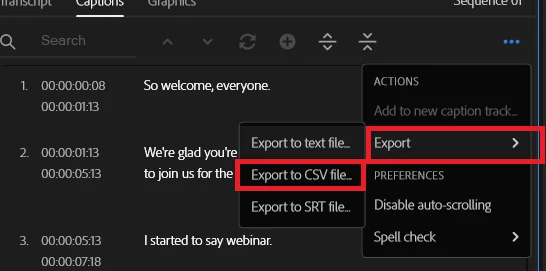
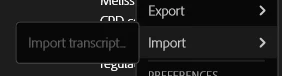
Hi all, I have a team member who proofreads our Subtitles and needs to make edits (Spelling and wrong words). What is the best workflow to achieve the editing part outside of Premiere? I can export the Transcript and or Captions as a CSV file which is perfect, but I cannot reimport the edited/updated CSV file back into Premiere. Giving them the SRT file is very time-consuming to go through (especially when the video is 2 hours long!) and it also opens the risk of errors by editing it in Notepad. I have seen an Import option (only in the Transcript tab), but it is greyed out (Import>Import transcript...). Has anyone found a way to efficiently do this type of workflow? Thank you in advance!
Import option under the Transcript menu (but greyed out "Import transcript")
 AdChoices