
Answered
How to export videos at 4K 60fps (60 frames/second) from Adobe Premiere Pro? (filmed from iPhone)?
Hi all,
Hope you're doing well.
I use my iPhone to film videos at 4K at 60 fps (60 frames per second) and I use Adobe Premiere Pro to edit my videos.
When I right-click on my clips (in my timeline) and click 'Properties', the frame rate for my clips appears to be: 60fps as shown in the screenshot below.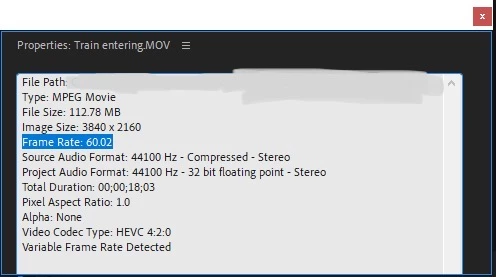
However, when I export my project, it shows that my Frame Rate is 25 fps instead of 60 fps.
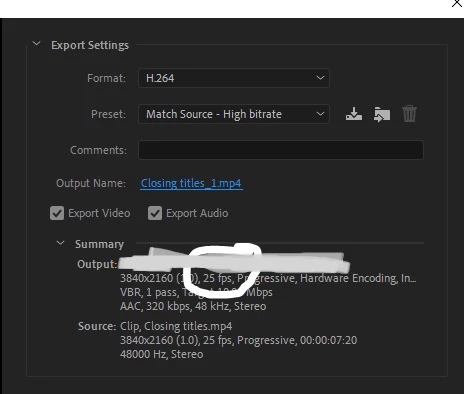
Hence, do any of you know how can I export my project at 60 frames per second please? Do I need to export it in a specific format/ preset to get (4K) 60fps?
Many thanks for all your help and have a nice day ahead 🙂
 AdChoices