
Participant
October 8, 2023
Question

How to fix the Hardware Acceleration for Mac Book Pro M1 Max

  • October 8, 2023
  • 2 replies
  • 694 views

Hi Team,

I am trying to export a media and when i select the below format i am getting an error "Your System's Hardware does not support Hardware acceleration for the current Settings"

Can some one please assist. Below are my system configs;


Apple Mac Book Pro M1 Max

Ram -34 GB

Version MacOS 14.0
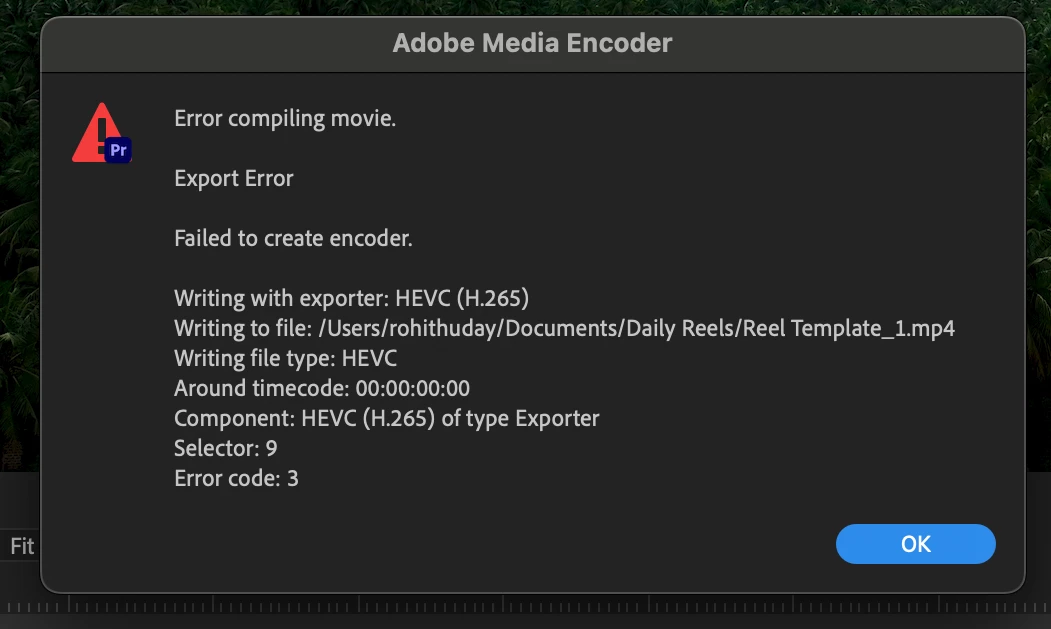
How to fix the issue.


Regards

Rohith Uday

This topic has been closed for replies.

2 replies

Ann Bens
Community Expert
Community Expert
October 8, 2023
Remote Index
Inspiring
October 8, 2023

Hello Rohith,


Check here:

https://helpx.adobe.com/premiere-pro/system-requirements.html

(Note: that documentation contains some out of date and false information.)


... but it does say this:

On M1 systems, HEVC HLG 4:2:0 10-bit encoding still encodes via software.


What export settings are you using?


R.

Participant
October 9, 2023

Hi,

Below are the Export settings i am trying to use;


Preset : High Quality 2160p 4K

Format : HEVC(H265)

Render at Maximum Depth

Use Maximum remder quality

Performance : Hardware Encoding 

Tier : High

Bit Rate Encoding : CBR

Target Bitrate : 120

Quality : Highest (Slowest)


Thanks 

Ann Bens
Community Expert
Community Expert
October 9, 2023

Turn off max render and quality and start with default settings for UDH.