
Question
How to get the same menu than the tutorials?
HI,
Just installed Premiere Pro (24.3.0 (Build 59) on PC and I try to follow the tutorials.
https://creativecloud.adobe.com/cc/learn/premiere-pro/web/create-project-import-media?locale=fr
The UI is completely different on the video tutorials than what I have, so it becomes hard to follow the tutorials.
When I call the Editing workspace, as suggested in the videos, I can't display the top main menu and the project window:

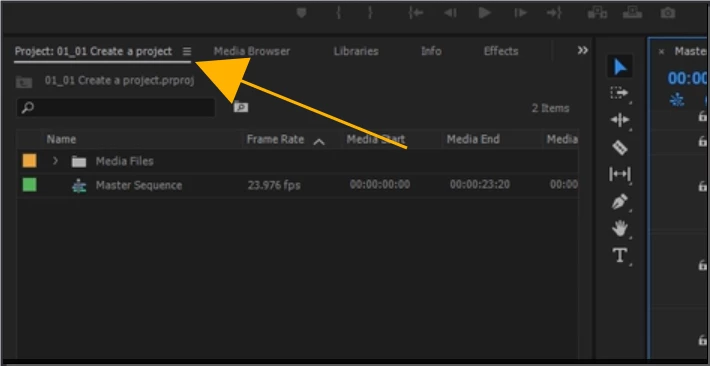
This is the interface I get with the Editing workspace:
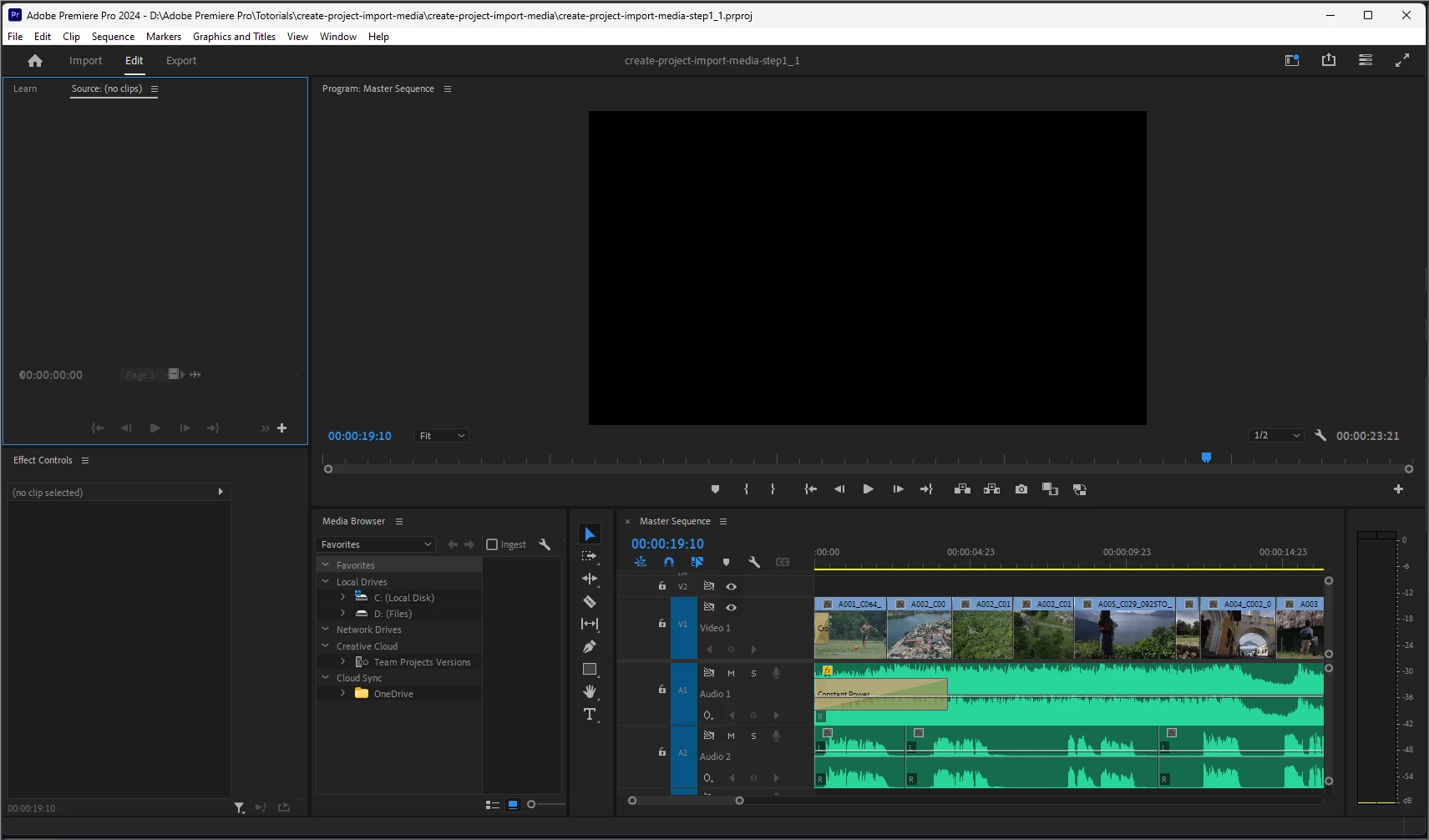 I have searched everywhere I could without being able to set the same interface.
Your help is much appreciated as Adobe technical support has no clue so far!


 AdChoices