Taiyo555
Participant
January 7, 2017
Answered

How to have 2 png files both visible when there over top of each other

  • January 7, 2017
  • 2 replies
  • 518 views

Hello

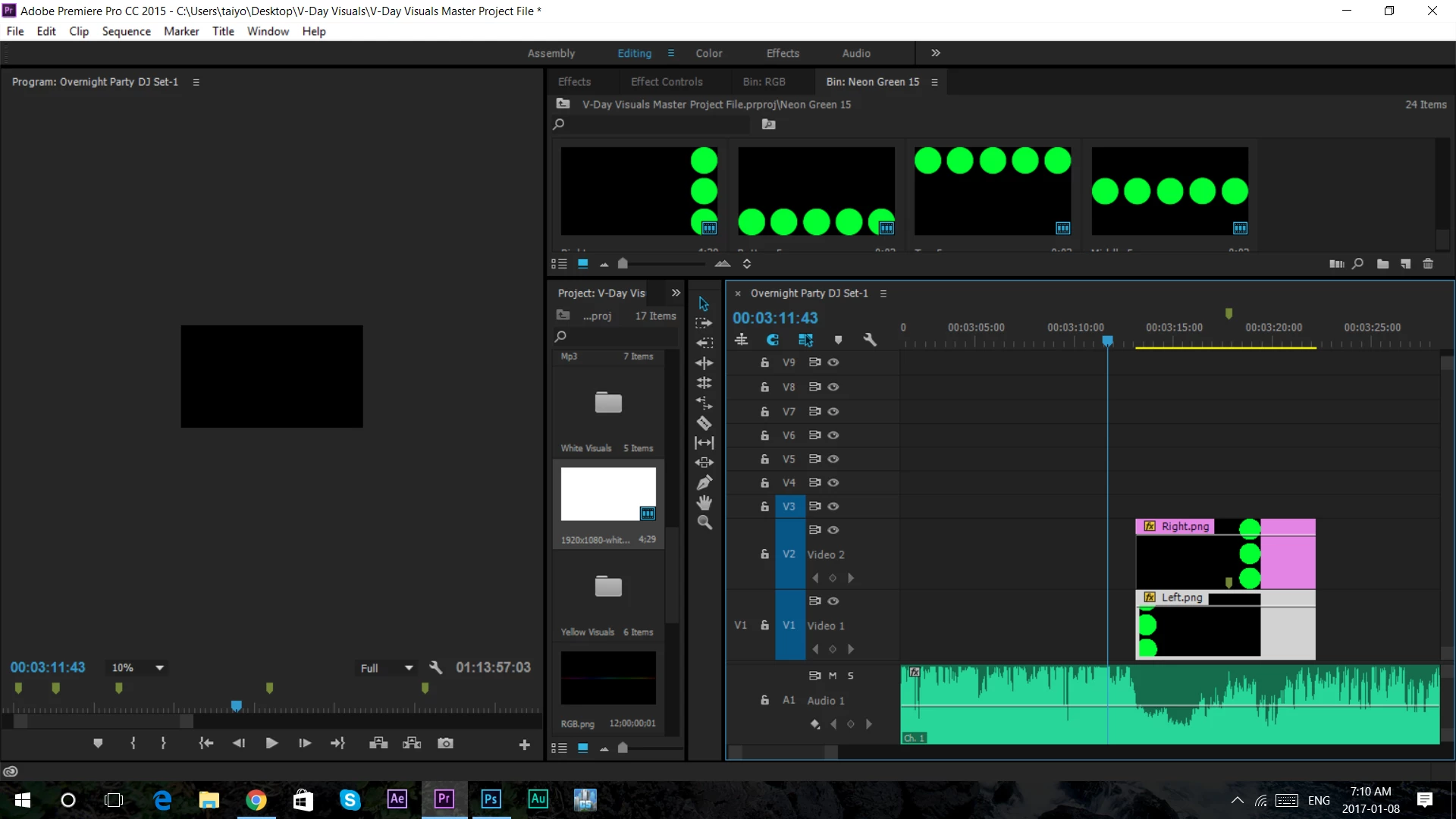
I want to ask if it was possible for 2 png files to be visible at the same time. I cant mask it because i need to add motion to it later so, is it possible any other way.

Thank you in advance.
    This topic has been closed for replies.
    Correct answer Richard M Knight

    If both pngs were created with :transparency  there should be no issue.

    Were they?


    Adding a luma key will make the black transparent.

    2 replies

    Ann Bens
    Community Expert
    Community Expert
    January 7, 2017

    Select top png

    Lower Opacity in the Effect Controls for that asset, until you can see the bottom png.

    R Neil Haugen
    Legend
    January 7, 2017

    You need to go to the Effects Control panel and adjust the opacity settings for the tracks.

    Neil

    Everyone's mileage always varies ...
    Taiyo555
    Taiyo555Author
    Participant
    January 7, 2017

    how about if i need 100% opacity?

    shooternz
    Legend
    January 8, 2017

    If both pngs were created with :transparency  there should be no issue.

    Were they?