
How to have the same scaling for all my project's elements ?
Hi,
I'm learning Premiere Pro by myself, and I'm a beginner, so sorry if it's a basic question.
I worked on a slideshow with photos and videos. All the portrait photos have the exact same dimensions, and all the landscape photos have exact same dimensions too.
I added a 1st group of photos, then "set to frame" them. So all the images have a "scale" to "100". They all have the same height to fit in the frame. (104.2 on the photo cause I added a zooming effect and transition).
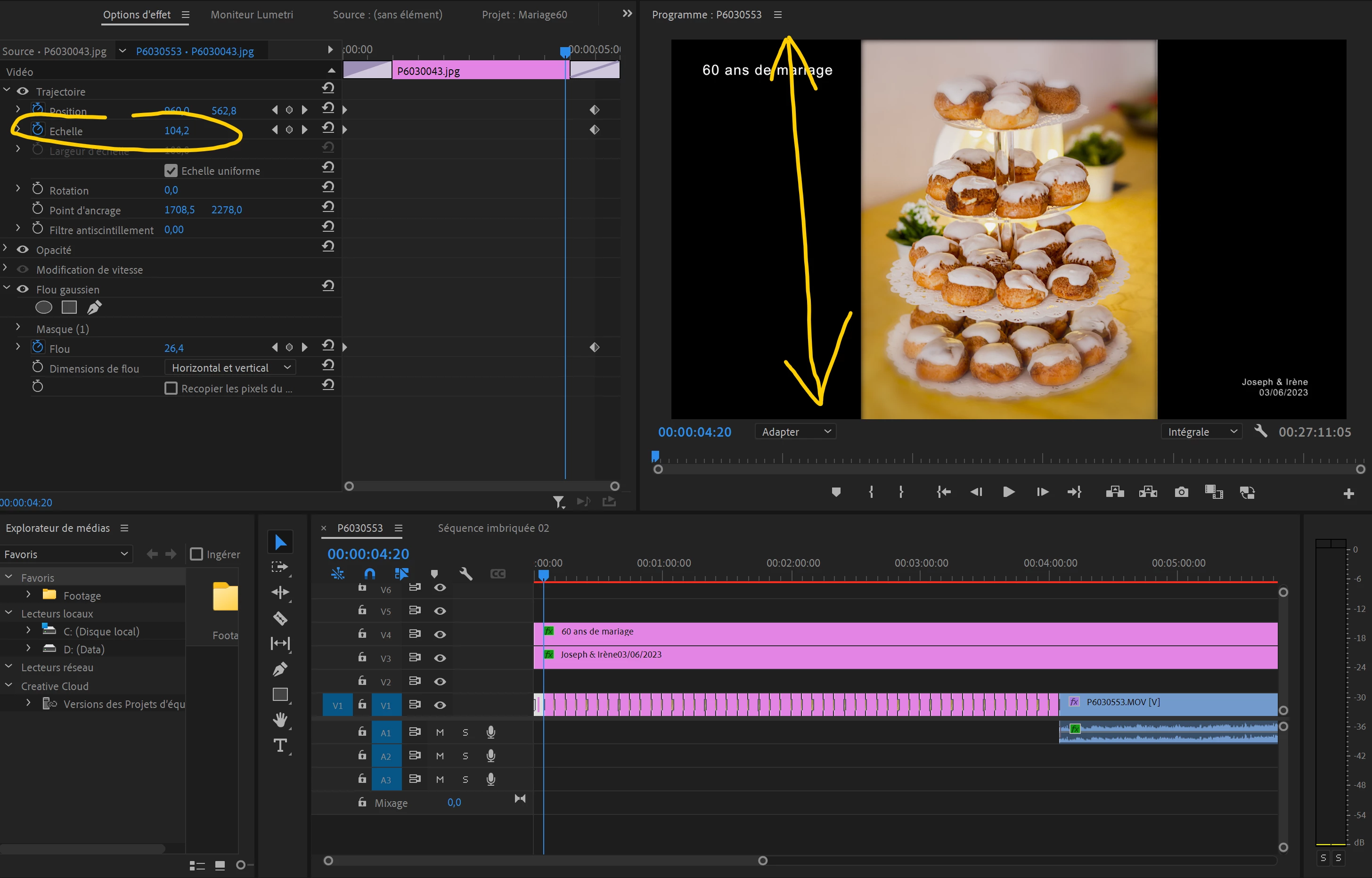
But now, I added my 2nd group of photos, the exact same way (I think ?), and "set to frame" them again.
I don't know why, this time they all have a different "scale"... Not all "100", but "31.3" or "36.5" or etc. (different for each photo)
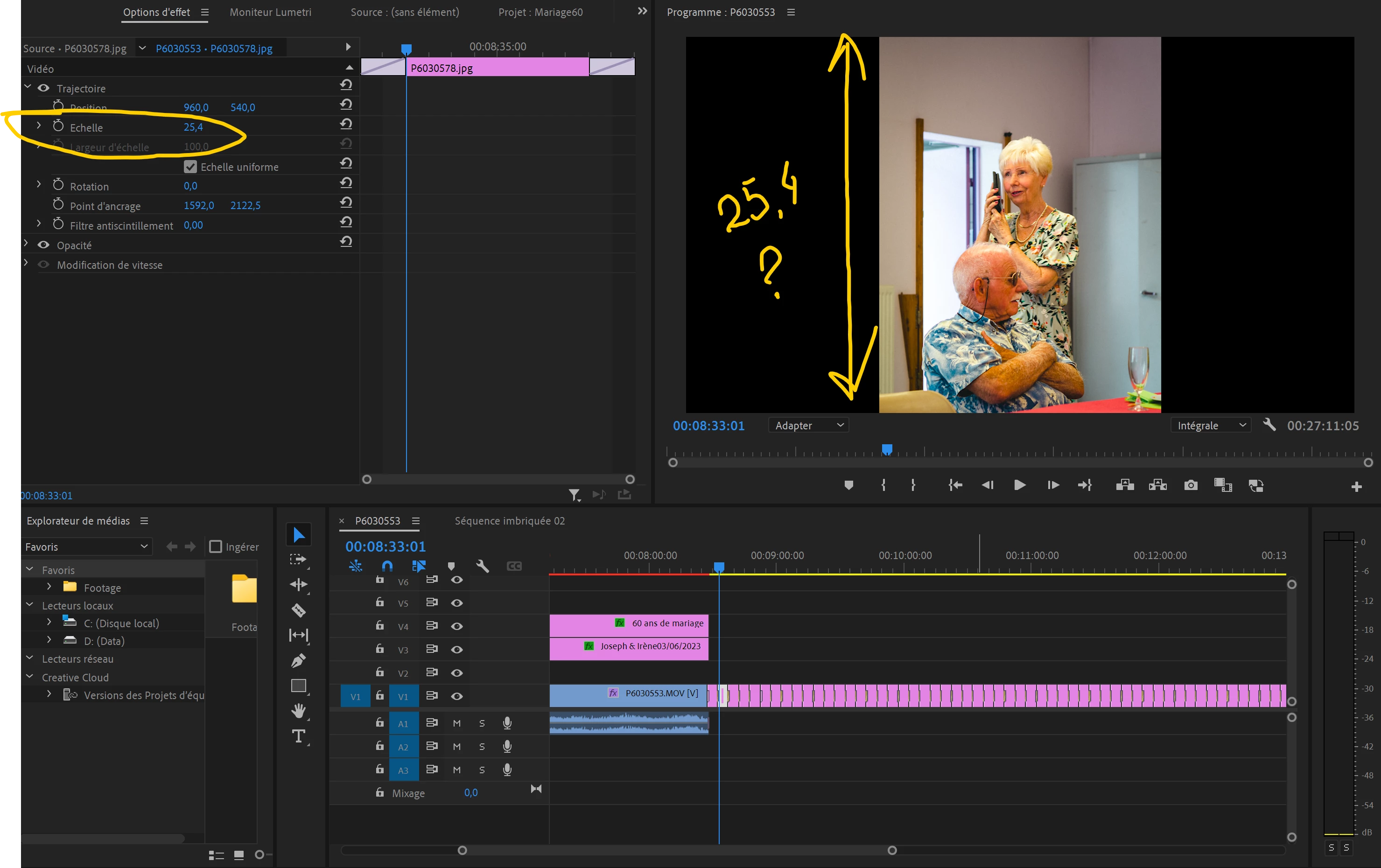
Why is this happening and how can I correct it to a scale of 100 to all my photos ?
Thanks in advance.
 AdChoices