


Participating Frequently
July 14, 2026
Answered

How to increase font size with keyframes but do not increase the scale

  • July 14, 2026
  • 1 reply
  • 17 views

Help!  I am trying to increase the font size on screen with keyframes!

I have text that is in a single line as below: 
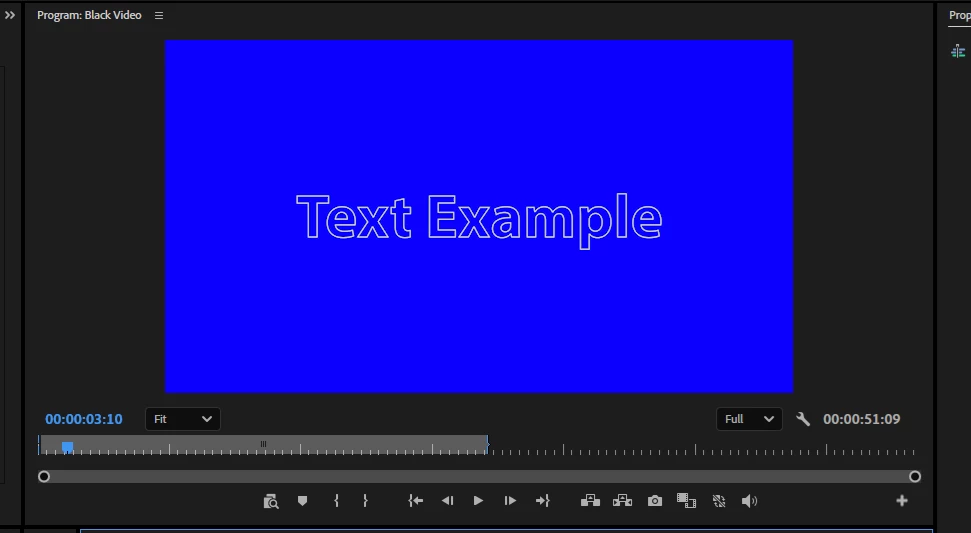
 

Before!


I then would like the text to increase in size to get this effect:
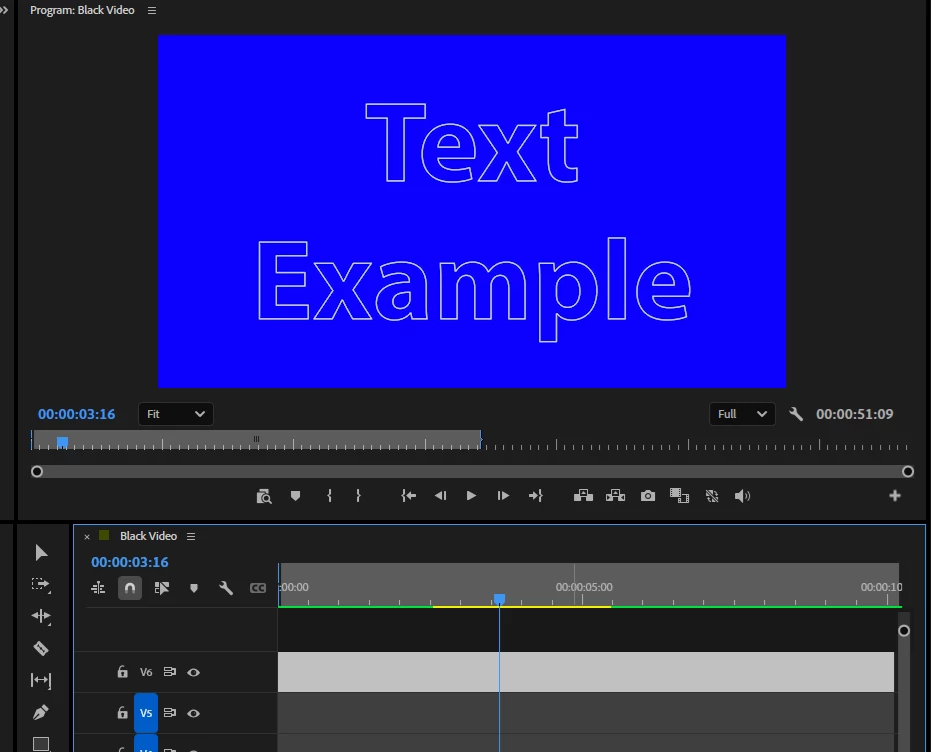

The problem is that:

  • When I use keyframes with the SCALE then it disappears off the screen
  • When I use keyframes with the Source Text and the font size it does not gradually increase in size but instead the playhead stays the same size until it reaches the second keyframe and then just jumps in size!

Is there a way to get from the first picture to the second picture?  Please don’t say use After Effects! 

 

​​​​​​

    Correct answer Ann Bens

    Make two different layers one for TEXT and one for EXAMPLE

    Keyframe both layers separately for position and scale.

    1 reply

    Ann Bens
    Community Expert
    Ann BensCommunity ExpertCorrect answer
    Community Expert
    July 14, 2026

    Make two different layers one for TEXT and one for EXAMPLE

    Keyframe both layers separately for position and scale.

    Participating Frequently
    July 15, 2026

    Thanks Ann.  I did try this but unfortunately it didn’t seem to work either, and now increasing the font size isn’t work.  (I am very old and very tired so this might be something to do with it!).