
Participant
September 2, 2024
Answered

How to link multiple videos to audio - link is greyed out

  • September 2, 2024
  • 2 replies
  • 703 views

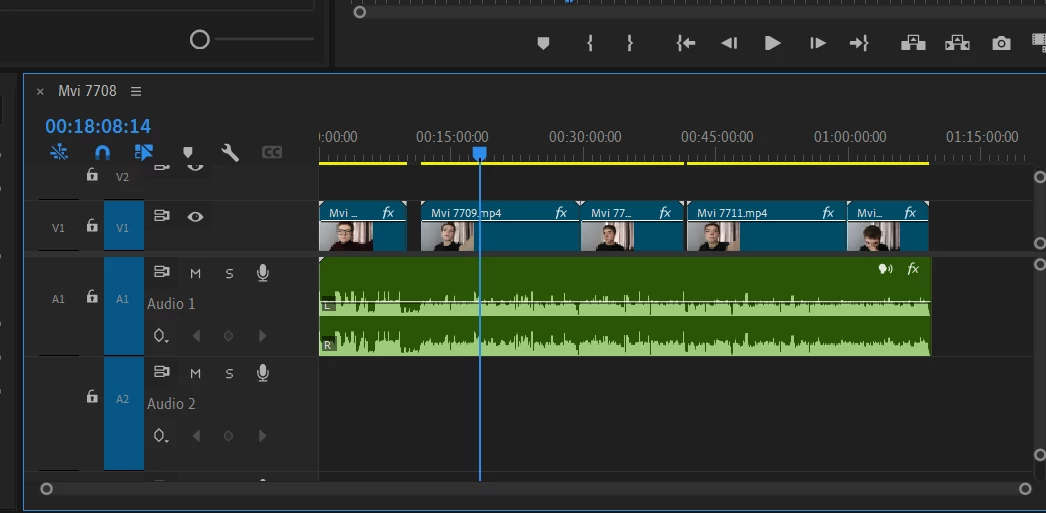
I have multiple videos and want to link them to my external audio recorded from a microphone but the link unavailable. Is there a way to link multiple separate videos to my main audio?
 

This topic has been closed for replies.
Correct answer Ali Jaber

If your group is selected, use Add Edit command (ctrl + K) instead of using the razor tool. Also, you can use Shift + razor tool, but it will cut clips on all the tracks which maybe you don't want to do.

2 replies

Harold Silva
Community Expert
Community Expert
September 2, 2024

Hola, dado que no se puede vincular mas de un clip de video a un audio lo que te sugiero es precomponer los clips y luego vincular con tu audio. Ya lo he probado anteriormente y me ha funcionado sin problemas

Harold Silva B.
Community Expert
September 2, 2024

Linking works only between one video clip and one audio, you can use grouping instead of linking in your case (select clips > right click > Group).

Participant
September 2, 2024

I did that but when I am cutting the clips it doesn't treat it as one and I have to cut the video and audio separately? Thanks for your help!


Ali JaberCommunity ExpertCorrect answer
Community Expert
September 2, 2024

If your group is selected, use Add Edit command (ctrl + K) instead of using the razor tool. Also, you can use Shift + razor tool, but it will cut clips on all the tracks which maybe you don't want to do.