
How to normalize audio correctly in Adobe Premiere Pro CC?
Hi,
I would like some tips about normalizing audio in Premiere Pro. I know how it works in general, but I'm having hard time to make it works correctly.
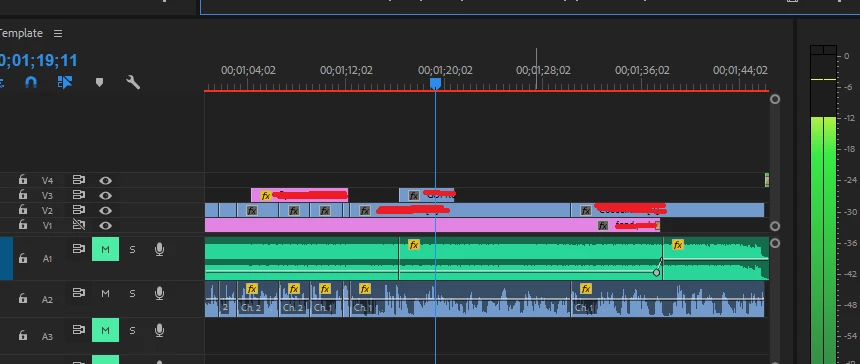
I have two audios. One for background music and one for the person talking. The thing is that the music audio is very loud and the person talking is very low by default.
I did put "all peak normalization" for the music at -4,5 dB like recommended when working. The sound is still very loud, but I reduced the volume at -25 dB to be able to hear the person talking without an annoying music in the background. It needed to be subtle. The music is now around -29 dB when playing.
For the person talking, it's very annoying because it's the most difficult part. Since the person talking is always talking at different volume, it's hard to work with that. I did normalize all peaks at -1 dB, but even with that, it's playing around -7 dB. I had to cut some part of the timeline to normalize correctly lowest part, but still don't know why in general it's only around -7 dB and not -1 dB?
Thank you
 AdChoices