martin draax
Inspiring
October 16, 2024
Answered

how to open a new, empty project in premiere?

  • October 16, 2024
  • 1 reply
  • 444 views

Hey everybody!


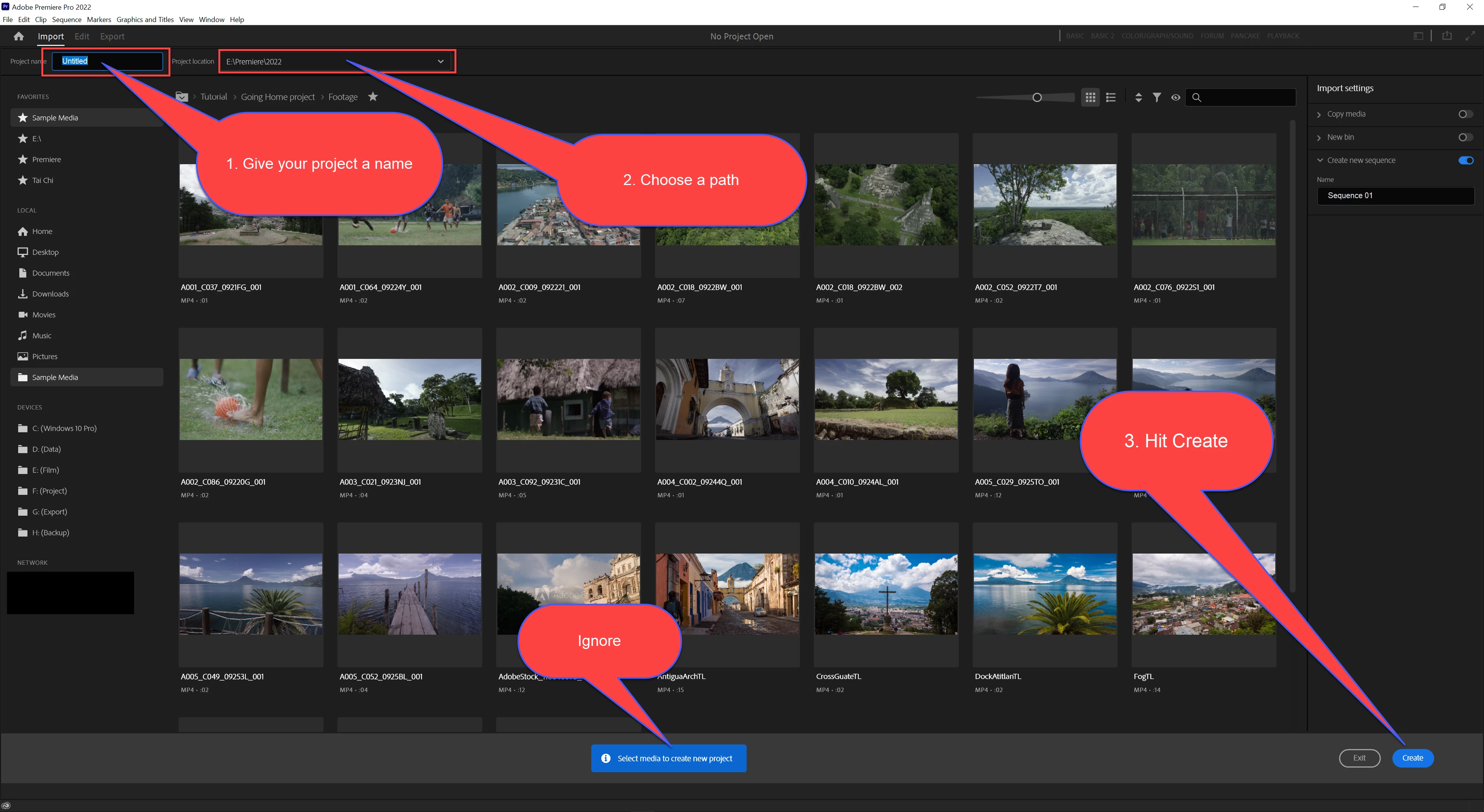
I haven't been using premiere for a while and there is something that bothers me. I must be silly or something, but i cannot find how to open an empty project in premiere. It wants me to open something existing, but I just need an empty document to load new material in. How come Premiere wants me to open ther stock files or something i made earlier?


Does anyone know what I should do?
This topic has been closed for replies.
Correct answer Ann Bens

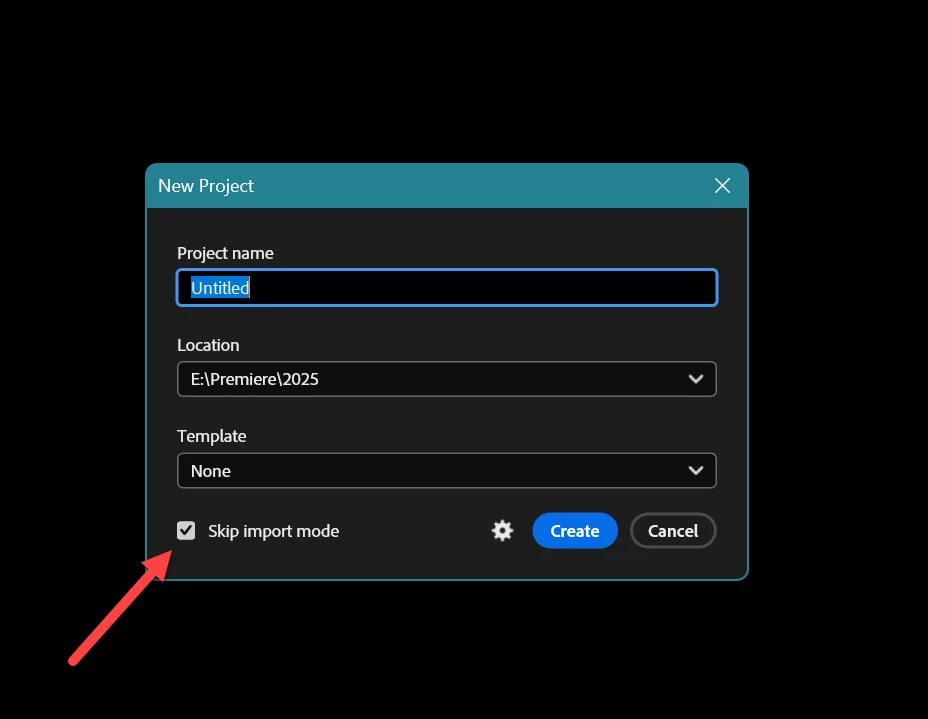
Give the new project a name > set the path and hit OK: that is it, no need to import anything.

After ok you are presented with an empty project and import assets as usually.


2025.0 now has this new project panel.


1 reply

Ann Bens
Community Expert
Ann BensCommunity ExpertCorrect answer
Community Expert
October 16, 2024

Give the new project a name > set the path and hit OK: that is it, no need to import anything.

After ok you are presented with an empty project and import assets as usually.


2025.0 now has this new project panel.


martin draax
Inspiring
October 16, 2024

Oh wow! Thank you! This way of starting a new document seems contra intuitive to me, so I am really thankful you made this! THANX!