
niravm14972017
Known Participant
November 30, 2017
Answered

How to open closed project panel by PPro api?

  • November 30, 2017
  • 1 reply
  • 1064 views

Hello,

I want to open closed project panel by PPro API.

Steps:

  1. Open project.
  2. Close the panel. Right click on Project Panel >> 'Close Panel'.
  3. Try to open Project by API.

I have tried to open that project once again by below code but it can't open the project panel.

var projToOpen = new File(projectFilePath);

app.openDocument( projToOpen.fsName,

  1, // suppress 'Convert Project' dialogs?

  1, // suppress 'Locate Files' dialogs?

  1);

Is there any way to open it?

I found below API code to open extension but I am not sure that will work for this panel.

CSInterface.prototype.requestOpenExtension = function(extensionId, params)

{

  window.__adobe_cep__.requestOpenExtension(extensionId, params);

};

Could you please suggest me the proper way to open that project panel once again if end user closes project panel and I need to reopen by API?

As well What should be the extensionId for that project panel?
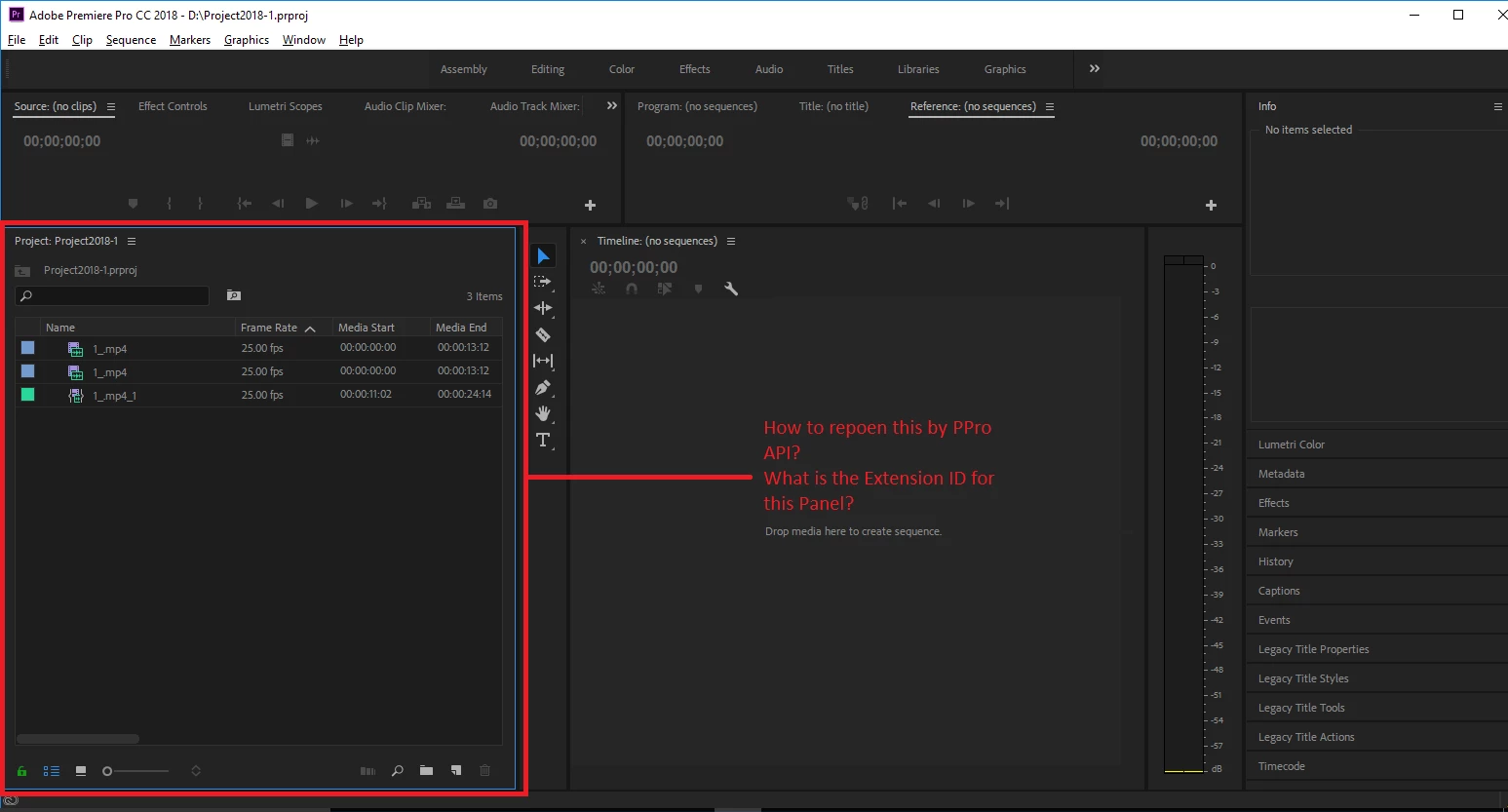
PPro Version: 12.0.0

This topic has been closed for replies.
Correct answer Justin Taylor-Hyper Brew

You can't open/close/reopen built-in panels like the project panel via CEP, you can only open/close CEP panels like this:

var csi = new CSInterface();

// open any extension

csi.requestOpenExtension('panelID', {});

// you can only close the current extension

csi.closeExtension();

If you want to close extensions that are yours other than the current one, look into Vulcan messages. With that you could send a close message from one panel to another.

1 reply

Participant
April 29, 2019

You can try to find the panel extension id from this return value:

window.__adobe_cep__.getExtensions

Justin Taylor-Hyper Brew
Community Expert
Community Expert
April 29, 2019

You can't open/close/reopen built-in panels like the project panel via CEP, you can only open/close CEP panels like this:

var csi = new CSInterface();

// open any extension

csi.requestOpenExtension('panelID', {});

// you can only close the current extension

csi.closeExtension();

If you want to close extensions that are yours other than the current one, look into Vulcan messages. With that you could send a close message from one panel to another.