samuelm86551797
Participant
August 3, 2017
Answered

How to Put Crop Bars in Source Monitor

  • August 3, 2017
  • 2 replies
  • 1055 views

Hello!

I'm editing a project that was shot 16x9, but the final product will be in 4:3. In the timeline / program monitor, I've added an adjustment layer to crop the frame. I'm curious, however, if there's any way to add those crop bars to footage as I watch it in the Source Monitor? A number of times, I've watched footage at 16x9 & brought it into the timeline, only to discover that it doesn't work nearly as well at the cropped aspect ratio.

Thank you!

sam
This topic has been closed for replies.
Correct answer Meg The Dog

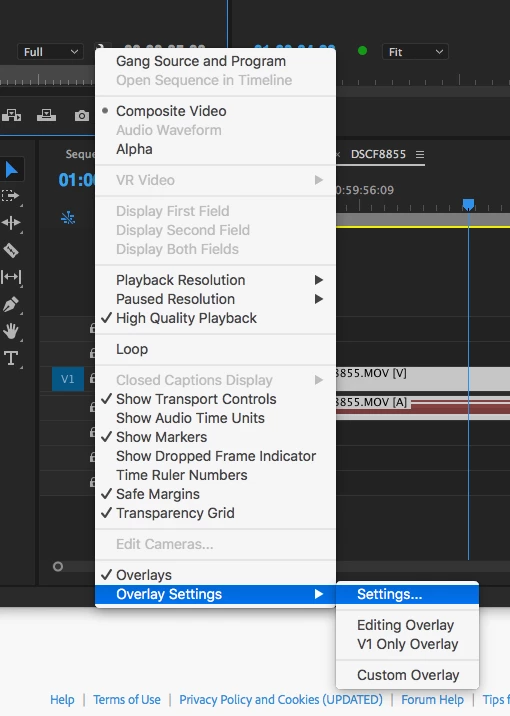
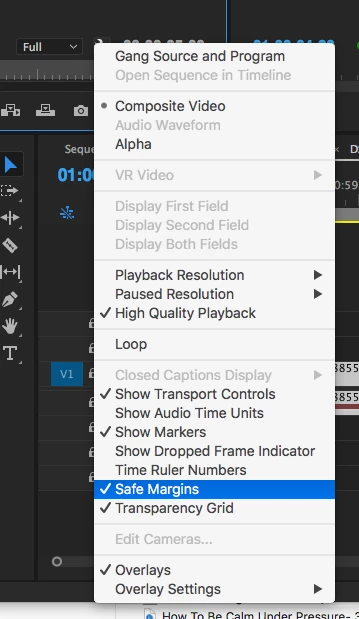
If you click on the wrench in the lower right corner of the Source Monitor, you can turn on the Safe Margins Overlay:

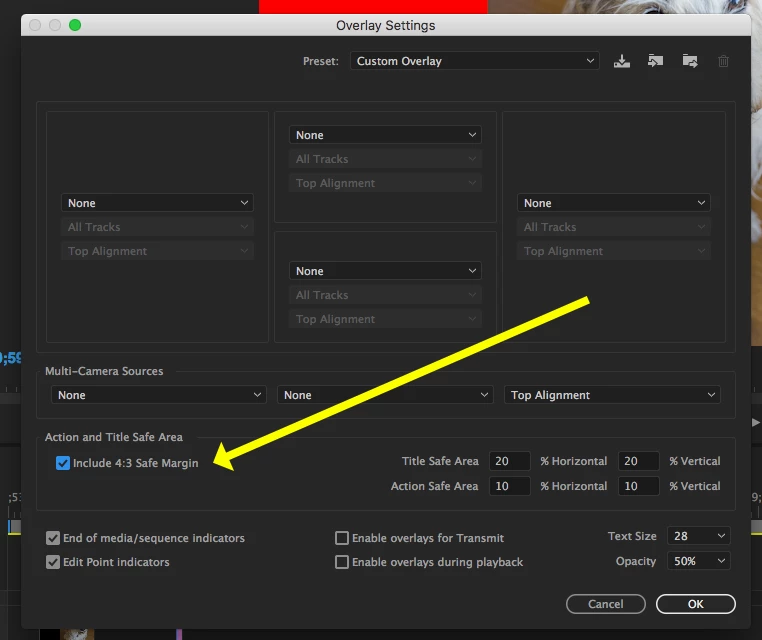
In the same menu, click on Overlay Settings > Settings:

and turn on the indicators for 4x3:

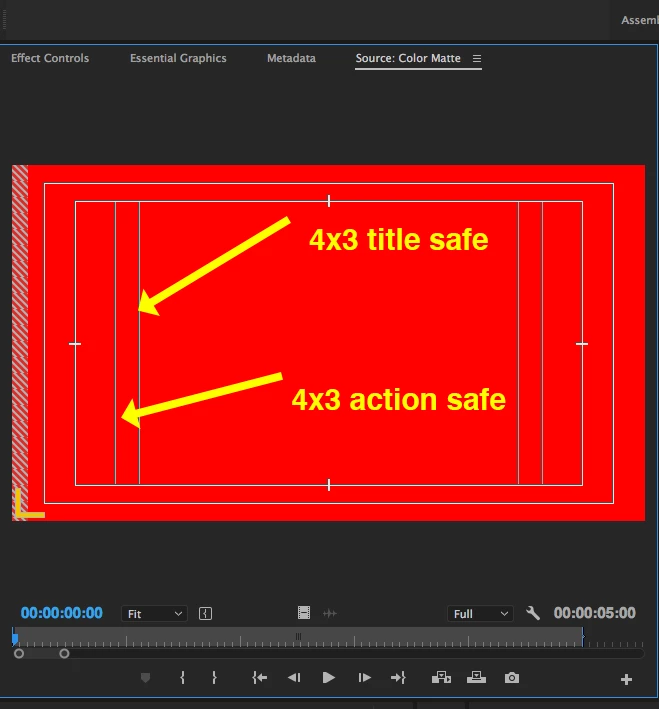
and you'll see the guides in the source monitor over your footage:

MtD

2 replies

Jeff Bugbee
Community Expert
Community Expert
August 3, 2017

Is your sequence set to your 4:3 resolution? There's no need to edit in 16:9 if your final will be 4:3. Edit in 4:3 and scale your video and position to fit within the frame.

Meg The DogCorrect answer
Inspiring
August 3, 2017

If you click on the wrench in the lower right corner of the Source Monitor, you can turn on the Safe Margins Overlay:

In the same menu, click on Overlay Settings > Settings:

and turn on the indicators for 4x3:

and you'll see the guides in the source monitor over your footage:

MtD

Participant
August 3, 2017

I need to crop a rotated video clip.  When i go to crop it, however, the result is a diamond shape, as the crop is in reference to the unrotated clip.  How do I crop the rotated clip so it is not a diamond???

Thank you!

Inspiring
August 3, 2017

Not sure what you are asking but if you want to apply a vertically straight crop to a clip you have rotated on the timeline:

Rotate the clip on the timeline, then click on it to select it and go to the menu Clip > Nest. Nest the clip and then apply the crop to the nest.

MtD