Inspiring
July 20, 2020
Answered

how to record to a mono track in Premiere pro

  • July 20, 2020
  • 1 reply
  • 12638 views

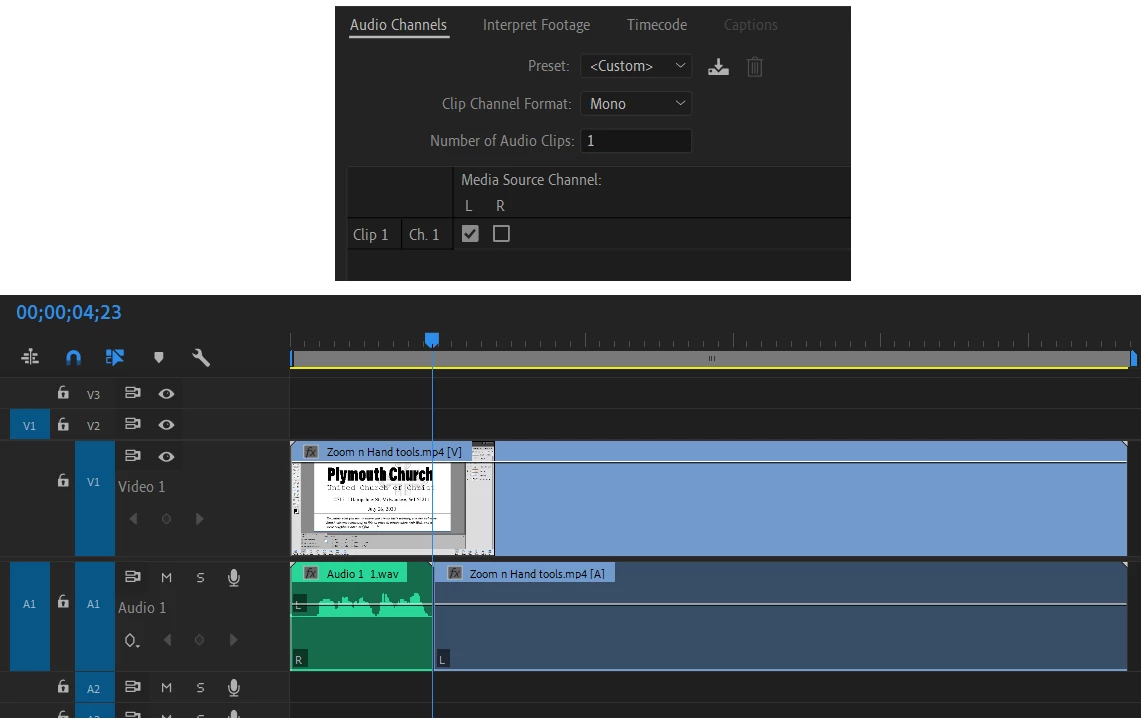
Hi, I am trying to record a mono track for voice annotation.  I can set up a mono track via Modify > Audio Channels, but when I click on the microphone and start recording, it records to the left channel only of a stereo track.  How can I either record to a mono track, or record mono to both tracks. Thanks.

Zaffer
Correct answer R Neil Haugen

The image you show is of a 'standard' track, which is paired mono.


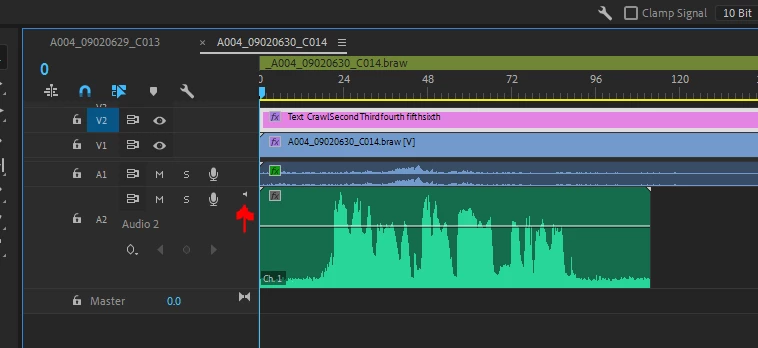
A 'true' mono track has this little icon in it ...

And for voice-overs, that's best done by adding a track via right-clicking the timeline header block, Add Tracks, and delete the video track, and set the audio track type as needed.


Neil

1 reply

R Neil Haugen
R Neil HaugenCorrect answer
Legend
July 20, 2020

The image you show is of a 'standard' track, which is paired mono.


A 'true' mono track has this little icon in it ...

And for voice-overs, that's best done by adding a track via right-clicking the timeline header block, Add Tracks, and delete the video track, and set the audio track type as needed.


Neil

Everyone's mileage always varies ...
ZafferAuthor
Inspiring
July 20, 2020

Thanks Neil,

How do I get the little mono icon to show on a track?

Zaffer

ZafferAuthor
Inspiring
July 20, 2020

Hi Neil,

I did it!  I figured out how to add a mono track just like you said.  First I dragged my mp4 with its blank audio track (no audio recorded for this video) to the timeline.  Then I  clicked on the timeline header  block, opened Add Tracks, and chose Mono for Track Type.   That produced a track with the mono icon for Audio 2.  Then I simply deleted the blank audio Audio 1 track.  Perfect.  Thanks so much.

Zaffer