
Inspiring
June 3, 2019
Answered

How to remove folder/bin from inside main bin in Project Panel

  • June 3, 2019
  • 11 replies
  • 4707 views

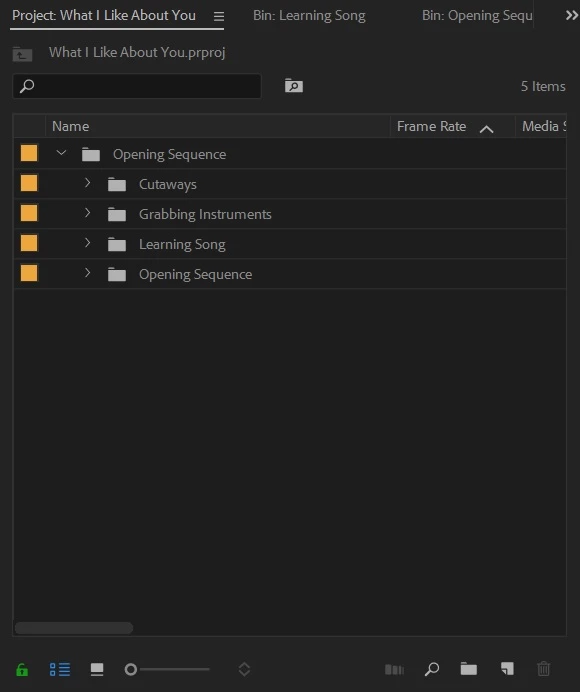
I'm still pretty new at learning the functionality of Premiere. I'm using PPcc 2018. I want to remove all the sub-bins from inside the main bin titled "Opening Sequence". I somehow managed to create a bin in the Project Panel and then include all my other bins/folders inside the main one. (see screenshot). I would then be left with separate bins titled "Opening Sequence", "Cutaways", etc without them being tucked inside the main bin.
    This topic has been closed for replies.
    Correct answer Meg The Dog

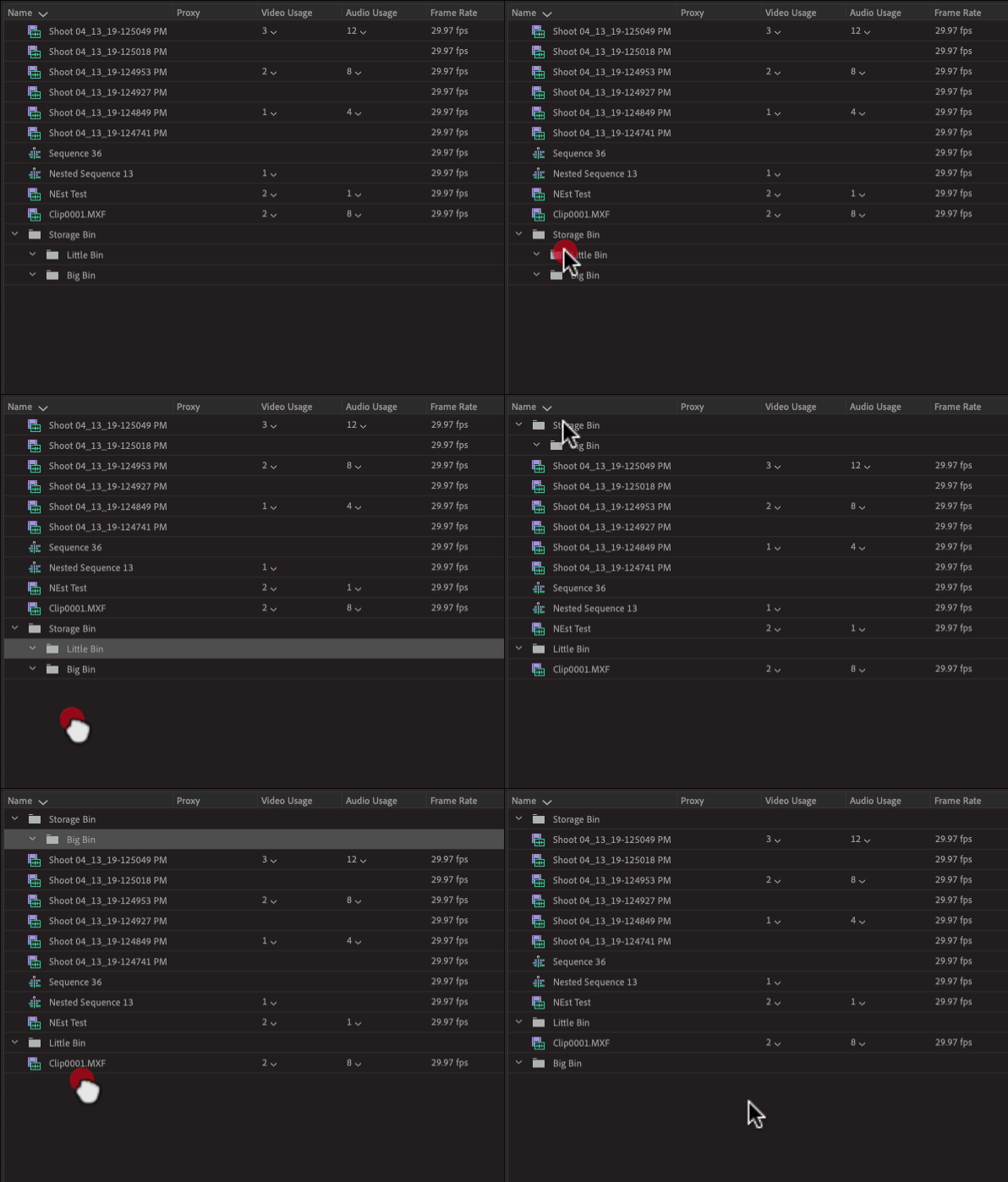
    Just click down on the bins that are inside the other bin and drag to a blank area of the Project Panel. This will elevate the bin to the top layer of the directory:

    MtD

    11 replies

    Meg The DogCorrect answer
    Inspiring
    June 3, 2019

    Just click down on the bins that are inside the other bin and drag to a blank area of the Project Panel. This will elevate the bin to the top layer of the directory:

    MtD

    Legend
    June 3, 2019

    meg dog, that gif is freaky !