Question
How to remove photoshop file from timeline on premiere pro?
Hello, i have a photoshop file with an arrow, the goal is to add the arrow on the image to explain something, i dragged the PS file on the timeline and put it abobe the image from the slideshow i wanted it to be. Now the problem is when i play the slide show it only shows the arrow, not the original image with the arrow on it, and it dosent let me undo either, now i don't know how to remove the PS from the image without removing the image itself, any help?
Thank you!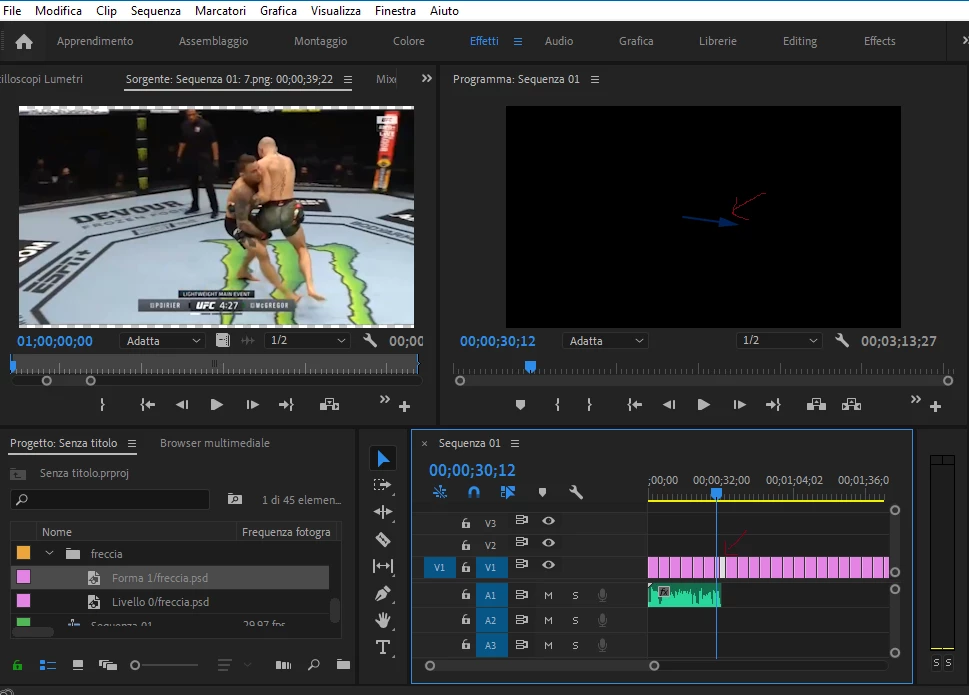
 AdChoices