joegui
Participant
March 31, 2020
Answered

How to remove point in and out in Adobe Premiere Pro?

  • March 31, 2020
  • 1 reply
  • 893 views

Hi people,

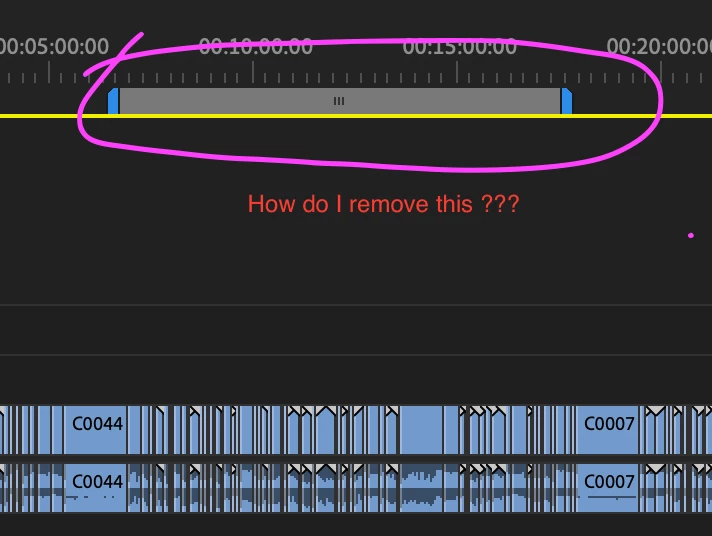
Does anybody know how to remove this sequence point in and out from my timeline?   It's super annoying and I am losing sleep because of that! 


Appreciate any form of advice, willing to try anything to get rid of it.

Thanks in advanced! 


- Very Annoyed Video Editor


This topic has been closed for replies.
Correct answer Meg The Dog

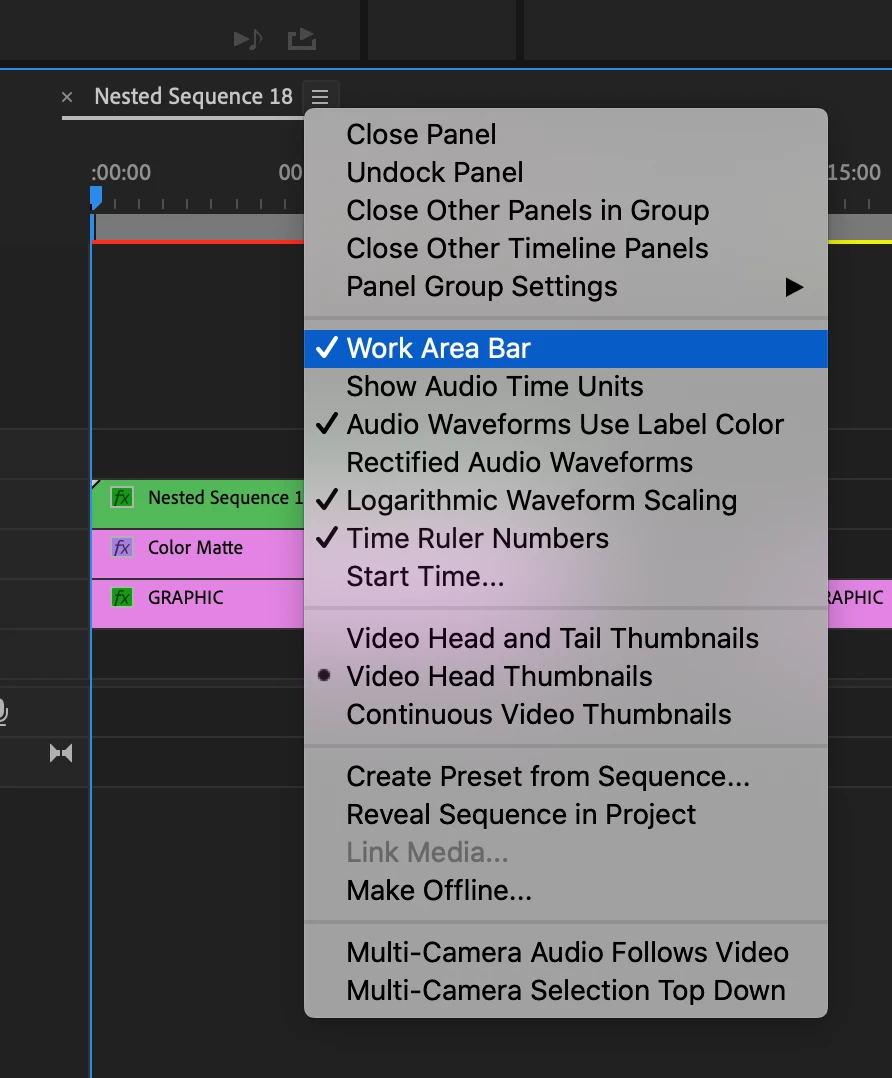
That is the work area bar, click on the stack of three lines next to your sequence name and from the drop down menu, choose Work Area Bar to toggle it off (uncheck it):

MtD


1 reply

Meg The DogCorrect answer
Inspiring
March 31, 2020

That is the work area bar, click on the stack of three lines next to your sequence name and from the drop down menu, choose Work Area Bar to toggle it off (uncheck it):

MtD


joegui
joeguiAuthor
Participant
April 1, 2020
Yes it works like a charm!!  You totally made my day Meg_The_Dog  , thank you sooooo much and have a great week ahead!