Participating Frequently
February 7, 2020
Answered

How to rename Video Track?

  • February 7, 2020
  • 2 replies
  • 31978 views

I am using an image sequence.

I can't figure out how to rename a Video track.


All I see is V1, V2, V3, V4, etc. etc.

But I want to rename each Video Track so I know what content is playing.


Thakn you for your help!
 

This topic has been closed for replies.
Correct answer Ann Bens

Might want to customize the track also and put the name at the top.

2 replies

Ann Bens
Community Expert
Ann BensCommunity ExpertCorrect answer
Community Expert
February 7, 2020

Might want to customize the track also and put the name at the top.

Participating Frequently
February 7, 2020

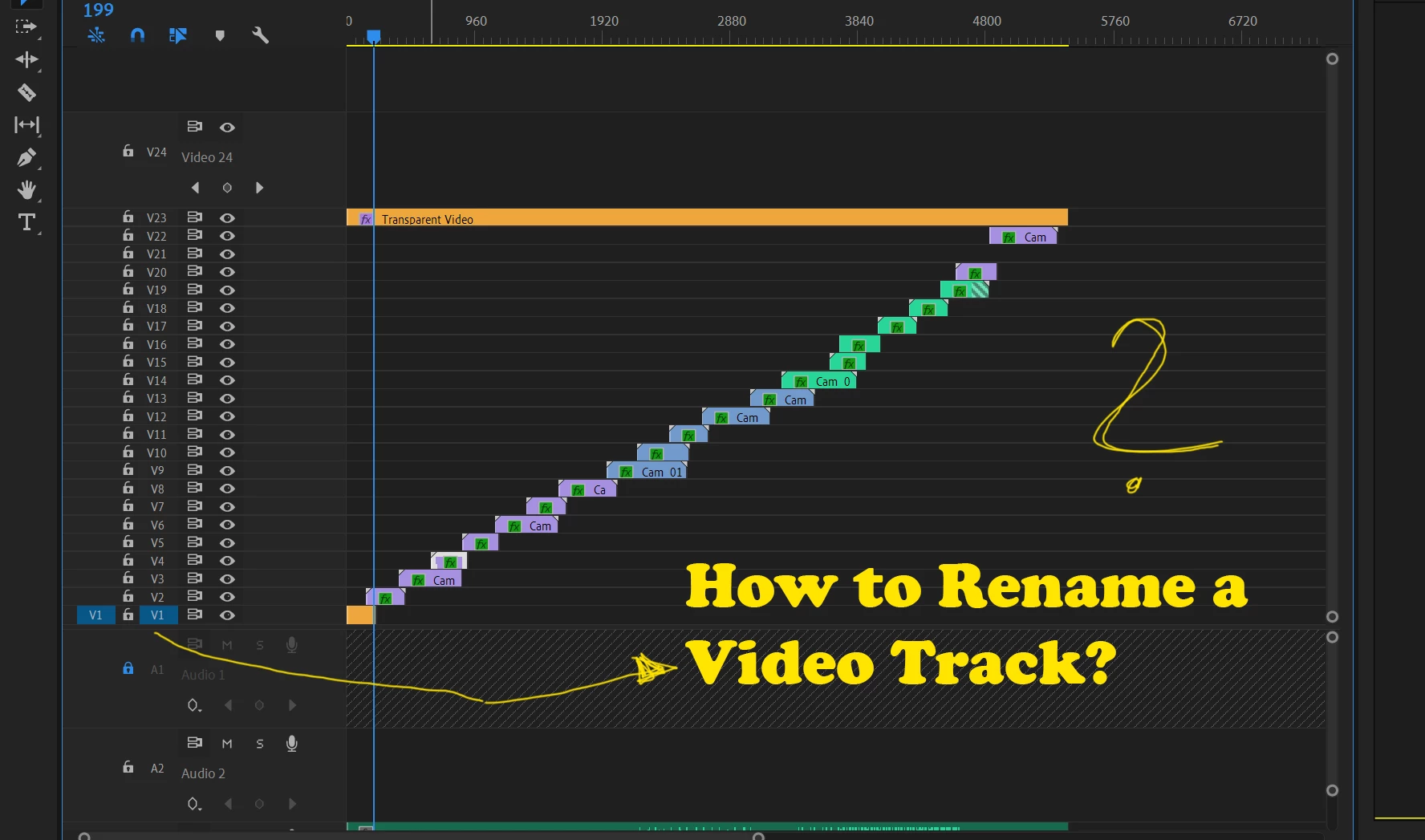
How to change the Video Track Name when the track is collapsed?

Please look at the screenshot attached.


Ann Bens
Community Expert
Community Expert
February 7, 2020

Expand, right click, customize, drag icons to where you want them.

Inspiring
February 7, 2020

The track(s) has to be expanded so that you see the track name beside the Source Patching and Track Targeting buttons:

Then right click on that text and choose Rename from the drop down menu:

MtD

Participating Frequently
February 7, 2020

well.. I understand. but even if I expand the track and I renamed. After you make it small again, you see V1, V2, V3, etc. on the left... I want to make sure that this is changing. But it doesn't, even after renaming the Video Track.


So yes.. to be more specific. I can rename the Videotrack and call it XYZ. But the V1 remains.


How to change this?