
jackn75654982
Participant
Sep 15, 2023 4:09 AM UTC
Answered

How to revert this change , it suddenly goes to finer its

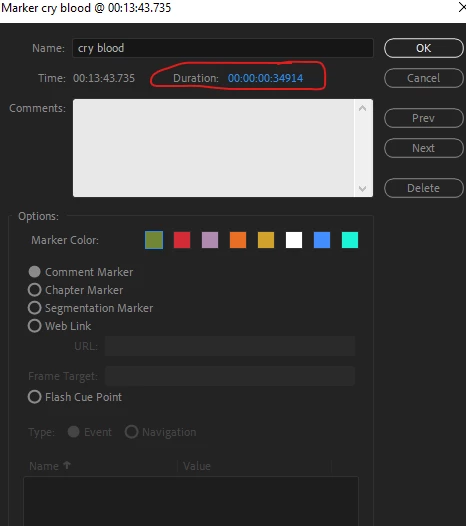
this is on the marker, it has fewer numbers before


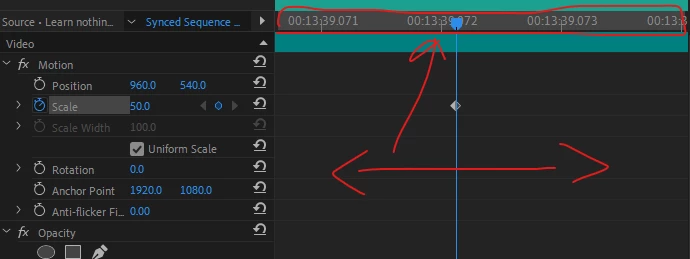
 how you scroll on the keyframes its so much finer or it has this slippery feeling, I prefer it like before it was magnets like to each keyframe, now it's extremely fine to use the mouse on this timeline.


This topic is closed to new replies. Start a new post to keep the conversation going.
jackn75654982
jackn75654982Correct answer
Participant
Sep 16, 2023 3:22 AM UTC

Awesome!  I get the reason now, because I tried using the adobe enhance on audio and replacing my audio that's what caused it. ♥

2 replies

Mike Dziennik
Community Expert
Community Expert
Sep 15, 2023 11:37 AM UTC

The longer timecode number is because it is referencing audio samples, which are much finer increments than frames.
Go to the 3-line 'burger' menu next to your timeline header tab, and uncheck 'Show Audio Time Units'.

Translate
jackn75654982
jackn75654982AuthorCorrect answer
Participant
Sep 16, 2023 3:22 AM UTC

Awesome!  I get the reason now, because I tried using the adobe enhance on audio and replacing my audio that's what caused it. ♥

Translate