Answered
How to ripple edit a single track in premiere pro
so i wanna ripple extend my text items wthout affecting the items on other track
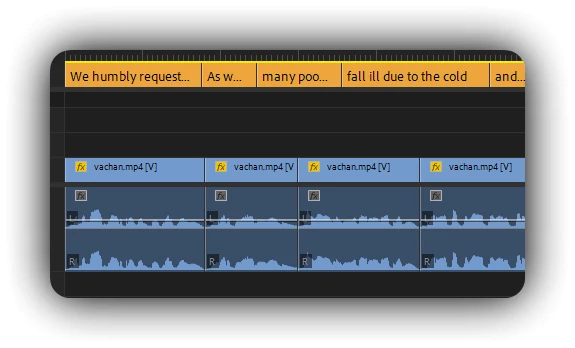
by default, the ripple tool wont let me do that
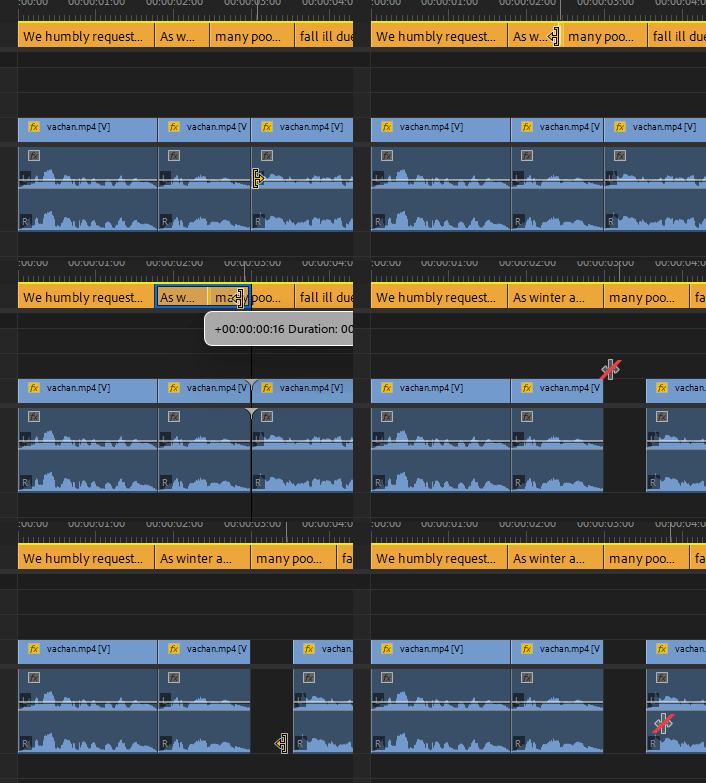
how can i just ripple edit one track?

so i wanna ripple extend my text items wthout affecting the items on other track
by default, the ripple tool wont let me do that
how can i just ripple edit one track?
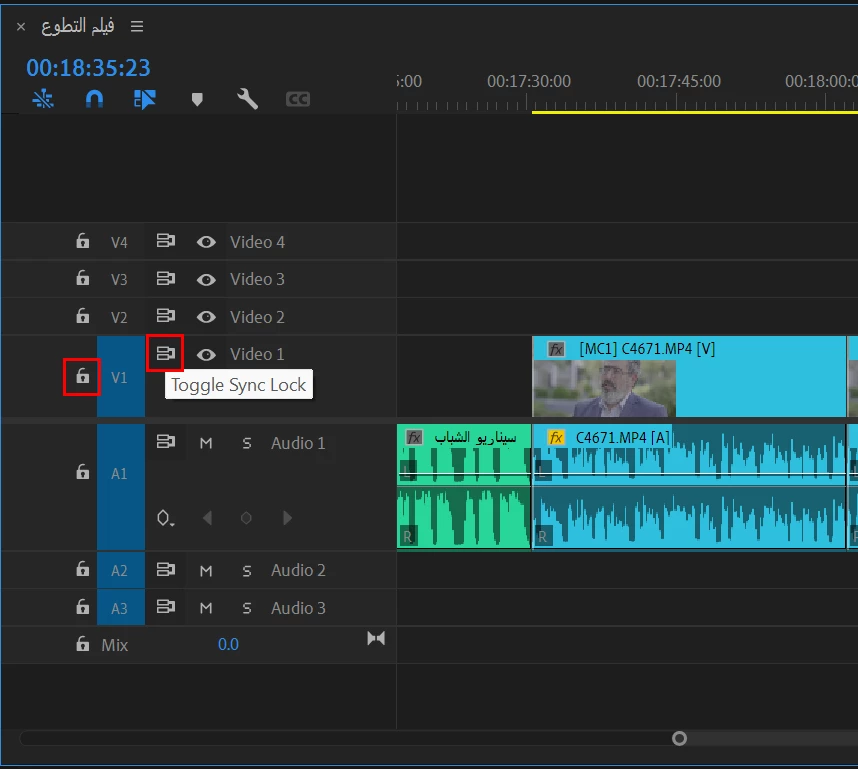
You can either lock the tracks or disable Sync lock for those tracks that you don't want to affect:
Already have an account? Login
No account yet? Create an account
Enter your E-mail address. We'll send you an e-mail with instructions to reset your password.


 AdChoices