


Answered
How to "roll" credits in Premiere Pro 2025?
Hi!
To anyone that sees this message, I have no idea how to "roll" my end credits in Premiere Pro 2025.
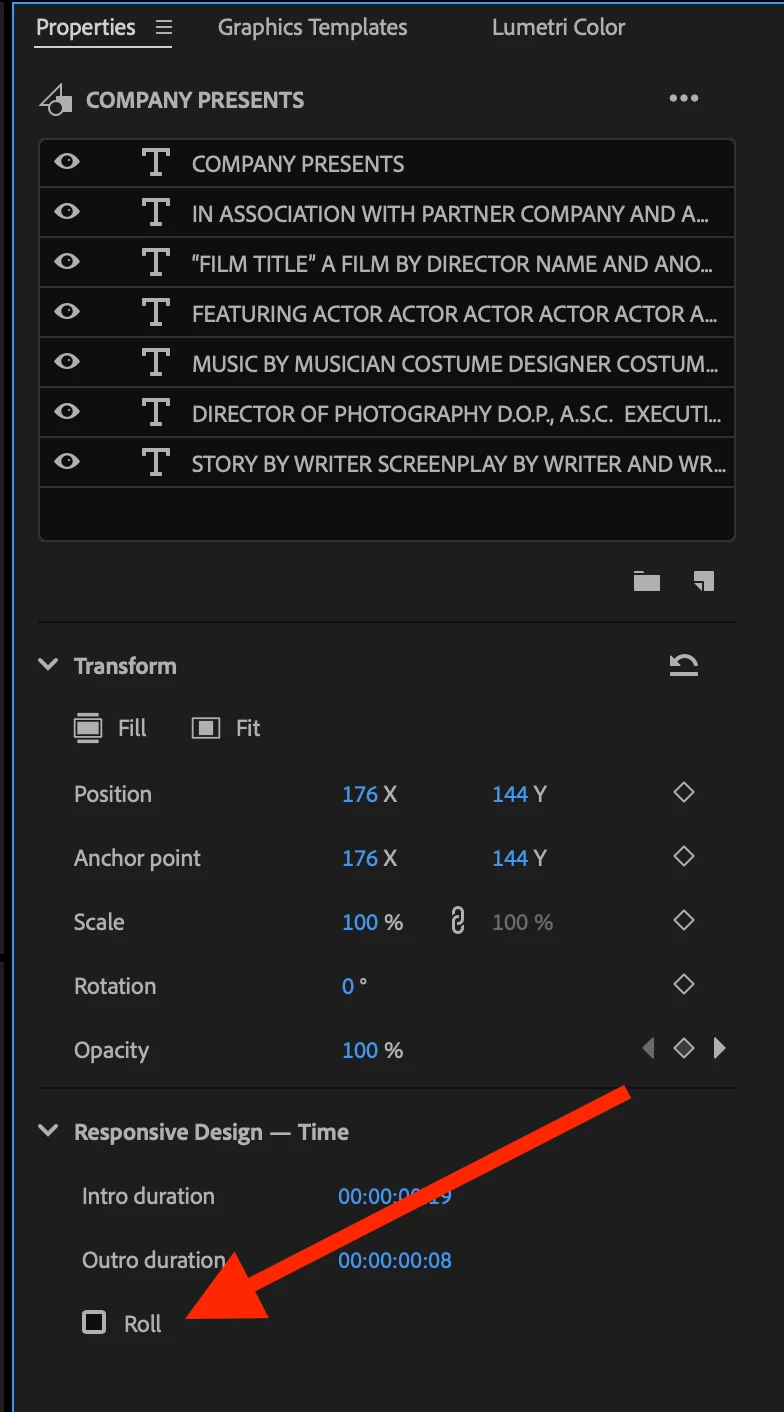
I read from a different user that the 'Essential Graphics' tab now falls under 'Properties' but I don't see the "roll" button anywhere to tick off for my end credits...
Does anyone have any clue where the "roll" button has gone?
I also don't use a Mac (I use Windows), so I'm not sure if the layout of things on Premiere Pro 2025 is different. (Based on a number of short YouTube videos to do with finding the 'Essential Graphics' tab which would've supposedly have the "roll" button found instantly.
I'm currently running on a tight deadline, so I really hope someone finds this post ASAP!
Thanks in advance!

 AdChoices