
Question
How to scale element whilst keeping in-out effects in the same relative position?
Hey guys, I'm trying to create some "swoosh" in/out effects for text and other things I want to display in my videos. In this tutorial at 12:13 the guy uses those blue bars in the Effect Controls panel to keep the in-out effects in the same relative position when scaling the overall length of the inserted element: https://youtu.be/-SquB8m_MVo?t=733
I'm currently trying the same with a GIF file but I don't have those blue bars:
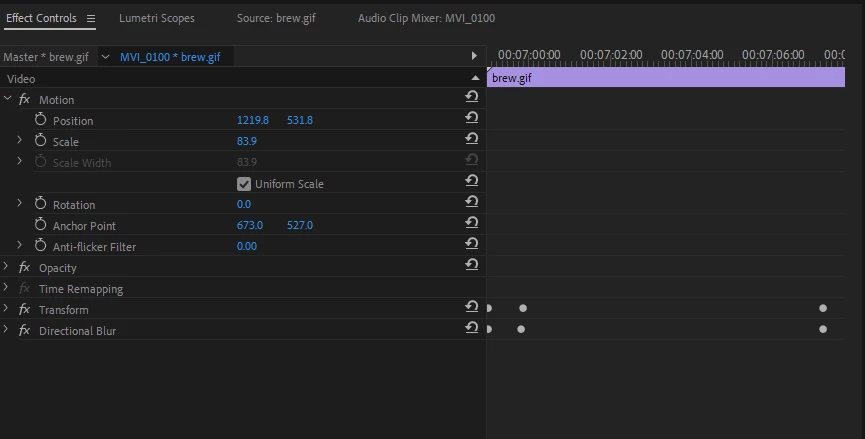
So when I scale the GIF to be shown for a longer or shorter time, the out-transition doesn't get scaled! How do I get the blue bars the guy is showing in the video, or how else do I fix the relative position of my effects before scaling the element?
PS: Premiere Pro 14.3 (build 38) on a PC.
 AdChoices