


Known Participant
Dec 21, 2024 5:00 PM UTC
Question

How to scale Premiere 25 UI interface

How can I scale UI interface of Premiere 25.1 on Windows?


I just updated to version 25 and I can't find the slider control to scale the interface such us on the previous versions:
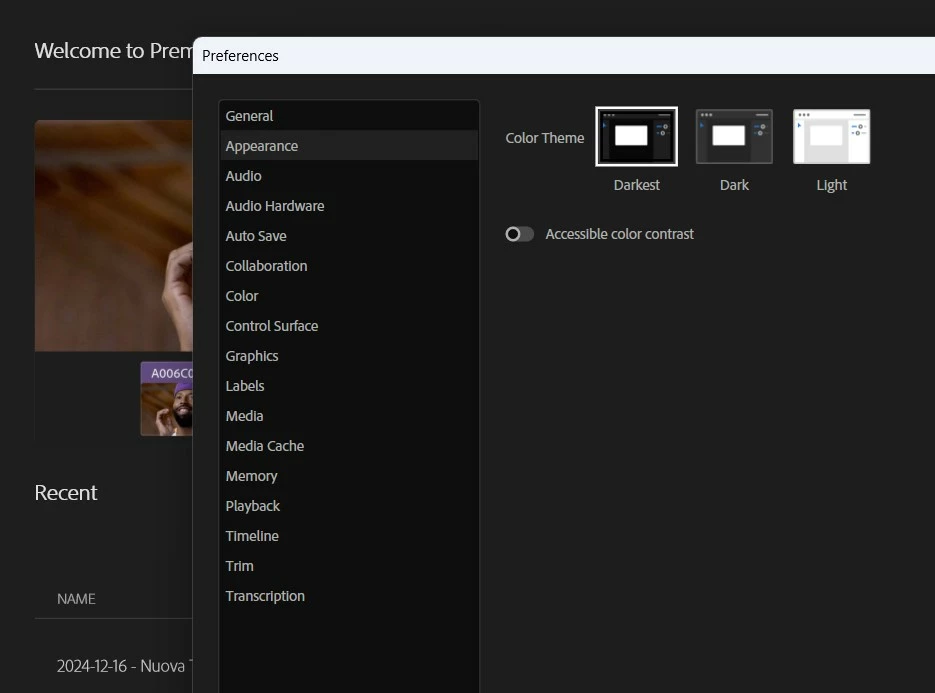


Also, the font is so awful. It's difficult to read. Premiere 24 was fine. How can I fix this?


Thank you

This topic is closed to new replies. Start a new post to keep the conversation going.

3 replies

Community Expert
Dec 21, 2024 5:43 PM UTC

I found that turning on "Accessible color contrast" makes text more clear. 

I don't remember that we can scale user interface of PPro 2024, but maybe I'm wrong...

Translate
Known Participant
Dec 22, 2024 9:28 AM UTC

There was a "scale" slider like this (this if from the current version of Bridge)

Translate
Ann Bens
Community Expert
Community Expert
Dec 22, 2024 11:49 AM UTC

@Alberto Bedin 

Premiere never had a slider for scaling the interface.

But this from the Bridge is not a solution,

Premiere just needs a larger font size, that is all. The rest can stay as is.

Translate