


Participating Frequently
August 14, 2025
Answered

How to select solid background in Adobe Premiere?

  • August 14, 2025
  • 1 reply
  • 1360 views

Hi there!

I rendered an animation in 3ds Max + Corona and, besides the LightMix render, I also ended up with the CMasking_WireColor. My plan is to whiten the background in Premiere, while maintaining a soft shadow. Unfortunately, using the Corona Shadow Catcher Material didn't give me the results I wanted.
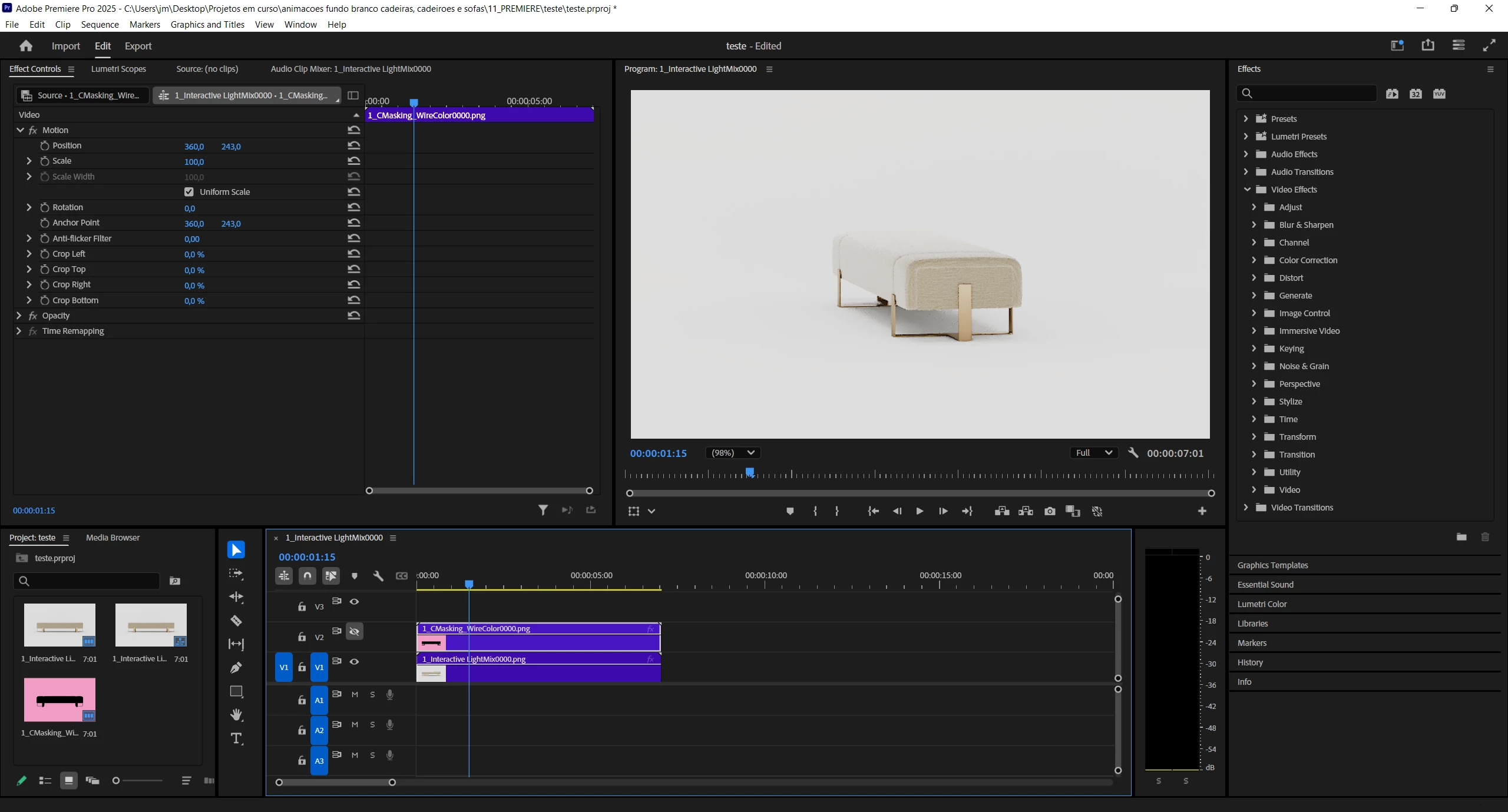
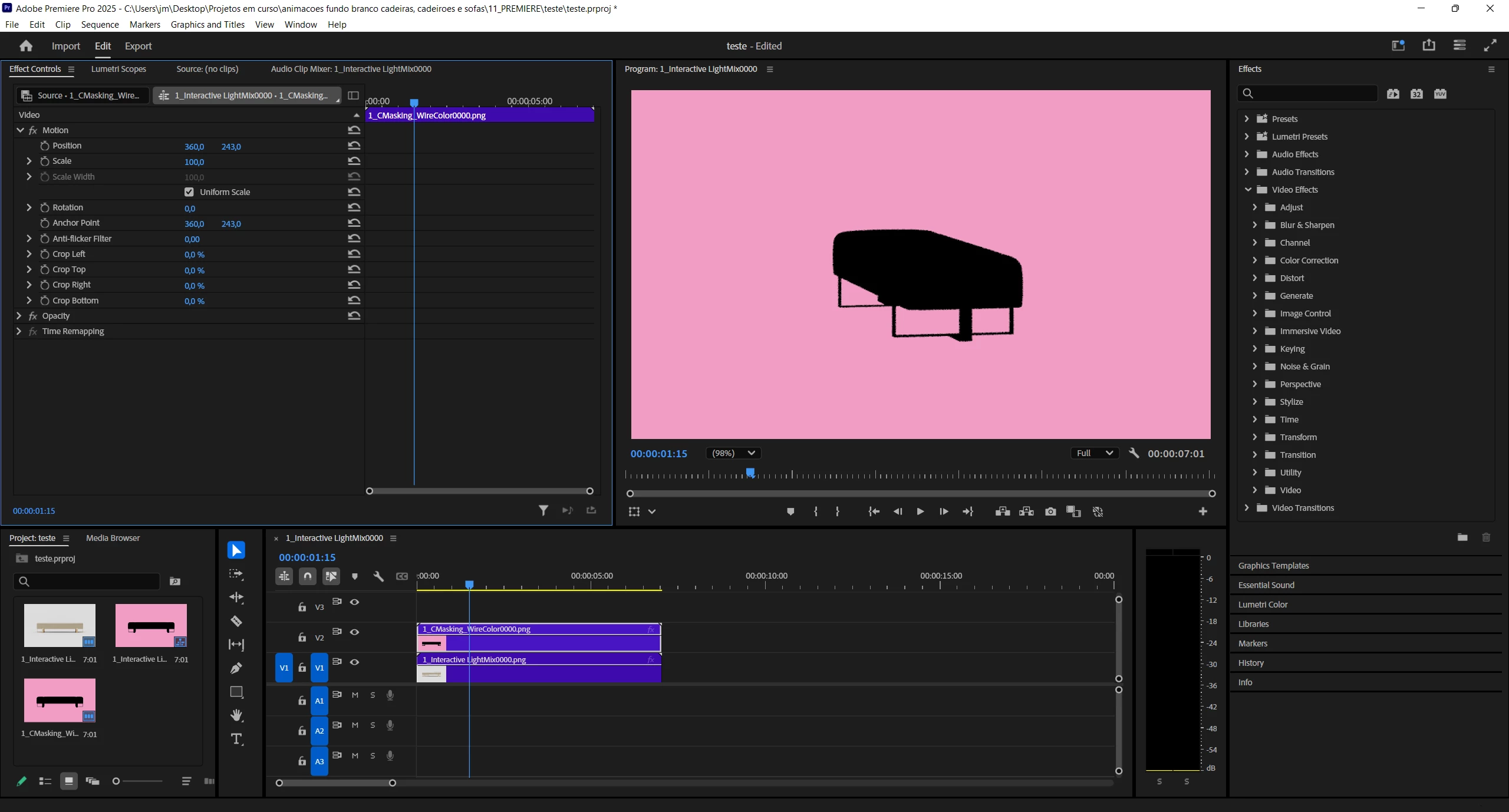
Does anybody knows how to select the background color in the CMasking_WireColor video, in order to select the Interactive_LightMix background video (the main one, with the textures) and lighten it up (similar to what is possible in Photoshop)?

Correct answer Ishan Y

I did exactly what you said, @Ishan Y , and I got the same results as you. However, I don't want to have a pink background. My objective is to select the pink background (since it is a solid color, it's easy to select it), and use that selection to make the white backround even whiter (with levels, curves, some other tool...).


The goal is to end up with a white background (or as close to it), instead of a grey one.


I see. You can do that by following the steps in my initial reply and adding another clip of Interactive_LightMix at the bottom. Then, select the bottom clip and go to the Lumetri Panel to make the color adjustments (top menu bar, Window > Lumetri Color). I have attached a screenshot where I have lightened the background color by increasing the Whites slider in the Lumetri Panel.

1 reply

Ishan Y
Inspiring
August 14, 2025

Hi João,

Welcome to the Premiere Pro community. If I understand your question correctly, you want to use CMasking_WireColor to remove the background from Interactive_LightMix. To do so,

1. Apply the Luma Key effect on CMasking_WireColor and set the Cutoff to 50%.

2. Apply Track Matte Key on Interactive_LightMix. Set the Matte to Video 2 and enable Reverse.

(To enable the transparency grid, select the wrench button on the Program panel and select "Transparency Grid")


In case I misunderstood your question, could you please share more details?

Thanks,

Ishan

Please tag me (@) in your replies so that it notifies me and helps me respond promptly.
Participating Frequently
August 14, 2025

Hi Ishan,

Your method is indeed perfect to remove the background, thanks.

However, Since CMasking_WireColor doesn't have the furniture shadow, I'd like to select the pink background of CMasking_WireColor, and use that selection to brighten up the white background of the Interactive_LightMix. I know it will also make the shadows less intense, but that's a drawback I can live with.


Can you help me with this?

Participating Frequently
August 14, 2025

Sorry, I forgot to tag you, @Ishan Y . And for some reason, I'm unable to edit me reply...