
How to set to display one waveform instead of two?
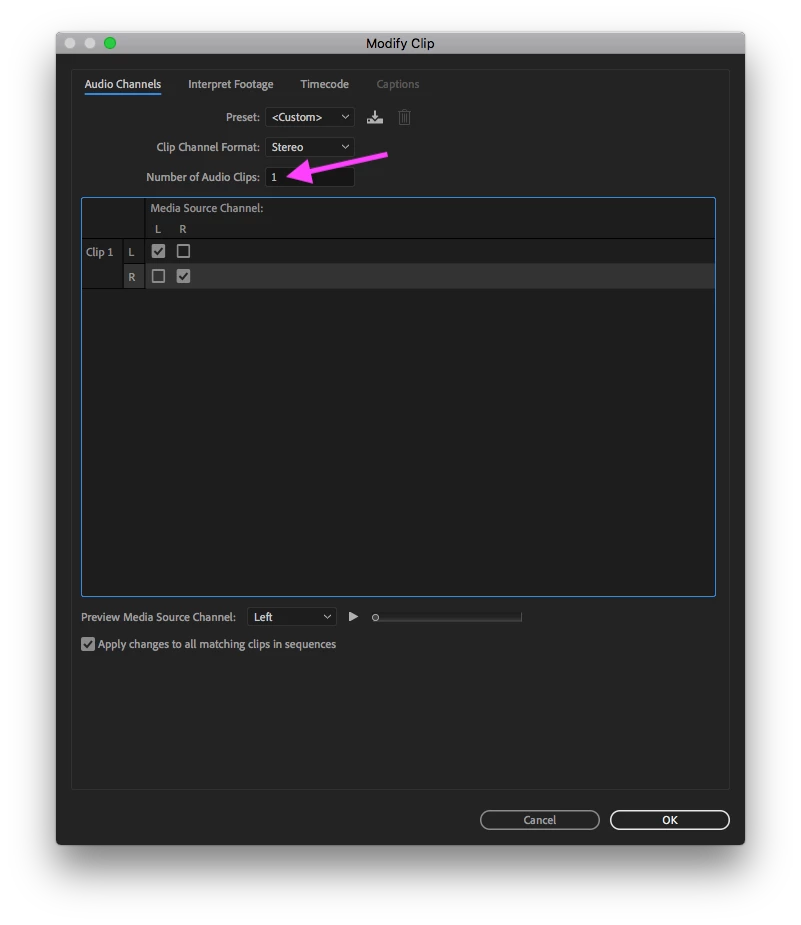
I use Premiere Pro maybe once a month to edit small videos, and when I booted it back up again today I noticed my clip has two waveforms underneath it, one for each audio channel. I know (and just checked) that most of the clips I have worked with in the past have 2 audio channels in them but I don't remember it displaying both audio channels in separate waveforms on the timeline. I've searched online for an hour now and I'm not sure if I'm miss-remembering that it used to only display a single waveform (supposedly representing both audio channels or maybe just one of them). The way it is now I have to enlarge each audio track much more than I have screen real estate just to visually see my audio track (I find this very useful for finding certain sections of videos). Is there a setting to display only a single waveform per clip?
Thanks in advance.


 AdChoices