Participant
February 9, 2018
Question

How to shrink wasted space on left of timeline?

  • February 9, 2018
  • 1 reply
  • 335 views

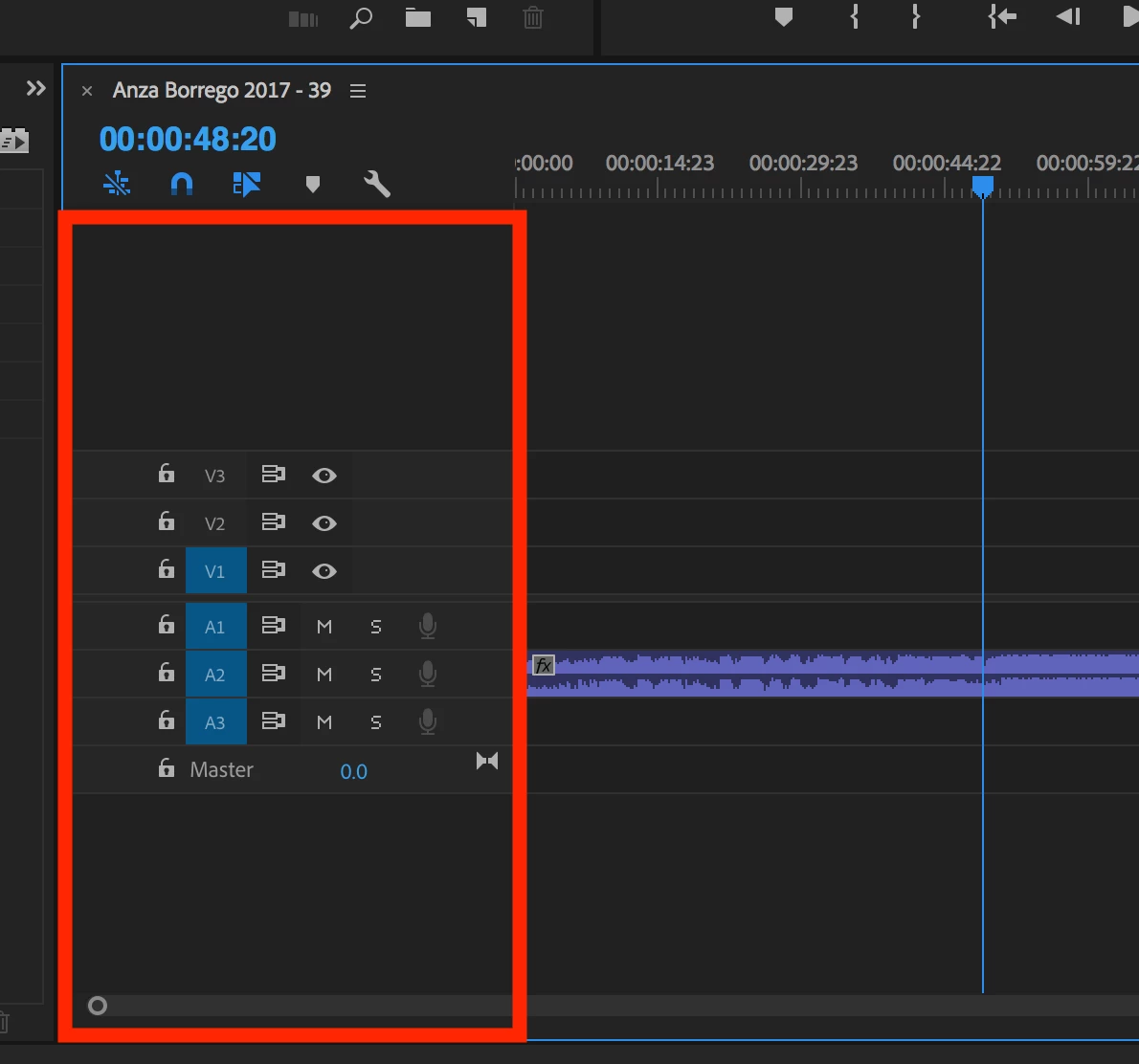
Is there anyway to shrink the size of the area highlighted in red on my screenshot? It's such an incredible waste of space on the timeline. It could be made MUCH more compact. It takes up almost 1/4 of the timeline. I can expand it, but this is the smallest it will go. Please help!
This topic has been closed for replies.

1 reply

Warren Heaton
Community Expert
Community Expert
February 9, 2018

You know, it would be great to be able to make the Source Patching, Toggle Track Lock, Toggle Track Target, Toggle Sync Lock, Toggle Track Output, Mute Track, Solo Track, Voice-over Record, and Monitor All Channels all thinner.

Feature Request/Bug Report Form